
Article
Facility Management Contracts: Tracking SLAs, Work Orders and Monthly Billing
How FM companies track PPM, reactive work orders and SLAs, and build a monthly bill with KPI deductions that clients can check, with a worked example.
Help Desk
Agents work each ticket with the customer's transactions and knowledge base answers at hand, not across emails, calls and spreadsheets.

Help desk software receives customer and internal support requests as tickets, assigns them to the right person and tracks each one until it is resolved.
In HYP ERP, Help Desk handles ticket management, the Help Desk Workspace, team and agent assignment, a knowledge base and support dashboards, with each ticket linked to the customer, CRM, transactions, tasks and calendars.
 HYP ERP
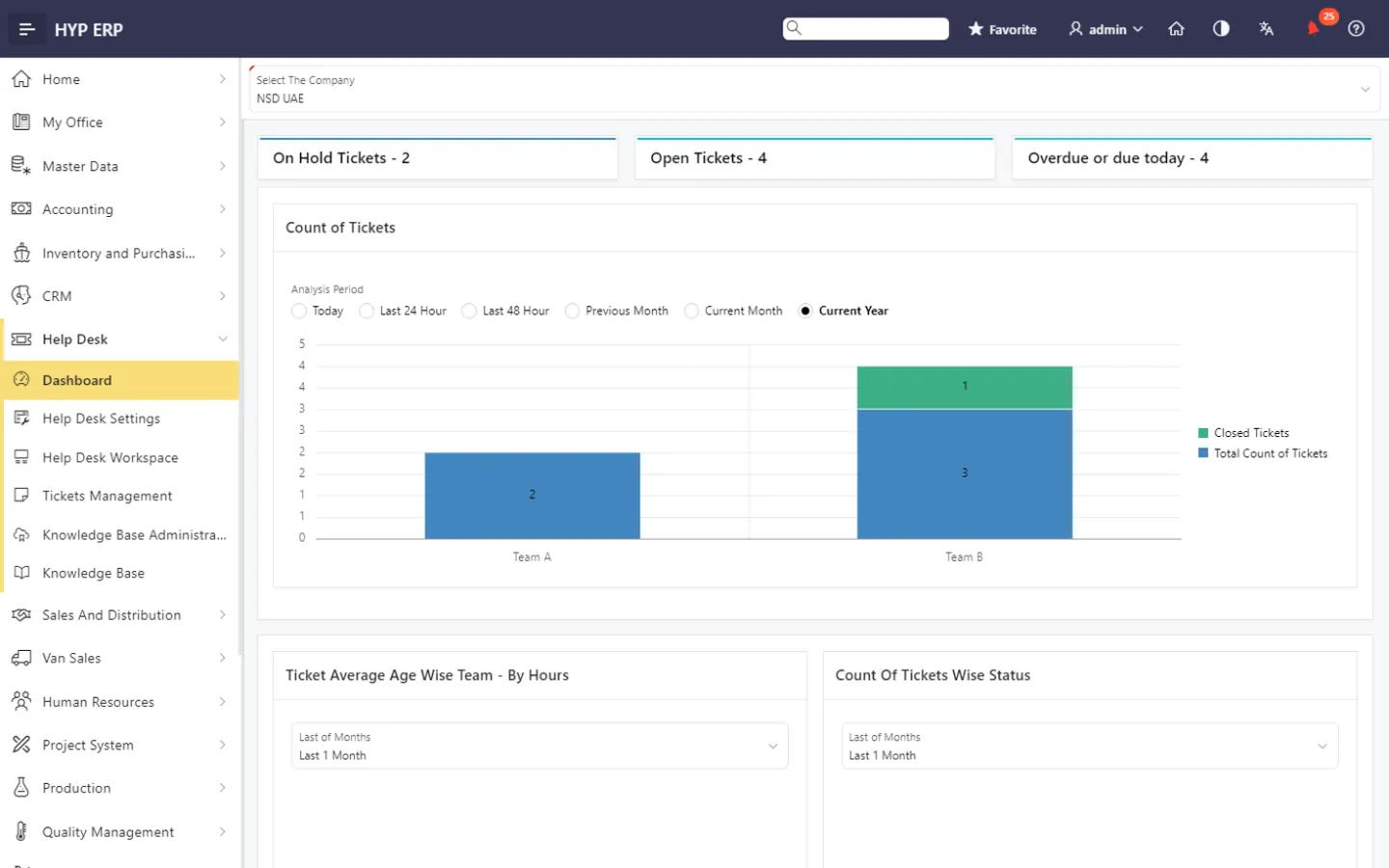
Support teams lose control when requests arrive on several channels with no clear owner, priority or history. Tickets are missed, work lands with the wrong team or agent, overdue issues surface late and agents answer the same questions from scratch.
Create, manage, assign and follow support tickets in one place. Each ticket carries its status, owner, priority, history and resolution progress, so requests are not lost and service accountability is clear.
HYP ERP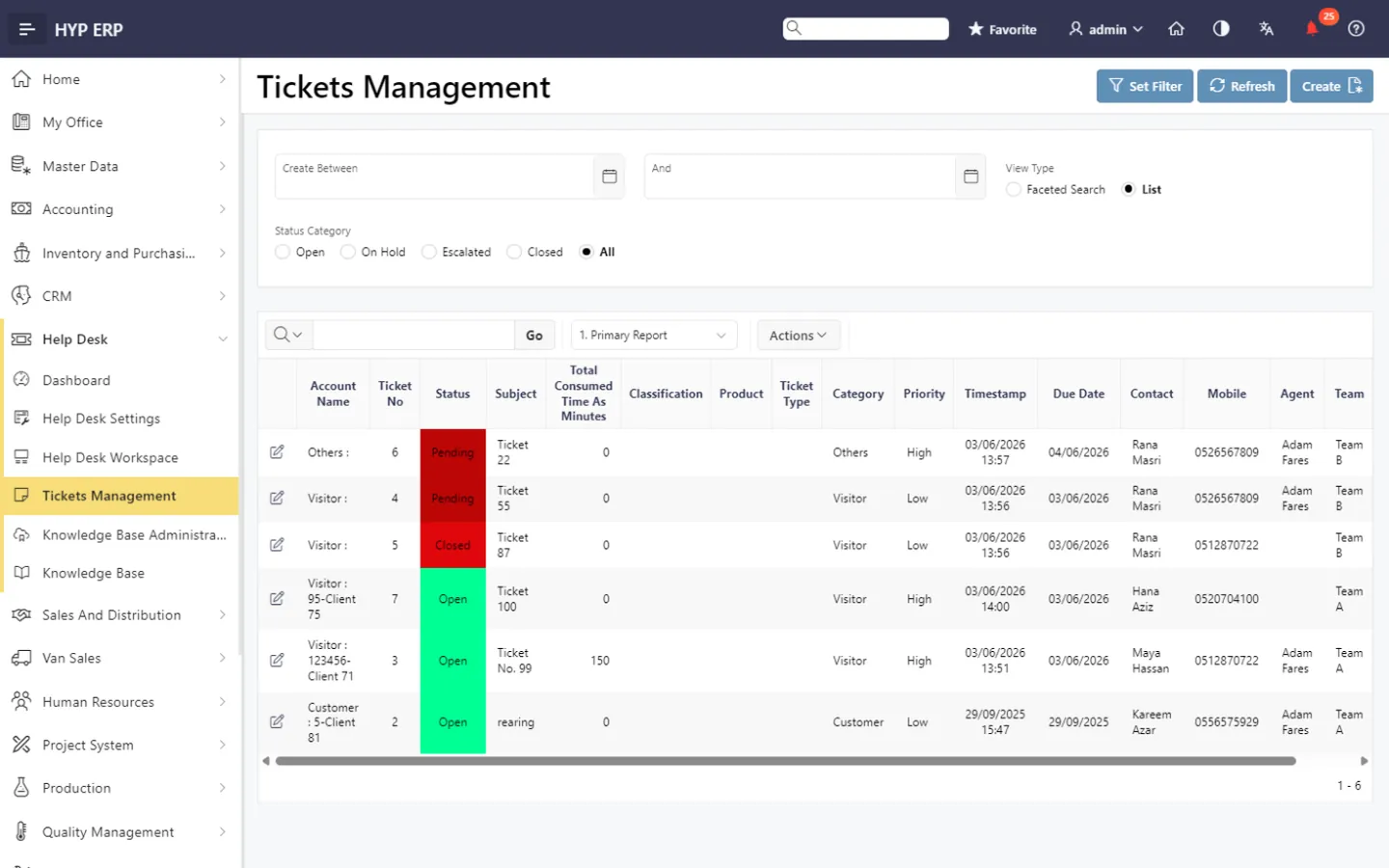
Support users see the day's ticket activity, filter by team or agent, create new tickets and watch the groups that matter: overdue, due soon, on hold and not yet assigned to a member.
HYP ERP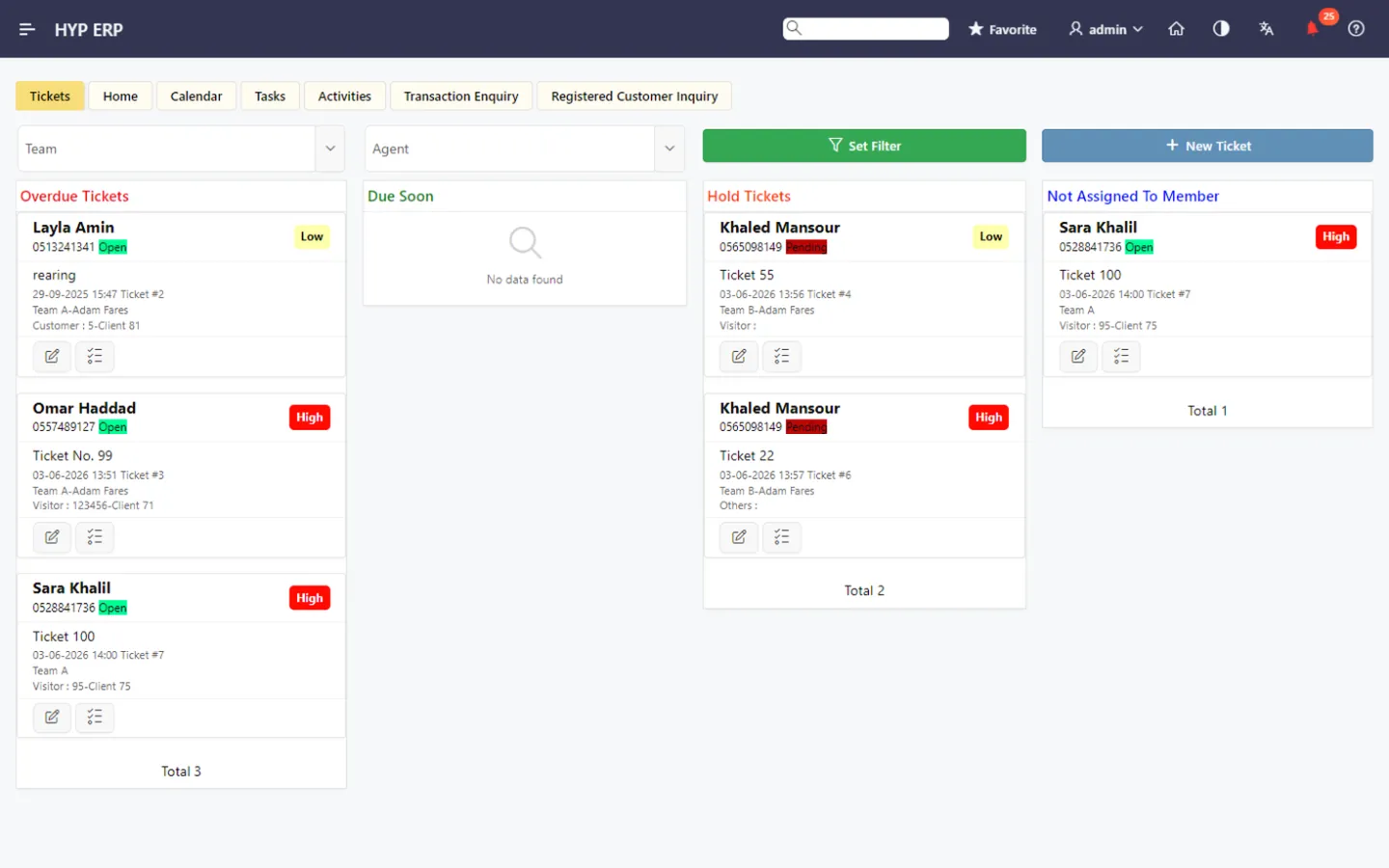
Support managers organize ticket ownership by team, agent, responsibility and status, route each request to the right users and spot unassigned work before it ages.
HYP ERP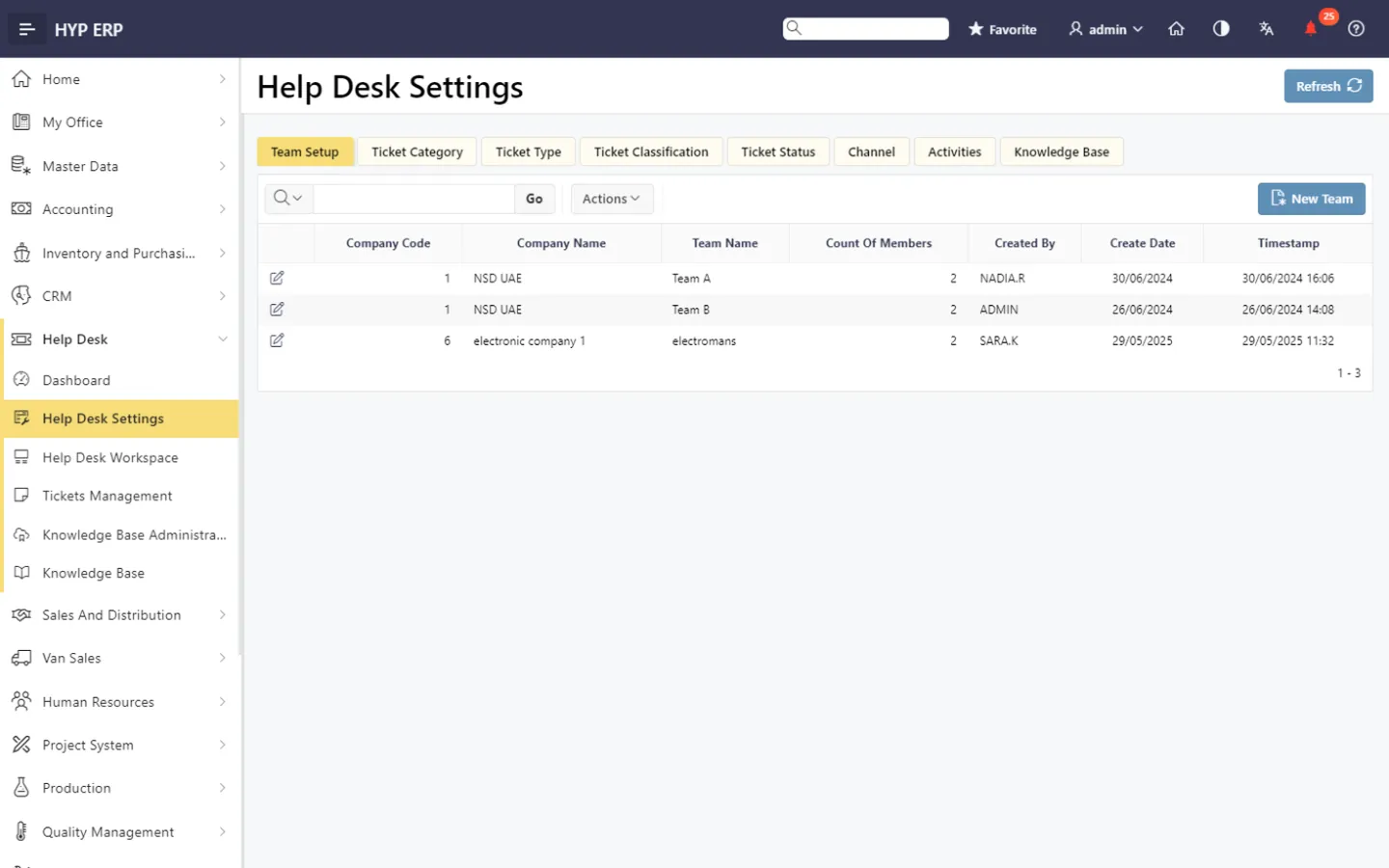
Knowledge base administration and knowledge base access let teams organize support information, common answers, troubleshooting guidance and internal service references, so agents resolve faster and give consistent answers.
Explore Knowledge base management
HYP ERP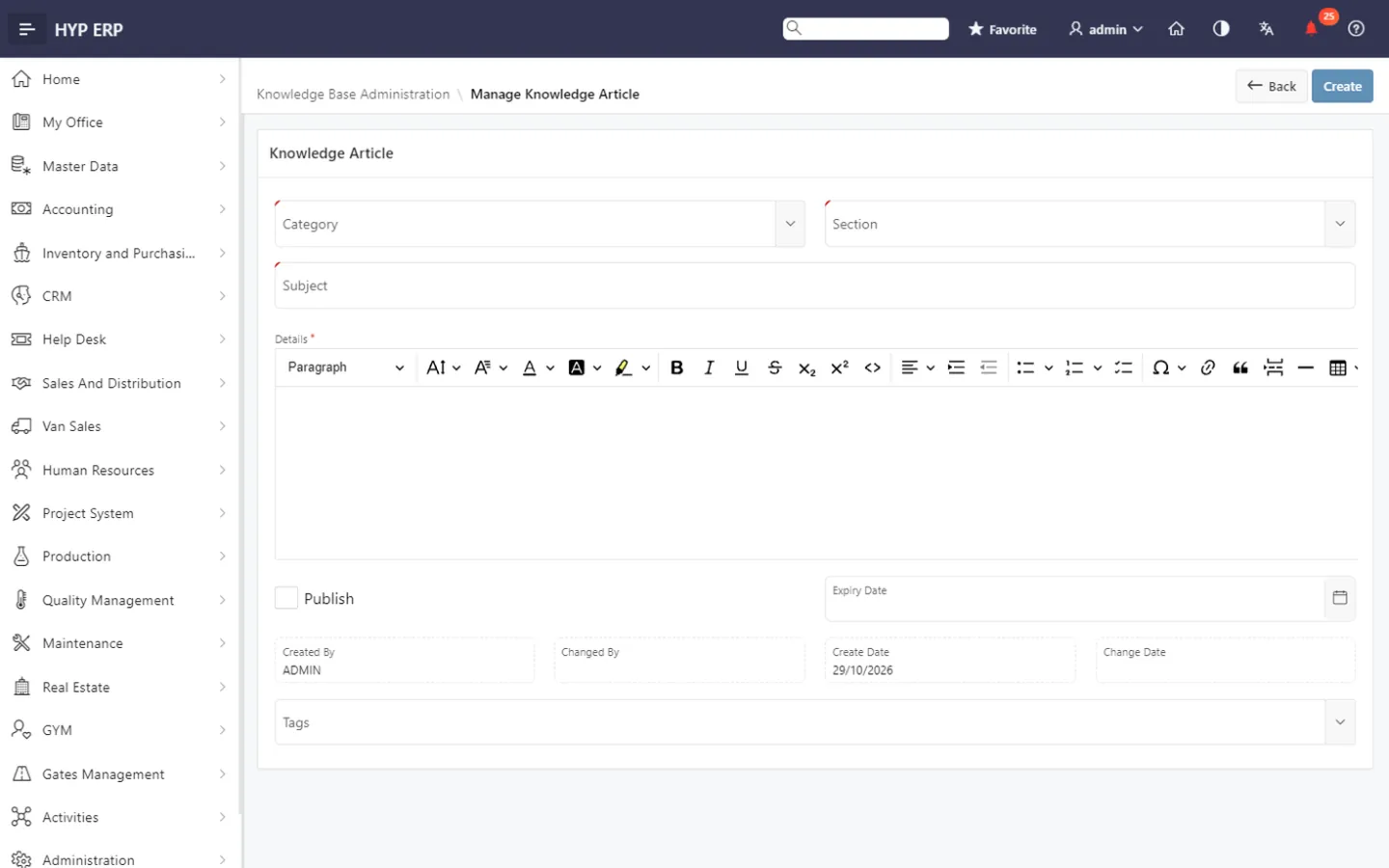
Transaction enquiry and registered customer inquiry views show agents the customer-related context while they work a ticket, so investigation does not depend on disconnected information.
HYP ERP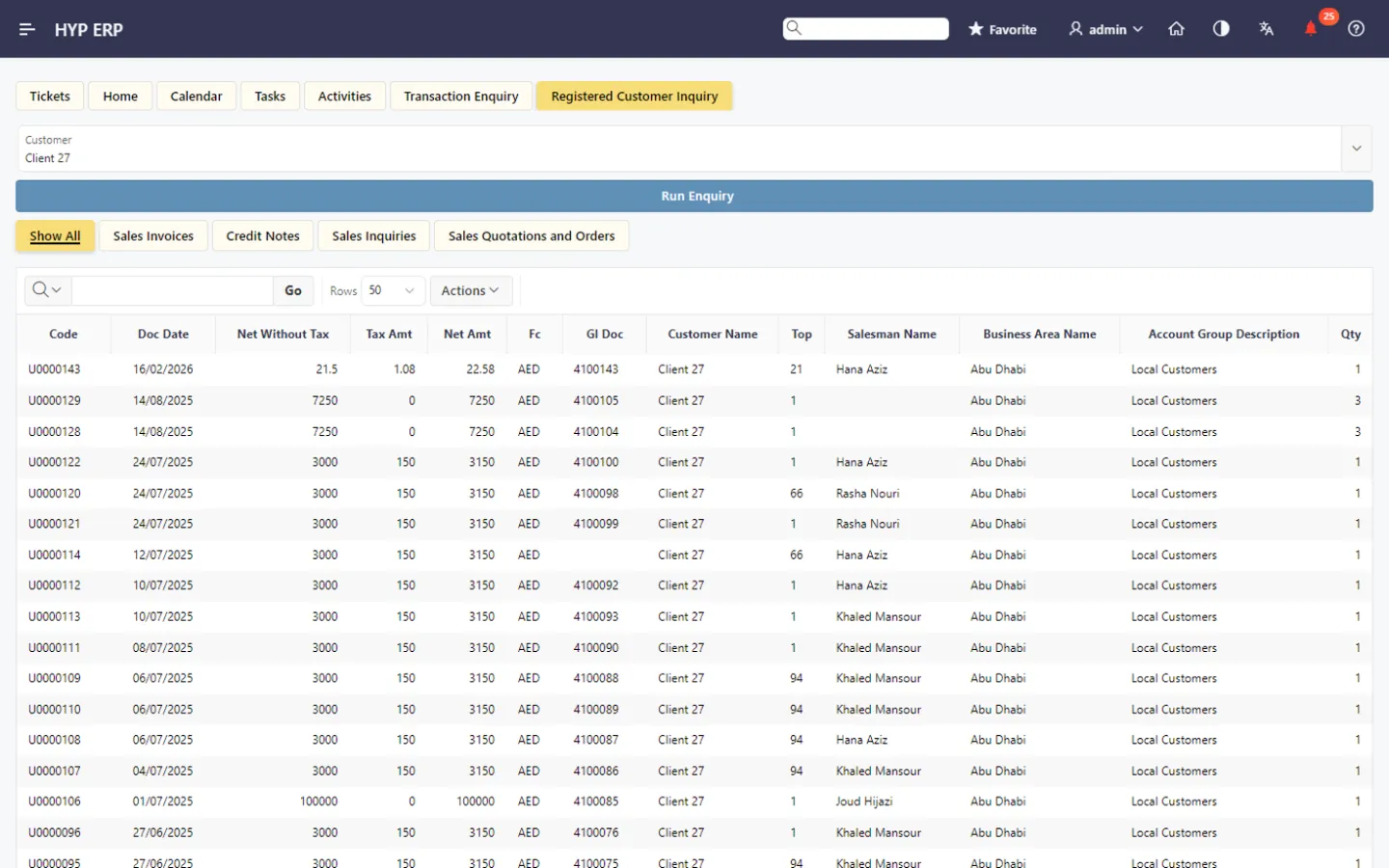
Integrate your own customer portal, website or web forms so customer-submitted requests flow into HYP ERP as tickets. You keep the customer-facing channel you prefer, while assignment, tracking and resolution run inside the ERP.
HYP ERP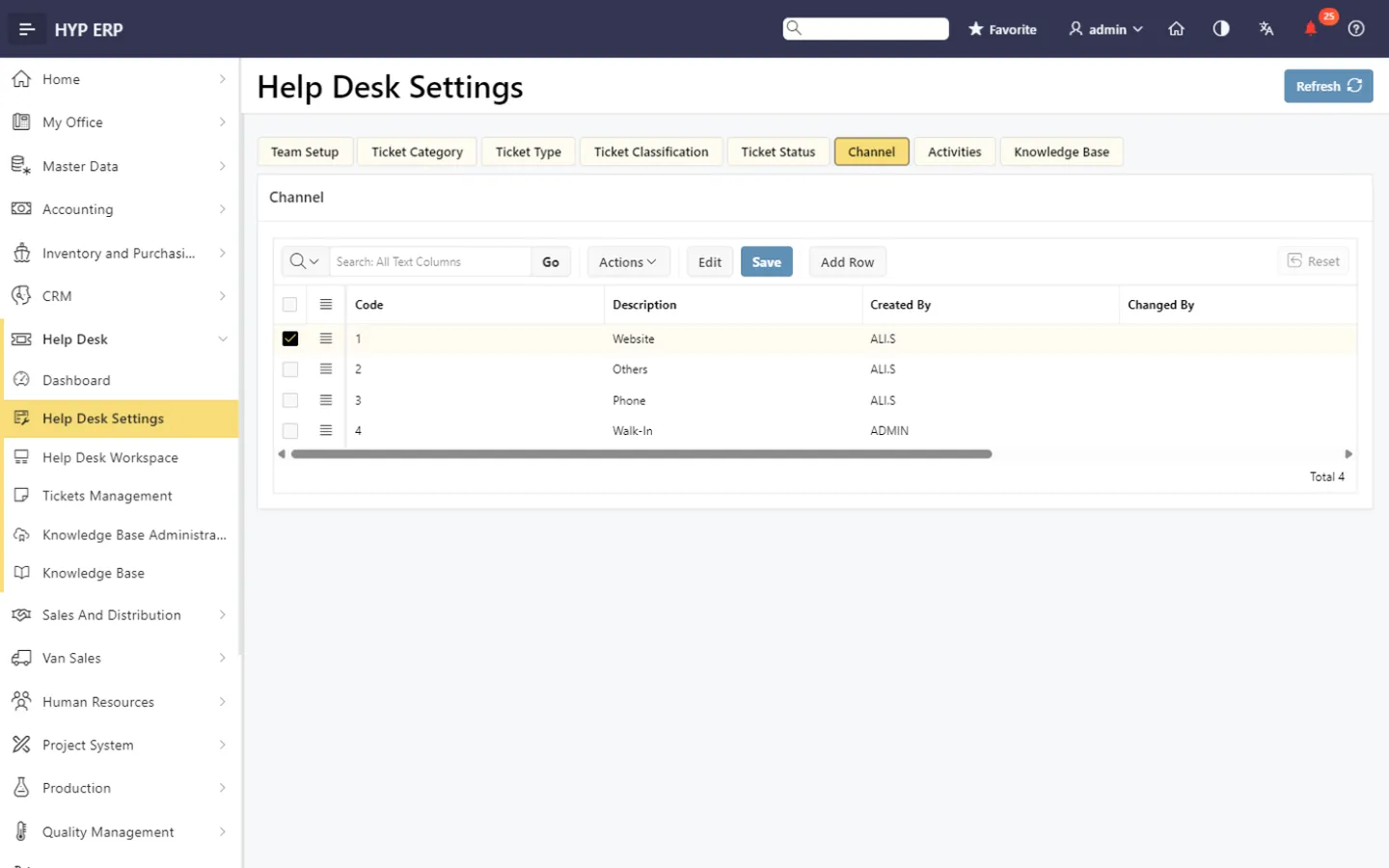
The Help Desk Dashboard shows ticket activity, pending work, overdue requests and support workload, so managers can monitor service performance and see where follow-up has to speed up.
HYP ERP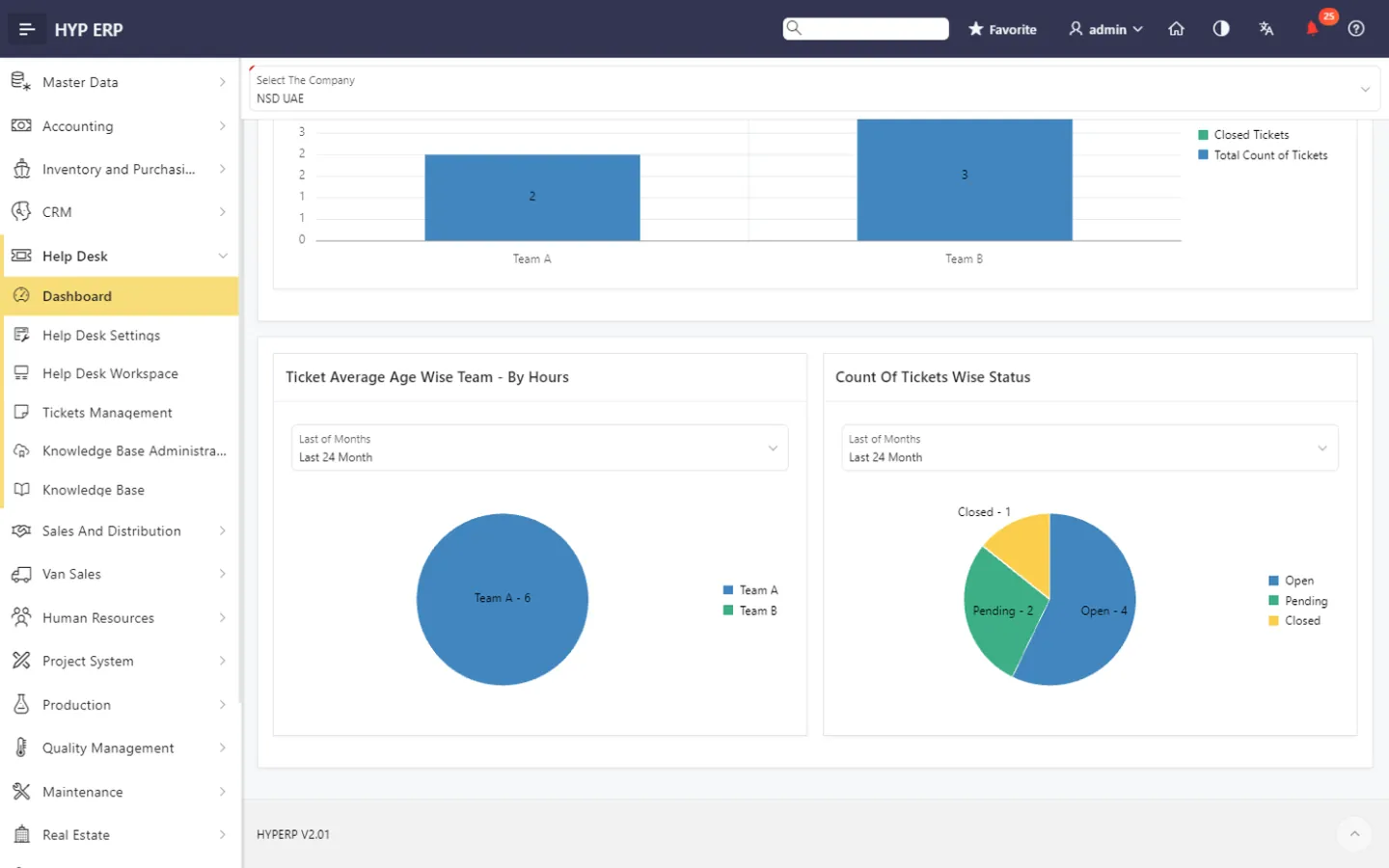
HYP ERP Help Desk suits customer service, internal support, after-sales service, ERP support, maintenance-related requests and general service follow-up.

Daily tickets and registered customer inquiries in one workspace, with transaction context and knowledge base answers at hand, instead of handling repeated questions manually every time.
Workload assigned and monitored by team and agent, with ticket status, overdue work and support performance on the dashboard rather than pieced together from inboxes.
CRM teams follow customer issues alongside their activities, operations teams resolve service-related requests, and companies that run external portals or web forms keep that ticket handling inside the ERP instead of in a separate tool.