
Projects & Contracts

Budget, commitments and progress on one project

Material requisitions move into procurement and project costs land in accounting, so commitments show against the budget as they happen.

Architect and engineers with draft plan on construction site

What is project management software for contractors?

Project management software for contractors plans each project's scope, budget and resources, then tracks commitments, progress and billing against that plan.

In HYP ERP, Projects & Contracts holds investment programs, work and cost breakdown structures, cost planning, vendor contracts and change orders, site requests and material requisitions, progress documents, payment certificates, issues and risks, snag lists and handover for each project.

HYP ERP
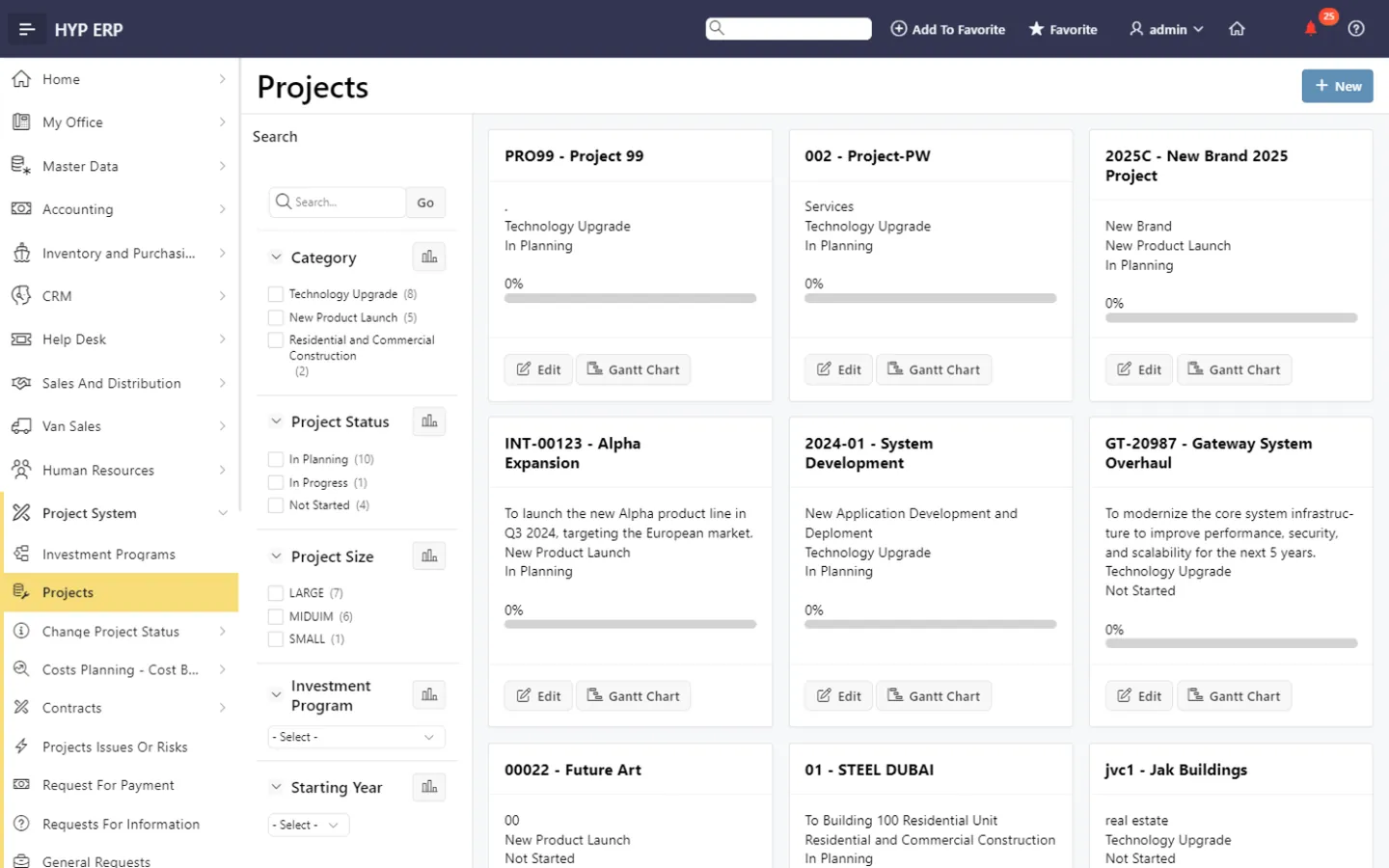
Projects & Contracts screen in HYP ERP

Project management software capabilities in HYP ERP

Project decisions are made across sites and head offices. When budgets sit in spreadsheets, contract changes in email and RFIs in message threads, nobody can say what is committed against what is complete. Each project is recorded as both an operational commitment and a financial responsibility, from setup to closeout.

Project structure, WBS and scheduling

Set up investment programs, projects, work breakdown structures, tasks, teams, schedules and attachments, so departments record work, materials and cost against the same project hierarchy.

HYP ERP
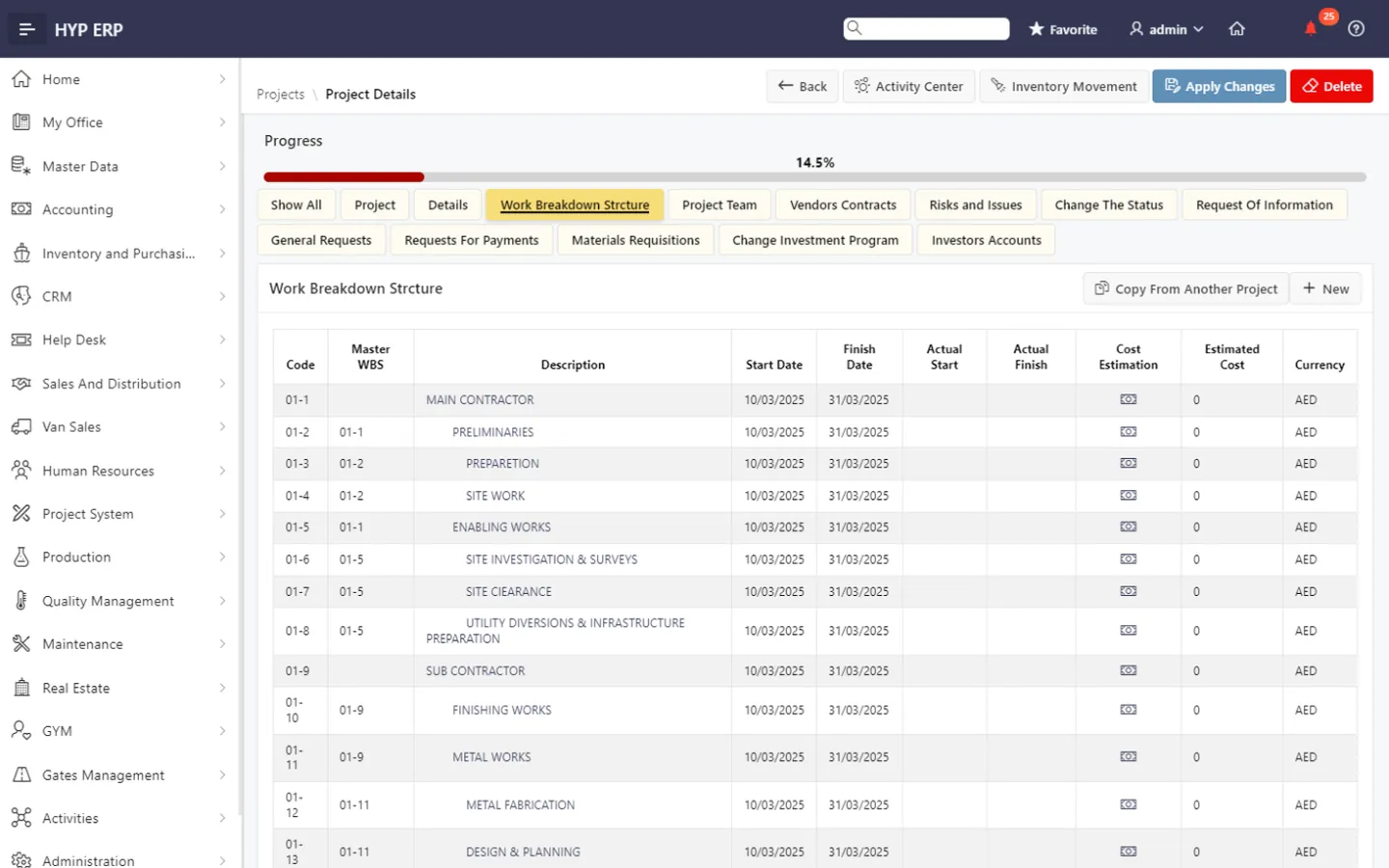
Project structure, WBS and scheduling screen in HYP ERP

Cost planning and budget monitoring

Build cost breakdown structures and budgets, allocate resources and analyze cost during delivery, with project activity tied to the related accounting records.

HYP ERP
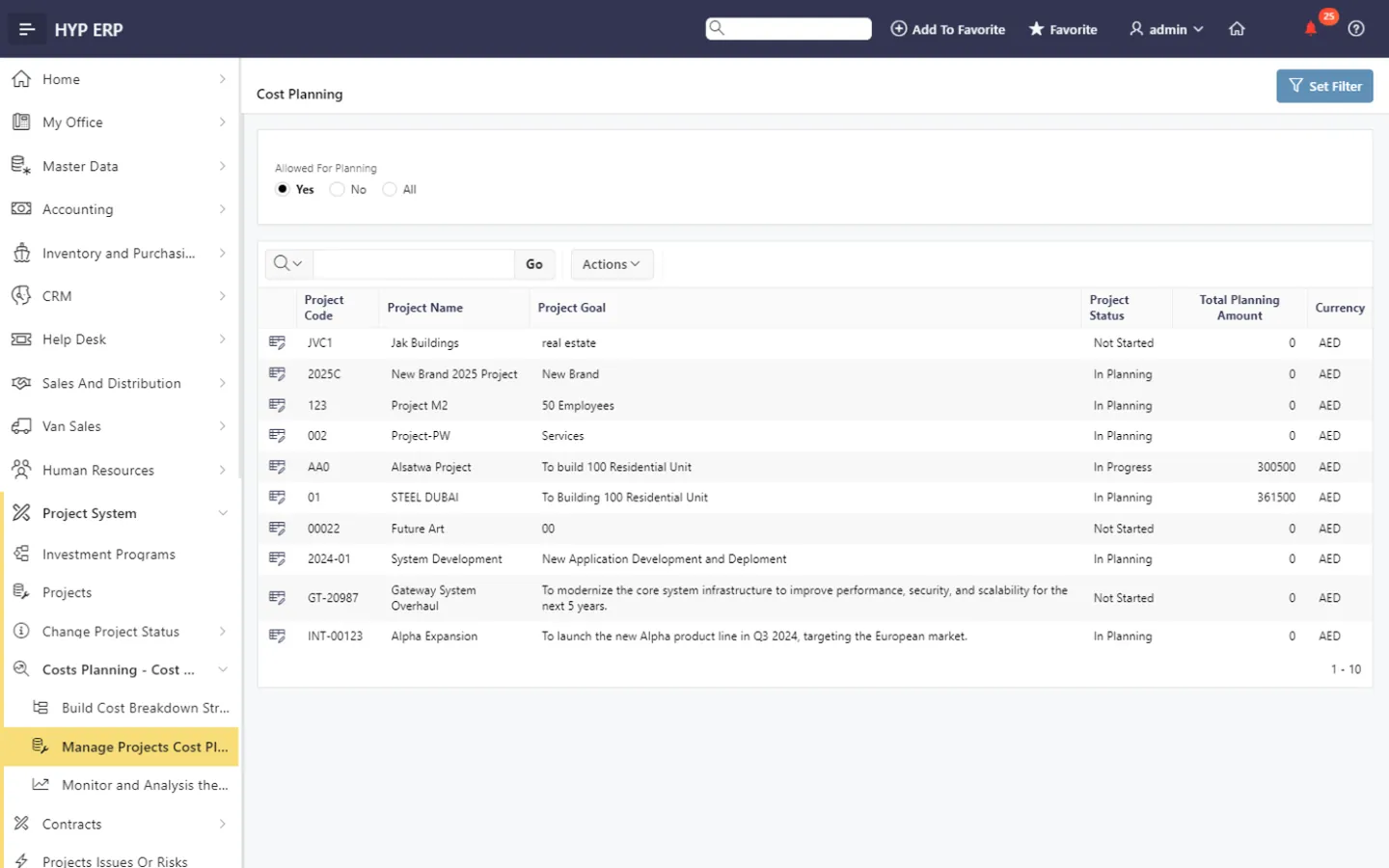
Cost planning and budget monitoring screen in HYP ERP

Vendor contracts and change orders

Keep supplier contracts and their change requests inside the project, so commercial commitments have a recorded basis that commercial teams can review.

HYP ERP
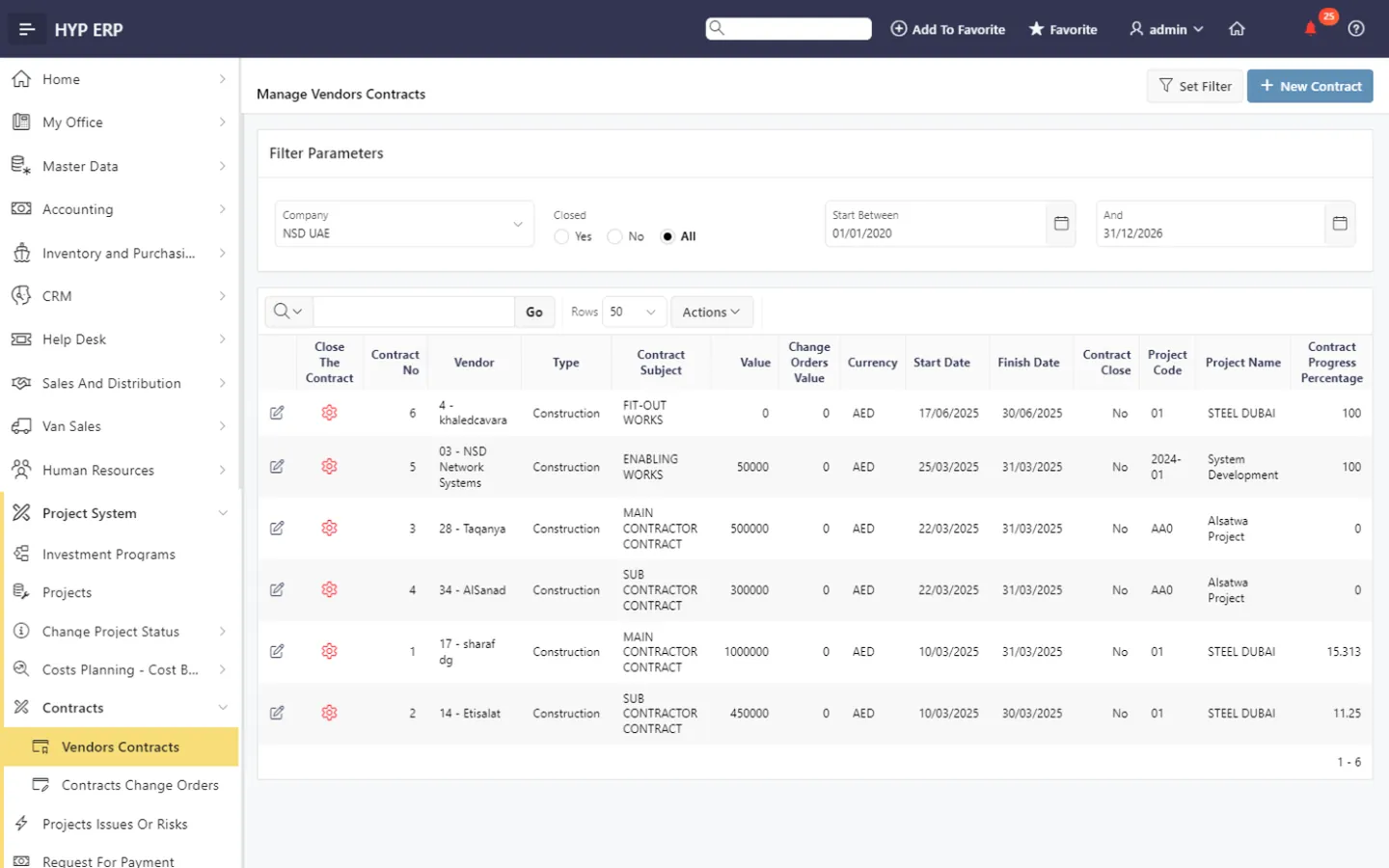
Vendor contracts and change orders screen in HYP ERP

Site requests and material requisitions

Raise RFIs, general requests, material requisitions and status changes against the project, with material demand passed into procurement rather than lost in email.

Site and office teams also assign tasks, raise requests for information (RFI) and share project files in My Office.

HYP ERP
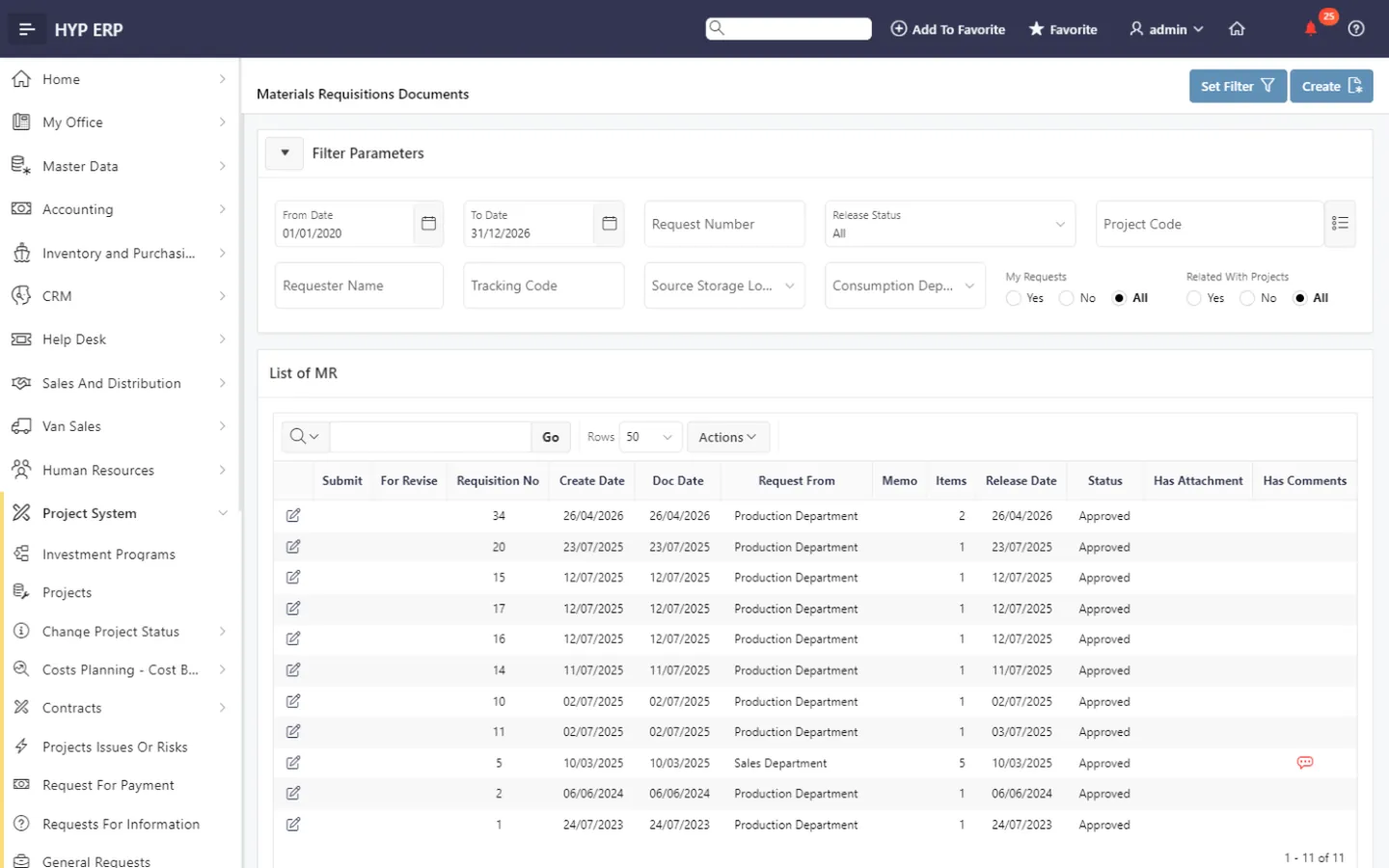
Site requests and material requisitions screen in HYP ERP

Progress and payment certificates

Record progress documents, requests for payment and payment certificates, so certified work and payment follow-up stay linked to the same project.

HYP ERP
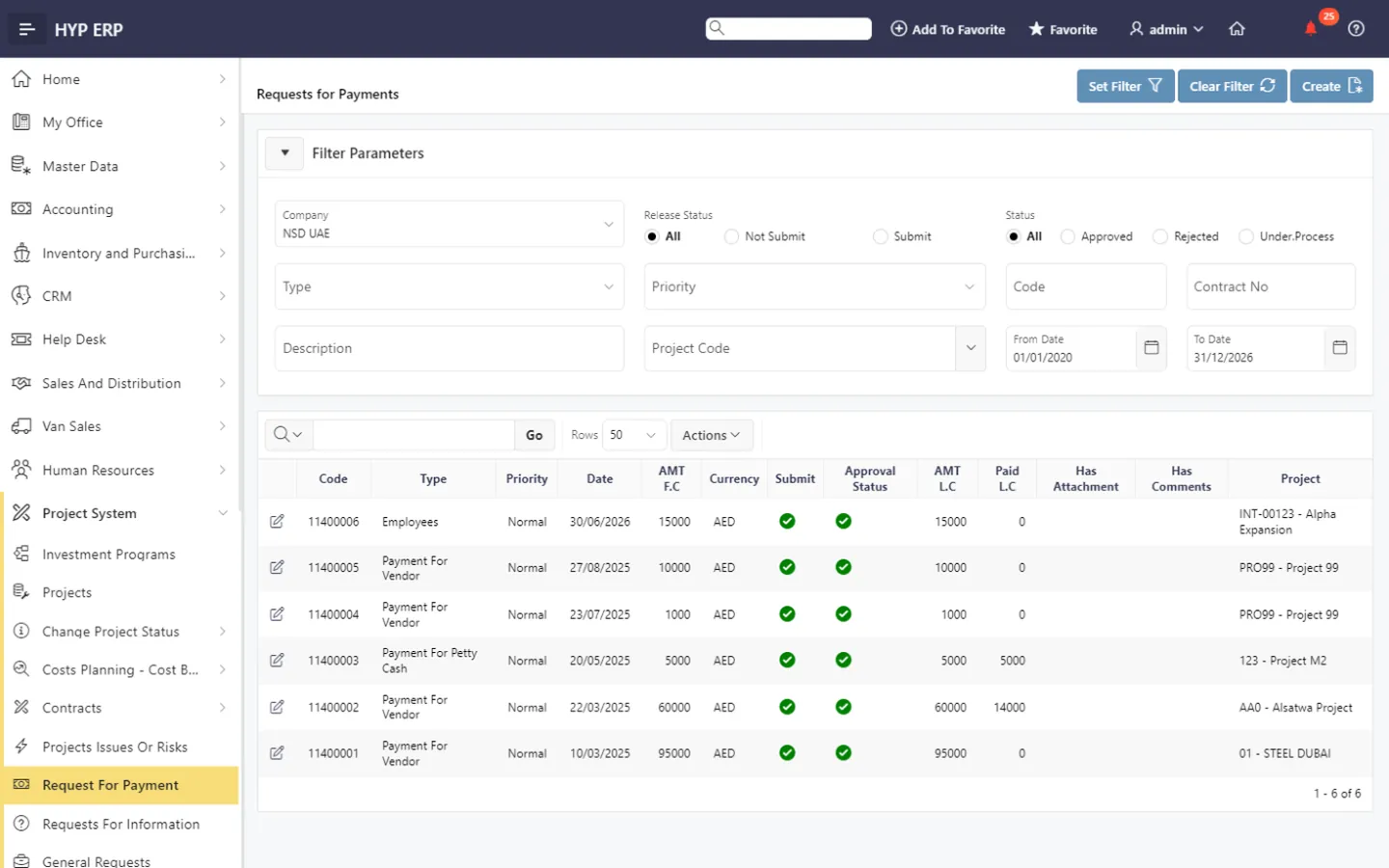
Progress and payment certificates screen in HYP ERP

Risks, snag lists and handover

Track project issues, risks and snag items, then move handover documents through approval and release before the project is closed.

HYP ERP
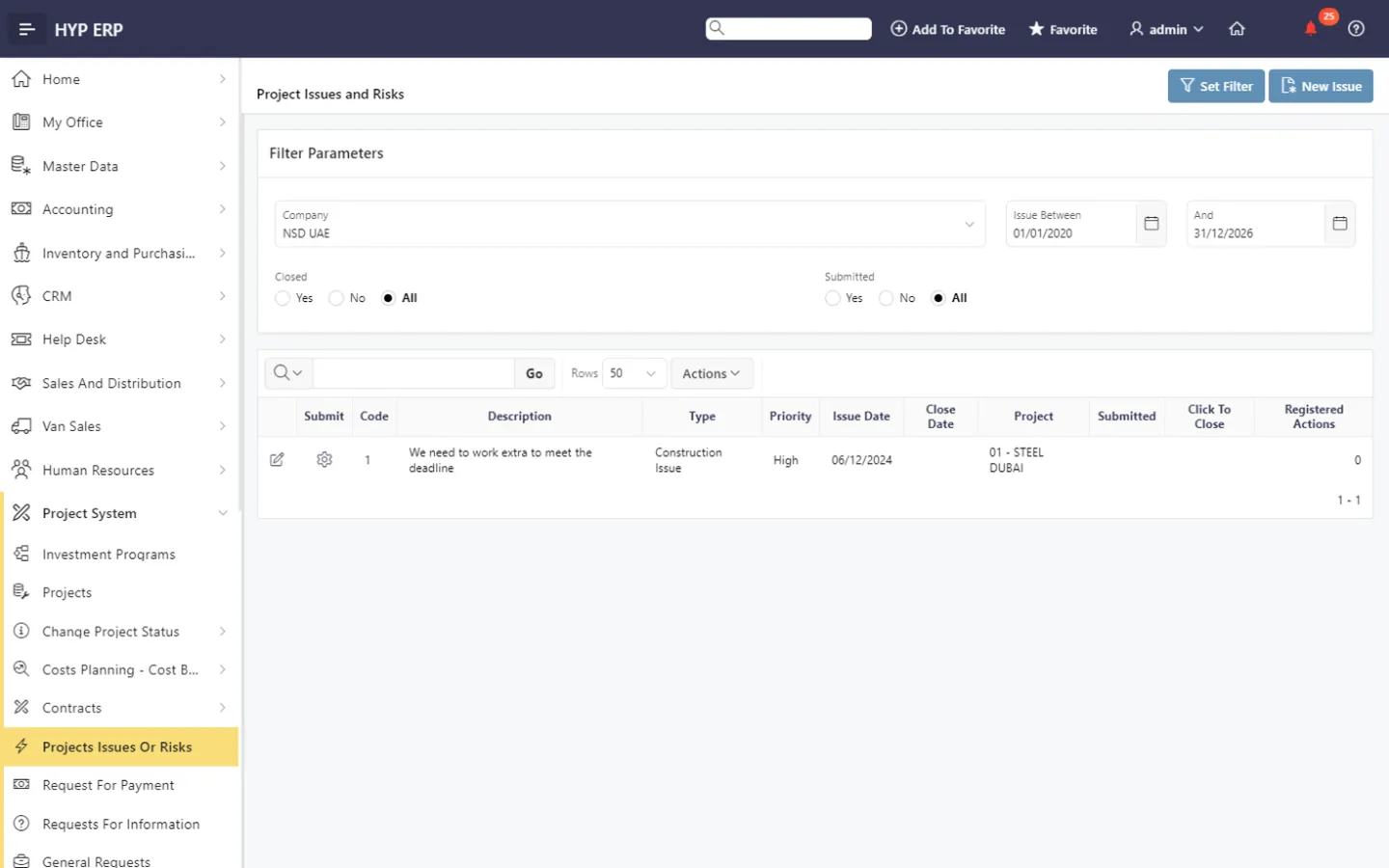
Risks, snag lists and handover screen in HYP ERP

Product tour

See Projects & Contracts in HYP ERP

A short walkthrough of Projects & Contracts in the live system.

How a project runs in HYP ERP

  1. Structure

    Define the project, WBS, cost breakdown and responsibilities.

  2. Commit

    Manage contracts, materials, purchasing and financial obligations.

  3. Execute

    Follow requests, progress records, risks and approvals.

  4. Close

    Coordinate payments, snag items and handover documents.

Benefits

What project managers, commercial teams and leadership gain

For project managers

Progress, open requests, commercial commitments and delivery responsibilities in one view, instead of RFIs and material requests scattered across calls and inboxes.

For commercial and finance teams

Budgets, cost structures, contracts, change orders and payment certificates connected across the lifecycle, so contract changes and payment preparation stay tied to the project budget.

For leadership

Project status and cost position reviewed together, including what remains open before handover, without rebuilding the picture from separate site reports and finance spreadsheets.

From the blog

Guides for project and commercial teams

Projects & Contracts FAQs

Does HYP ERP support project costing and budgets?

Yes. HYP ERP Projects & Contracts includes cost breakdown structures, cost planning, budgeting and cost analysis, so project costs are planned and monitored on the same record that holds contracts and progress.

Can HYP ERP manage vendor contracts and change orders for projects?

Yes. HYP ERP Projects & Contracts keeps vendor contracts and contract change orders inside each project, so commercial teams evaluate commitments and variations in the project context.

Can site teams raise RFIs and material requests in HYP ERP?

Yes. Site teams raise RFIs, general requests and material requisitions against the relevant project in HYP ERP, and material requirements move into the procurement process instead of staying in messages.

Is HYP ERP Projects & Contracts connected to procurement and accounting?

Yes. HYP ERP Projects & Contracts integrates with procurement for project materials and purchasing, and finance works with the project-related accounting records, so costs, commitments and payments are reviewed in one system.

Does HYP ERP handle snagging and project handover?

Yes. HYP ERP Projects & Contracts records project issues, risks and snag lists, and manages handover documents through review and release workflows before a project is closed out.

See a project from first budget to final handover

Walk through a project in HYP ERP, from WBS and cost plan to payment certificates and handover release.

Chat now
Chat now Request a demo