
Attendance Management System

Attendance from device punch to payroll

Attendance Management System collects check-in and check-out records from devices such as Hikvision and links each one to the right employee and schedule. HR reviews timesheets, overtime and absences before payroll uses them.

Business colleagues walking and talking in office building

Attendance management system capabilities

A punch at a device means little until it is linked to the right employee, schedule and attendance rule. Without that step, administrators export device files, retype them and chase missing punches every month, and payroll inherits the errors.

Attendance data synchronization

Process eligible records from configured devices and systems through a supported interface or import, instead of preparing device files by hand each period.

HYP ERP
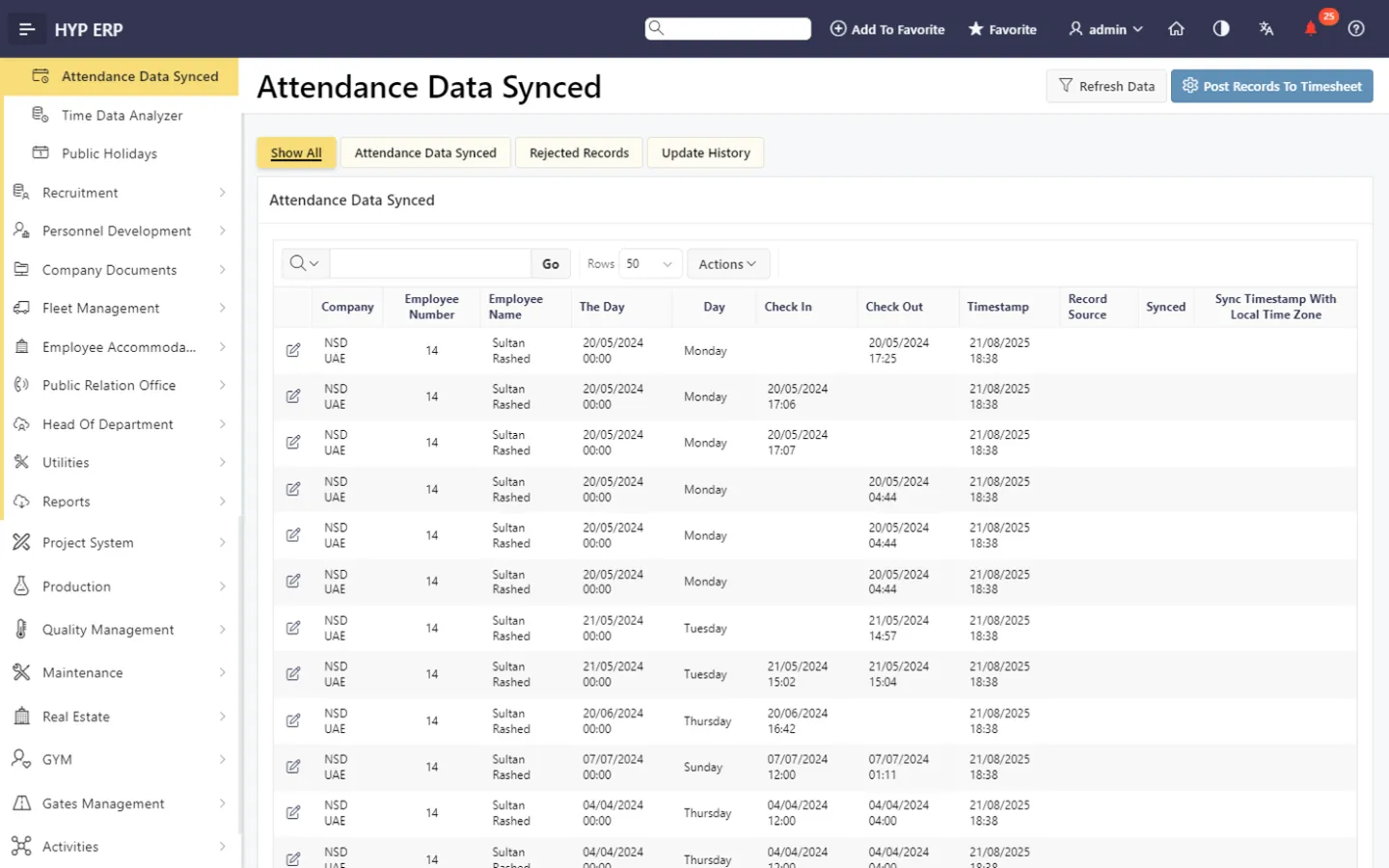
Attendance data synchronization screen in HYP ERP

Hikvision device connection

Connect applicable Hikvision attendance devices so check-in and check-out events reach HYP ERP through the agreed interface, ready to be mapped and reviewed.

HYP ERP
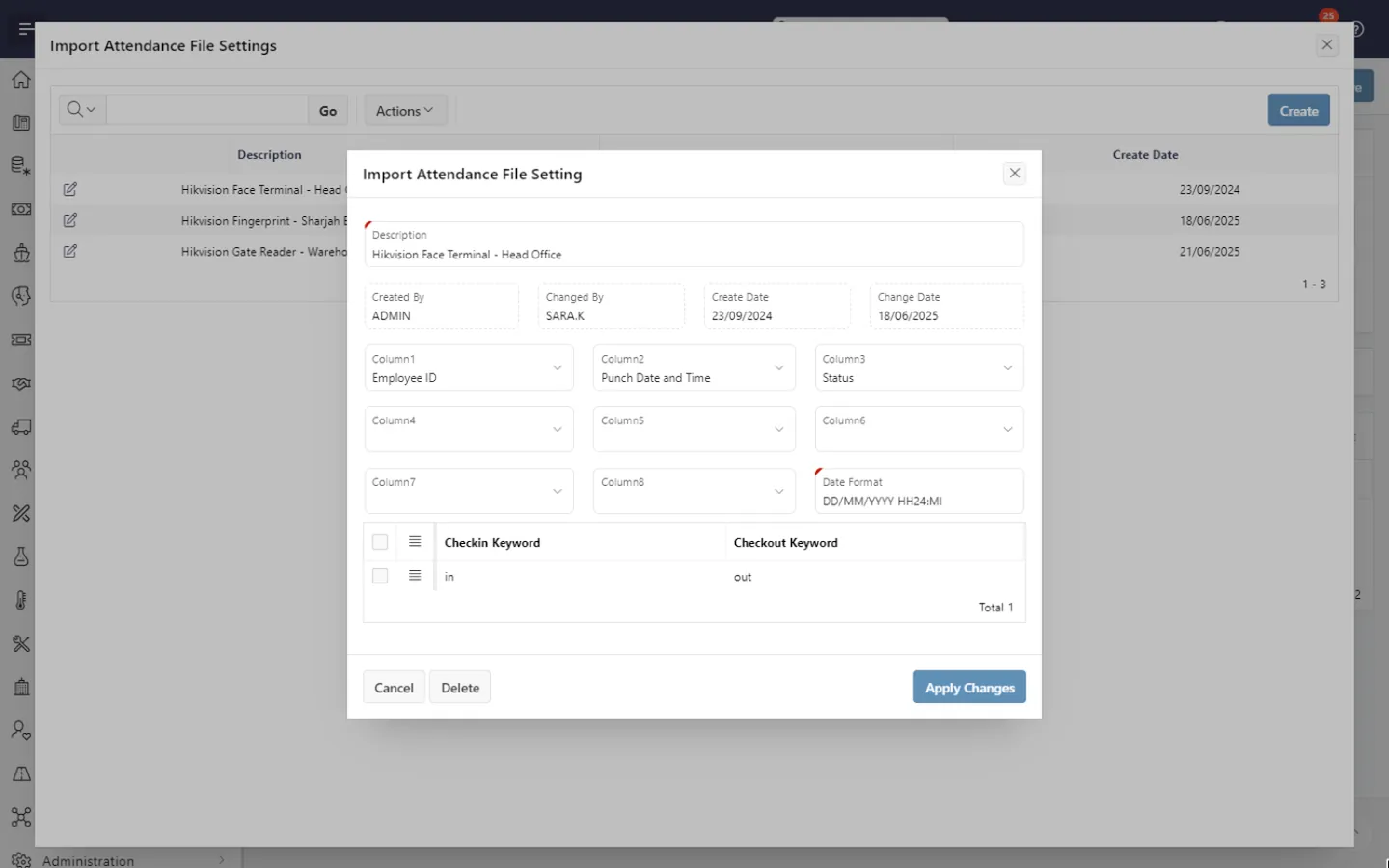
Hikvision device connection screen in HYP ERP

Employee and schedule mapping

Associate each time event with the correct employee and work schedule, so recorded punches are kept apart from approved working time and payroll-impacting exceptions.

HYP ERP
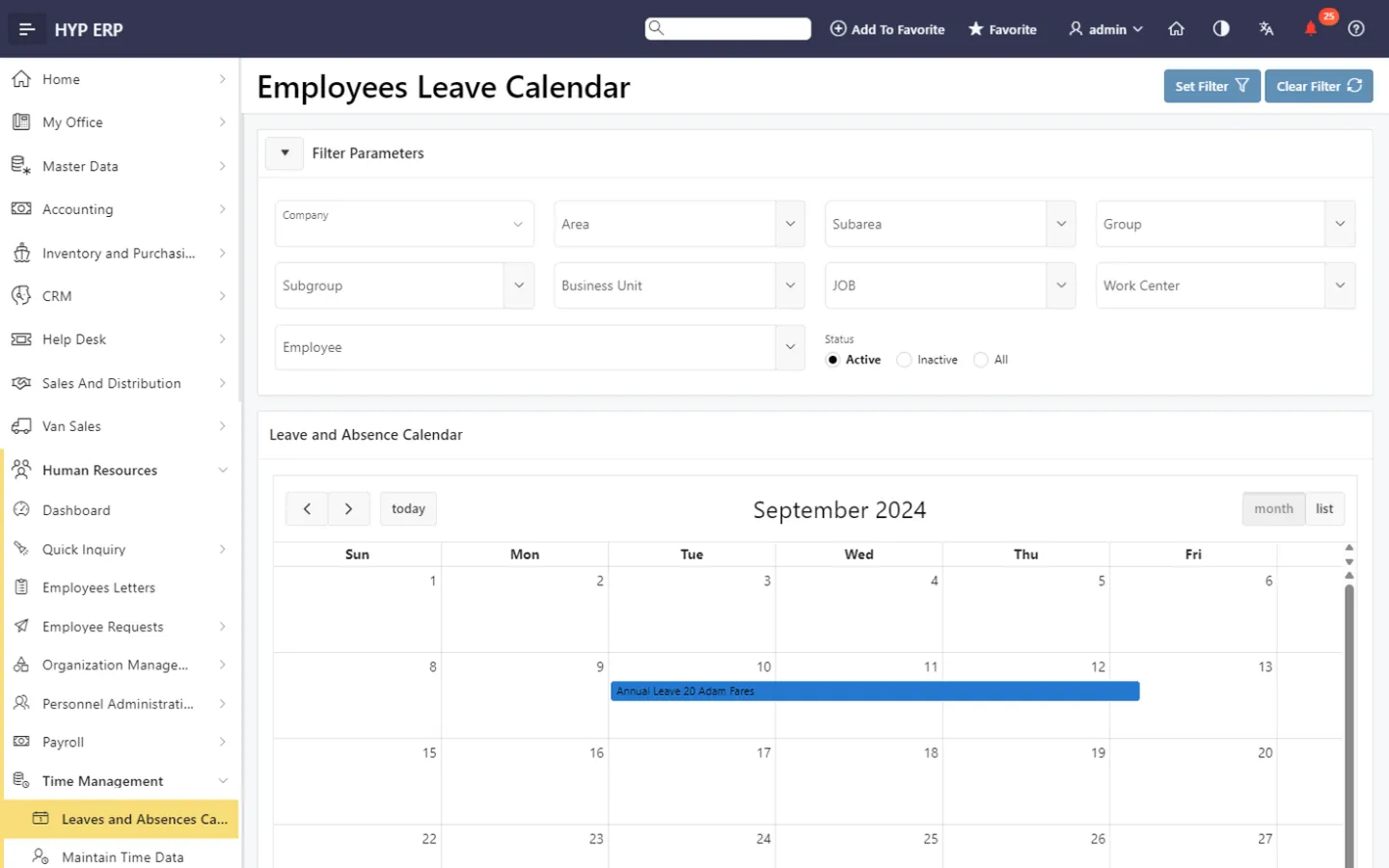
Employee and schedule mapping screen in HYP ERP

Timesheets, overtime and absences

Maintain employee timesheets, with auto-generation where configured, and organize monthly overtime and absence information for HR review.

HYP ERP
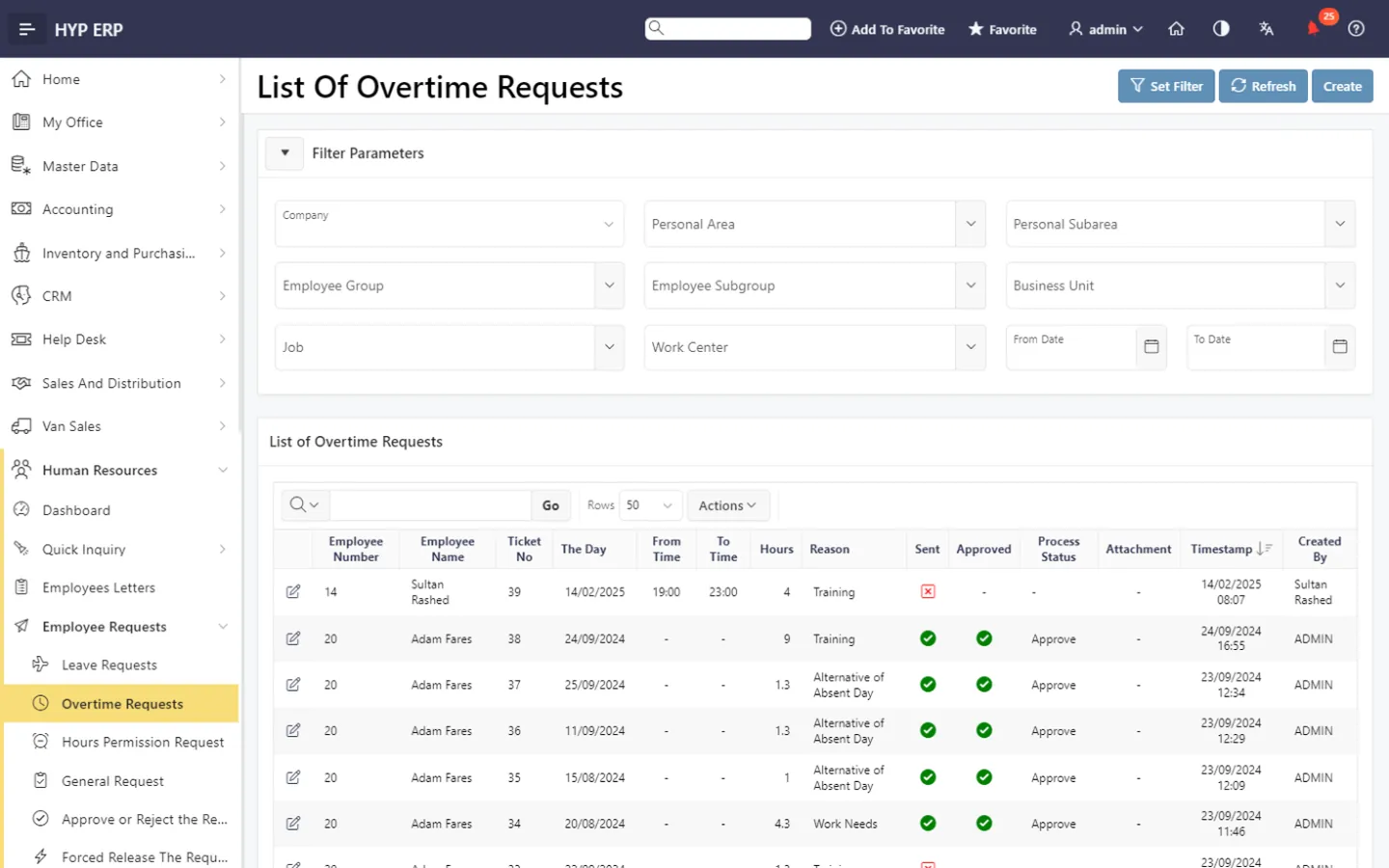
Timesheets, overtime and absences screen in HYP ERP

Time data analysis and payroll link

Analyze attendance data to find missing punches and other records that need follow-up, then use the reviewed records in HCM and payroll where the modules are connected.

HYP ERP
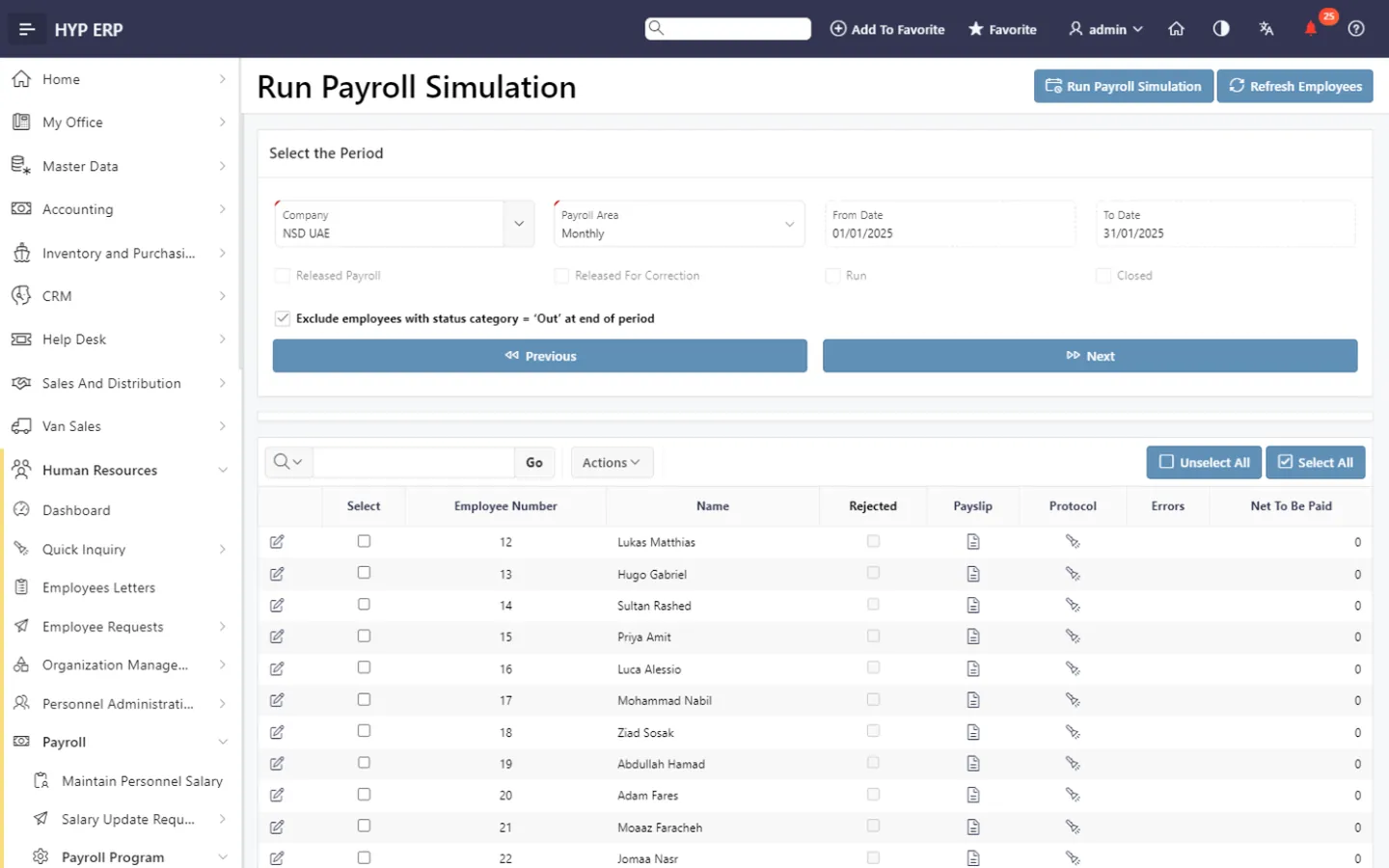
Time data analysis and payroll link screen in HYP ERP

What's included

What's included in Attendance Management System

How attendance data comes in and what HR reviews.

Data capture

  • Hikvision device connection
  • Attendance data synchronization
  • Attendance file import
  • Employee and schedule mapping

Review

  • Employee timesheets with auto-generation
  • Monthly overtime
  • Absence records
  • Time data analysis for missing punches

How device records become reviewed attendance

  1. Collect

    Attendance data arrives through the supported interface or import.

  2. Associate

    Events are matched to employees and their work schedules.

  3. Resolve

    Missing punches, absences and overtime are reviewed.

  4. Apply

    Reviewed records are used in HCM and payroll processes.

From the blog

Guides on this topic

Attendance management and Hikvision FAQs

Does HYP ERP integrate with Hikvision attendance devices?

Yes. HYP ERP supports Hikvision attendance workflows in which events from configured devices are synchronized or processed through an agreed interface. Supported device models and the connection method depend on your deployment; your consultant confirms the scope during the demo.

Can HYP ERP Attendance Management be used without the full HCM module?

It can be planned that way. HYP ERP Attendance Management can be implemented as a dedicated attendance solution or as part of the full HCM and payroll module, according to the functional and commercial scope you agree.

Does the HYP ERP attendance system produce timesheets?

Yes. HYP ERP Attendance Management maintains employee timesheets and can generate them automatically where configured, clearly separating recorded punches from approved working time and exceptions.

Can attendance data be used for payroll in HYP ERP?

Yes, when HYP ERP Attendance Management is connected with HCM. Reviewed attendance, overtime and absence records then serve as payroll inputs, so payroll no longer depends on retyped device exports.

Connect your attendance devices to HR review

See how HYP ERP turns device check-ins into reviewed timesheets before payroll.

Chat now
Chat now Request a demo