
Payroll, End of Service & Compliance

Payroll checked before every period closes

Payroll, End of Service & Compliance calculates salaries and end-of-service settlements and posts them to accounting. Each run can be simulated and checked before the period closes, so errors surface before staff are paid.

Woman analyzing Financial data in modern office

Payroll software capabilities for UAE and MENA employers

Payroll errors usually start with the inputs: a salary change not recorded, overtime not approved, an absence missed. Found after salaries are paid, they leave HR, payroll and finance with corrections to make.

Salary administration

Maintain each employee's salary information and process salary changes through controlled steps, giving allowances, deductions and other approved components a reliable starting point.

HYP ERP
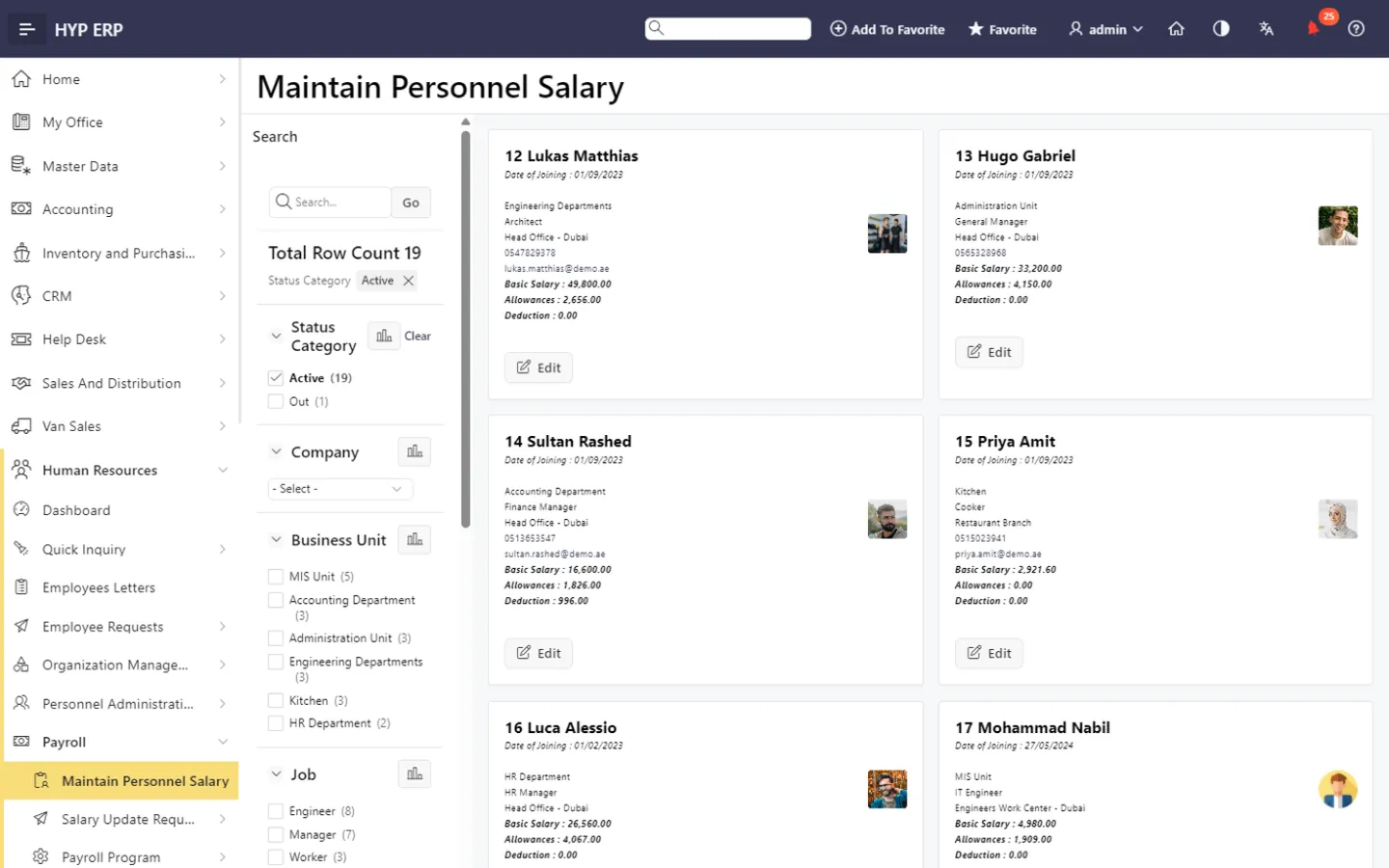
Salary administration screen in HYP ERP

Payroll simulation

Simulate the payroll before execution to see expected results and catch unusual amounts before employees are paid or ledger entries are made.

If a payroll run needs correcting, it can be rolled back and run again.

HYP ERP
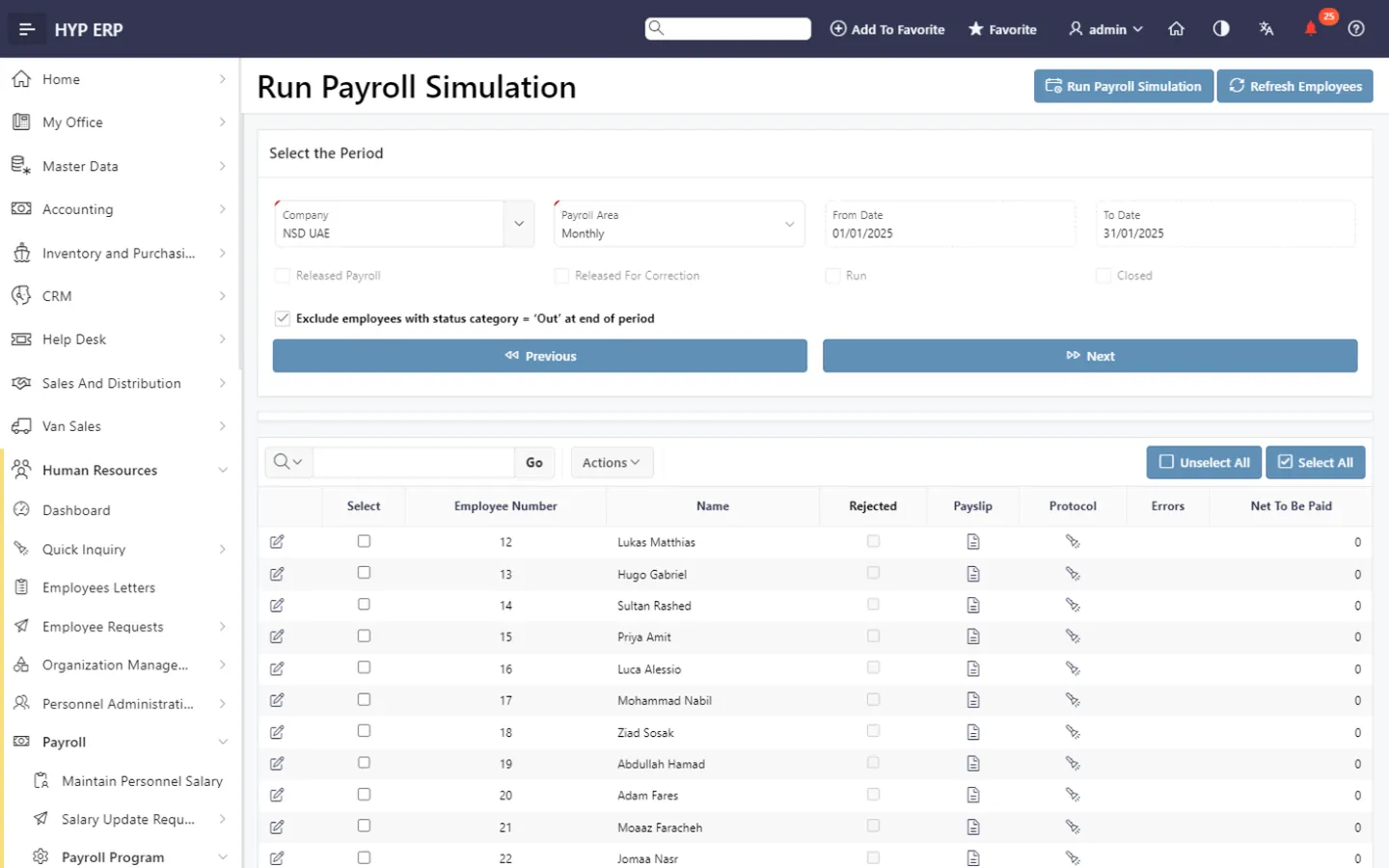
Payroll simulation screen in HYP ERP

Calculation, release and period closing

Release payroll, run the calculation, check outcomes and close the period, with rollback available when a run needs correcting. Absences and overtime from time management feed the calculation.

HYP ERP
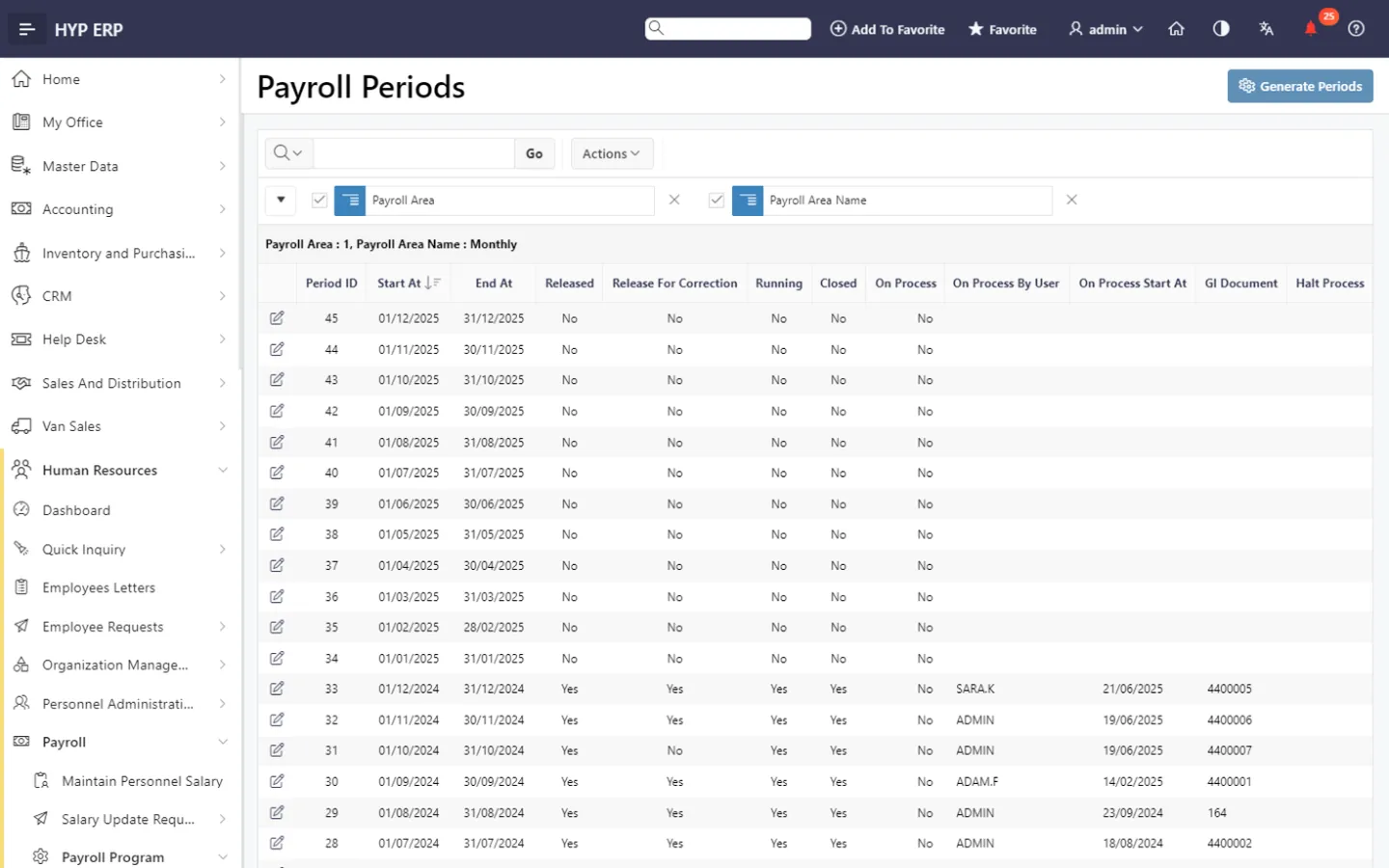
Calculation, release and period closing screen in HYP ERP

End-of-service simulation and calculation

Simulate and calculate end-of-service settlements from the employee's history, using rules configured for the employee's country and your approved company policy.

HYP ERP
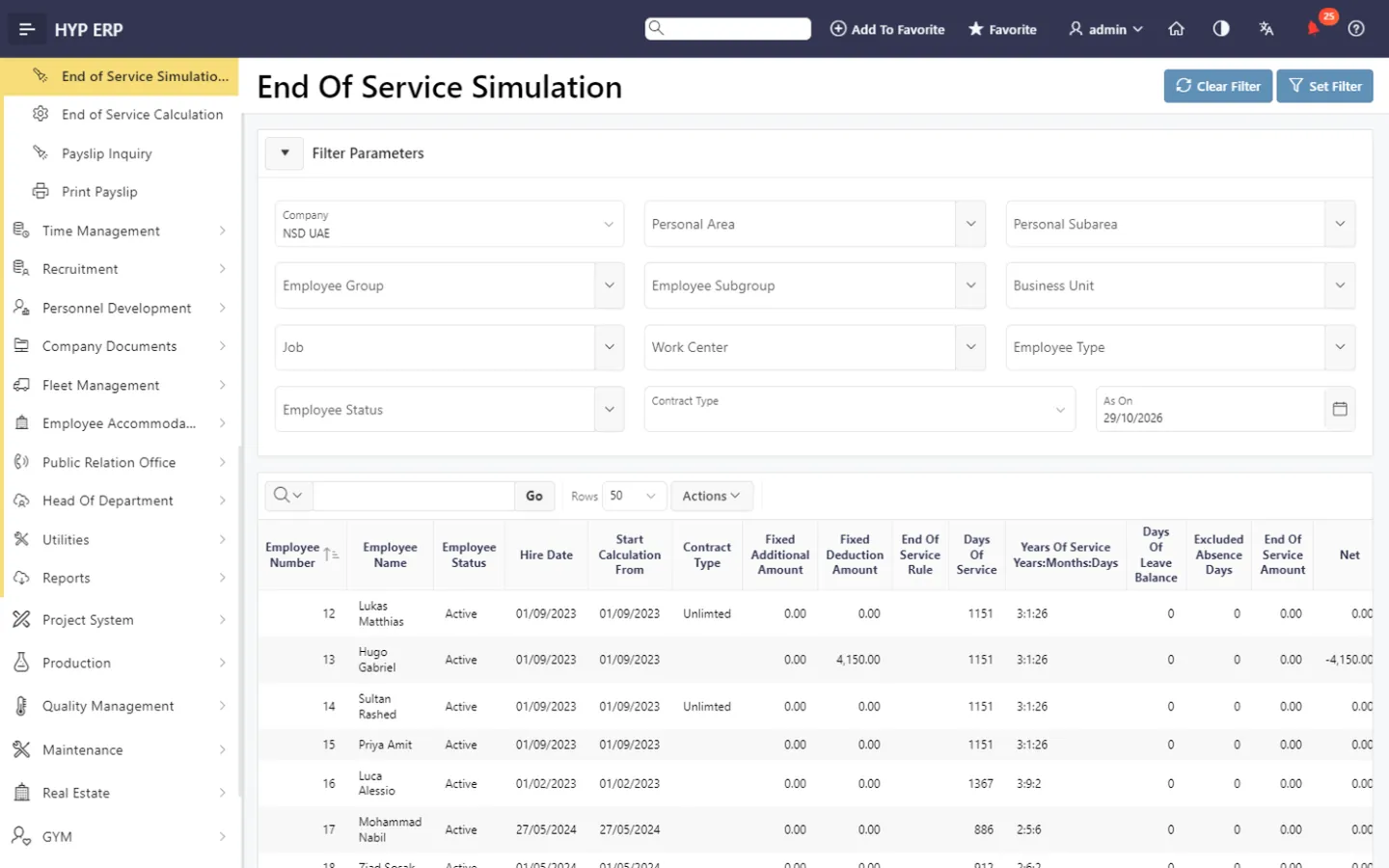
End-of-service simulation and calculation screen in HYP ERP

WPS salary files

Produce salary files for the UAE Wage Protection System (WPS) from the approved payroll, so the salaries submitted for payment match the payroll that was reviewed and closed.

HYP ERP
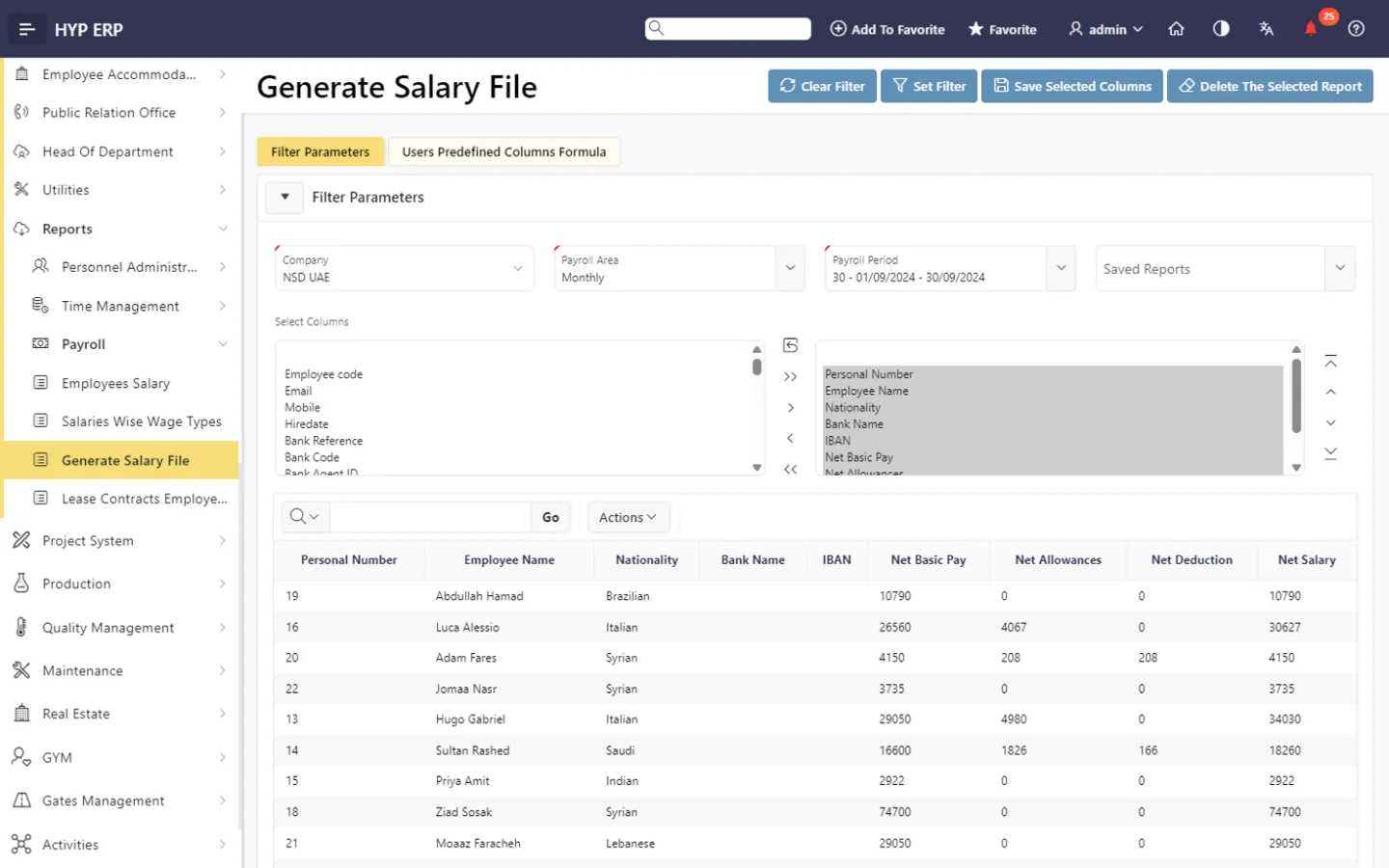
WPS salary files screen in HYP ERP

Payslips and posting to accounting

Make payslips available for inquiry, printing and self-service, and post the finalized payroll result to financial accounting for reporting.

HYP ERP
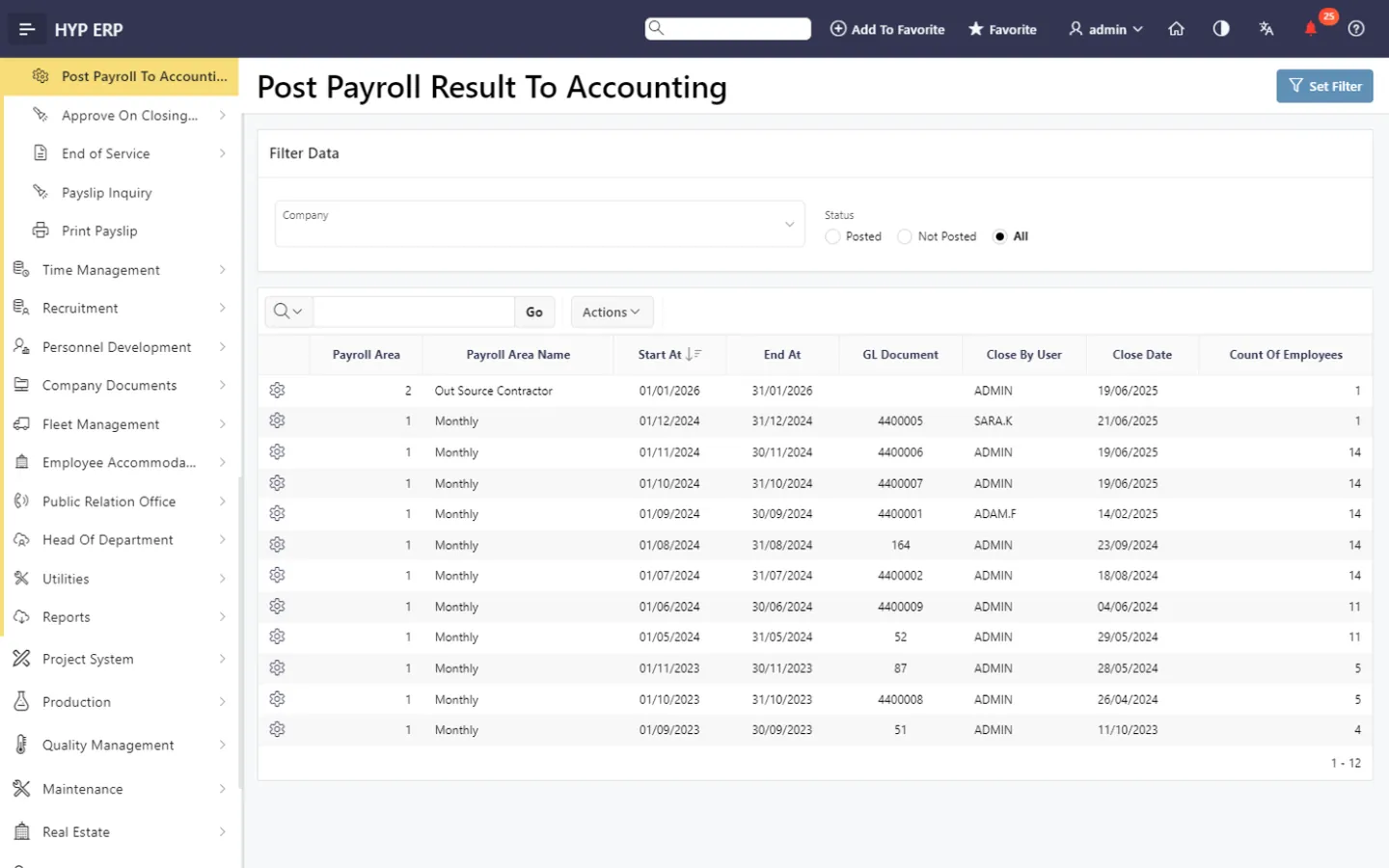
Payslips and posting to accounting screen in HYP ERP

What's included

What's included in Payroll, End of Service & Compliance

The payroll screens, end-of-service tools and reports in the Human Resources module.

Payroll run

  • Maintain personnel salary
  • Salary update requests
  • Payroll periods
  • Payroll simulation
  • Release payroll and run calculation
  • Check payroll result
  • Close payroll and payroll rollback
  • Approve on closing payroll

End of service

  • End of service simulation report
  • End of service calculation
  • Payslip inquiry and print
  • Post payroll to accounting

Reports and files

  • Salary file for WPS
  • Employees salary
  • Salaries by wage type
  • Salary package
  • Salary change history

How a payroll period runs in HYP ERP

  1. Prepare

    Confirm salary records, employee eligibility and approved time inputs.

  2. Simulate

    Run the calculation and inspect preliminary results.

  3. Finalize

    Complete the review, close the period and release payslips.

  4. Pay and post

    Produce the WPS salary file and transfer the approved payroll result to accounting.

Customer results

Proven in the region

All customer stories

Etimad Holding · United Arab Emirates

Etimad Holding centralizes HR for 16 subsidiaries with HYP ERP

16subsidiaries under centralized HR
50,000+employees managed in HYP HR
8months to centralize HR across all companies
Read the story

Bringing HR across 16 subsidiaries into one system has strengthened our oversight of employee records, payroll and leave. Our teams can manage these processes with clearer traceability and less reliance on paperwork.

John, HR Manager, Etimad Holding

From the blog

Guides on this topic

Payroll and end of service FAQs

Can I simulate payroll before running it in HYP ERP?

Yes. HYP ERP Payroll includes payroll simulation, so payroll teams can review expected results and investigate unusual amounts before the payroll is released, calculated and closed for the period.

Does HYP ERP calculate end of service?

Yes. HYP ERP Payroll includes end-of-service simulation and calculation based on the employee's history. The entitlement rules are configured for the employee's country and your company policy during implementation.

Can HYP ERP post payroll results to accounting?

Yes. HYP ERP posts finalized payroll results to financial accounting, so salary costs reach financial reporting without re-keying and finance works from the same period data as payroll.

Does HYP ERP support WPS payroll?

Yes. HYP ERP Payroll produces WPS salary files for the UAE Wage Protection System from the closed payroll period, so the salary information sent for payment matches the figures HR and finance reviewed in HYP ERP.

Does HYP ERP guarantee labor-law and tax compliance?

No. HYP ERP Payroll applies the payroll and end-of-service rules configured for each country and your approved company policy. Correct results depend on accurate employee data and on reviewing that configuration against current local requirements.

Do absences and overtime affect payroll in HYP ERP?

Yes. Approved absences and overtime from HYP ERP time management are used as inputs to the payroll period, so payroll reflects reviewed time records instead of retyped summaries.

Review payroll before salaries are paid

See a payroll period simulated, checked, closed and posted to accounting in HYP ERP.

Chat now
Chat now Request a demo