
Procurement & Inventory

Buy, receive and value stock in one module

Each receipt stays tied to the purchase order it came from, and every stock movement updates the balances purchasing, sales and finance use.

Procurement & Inventory: warehouse shelves with stock

What is procurement and inventory management software?

Procurement and inventory software controls how a business buys goods and holds them: requests and approvals, supplier quotations and purchase orders, then receiving, stock movements, counts and valuation.

In HYP ERP, Procurement & Inventory is one module, called Inventory and Purchasing in the system. It covers material and purchase requisitions, RFQs, vendor quotations, purchase orders and inbound shipments, then goods receipts and issues, transfers, consignment, physical counts with the Inventory App, costing and stock reports.

HYP ERP
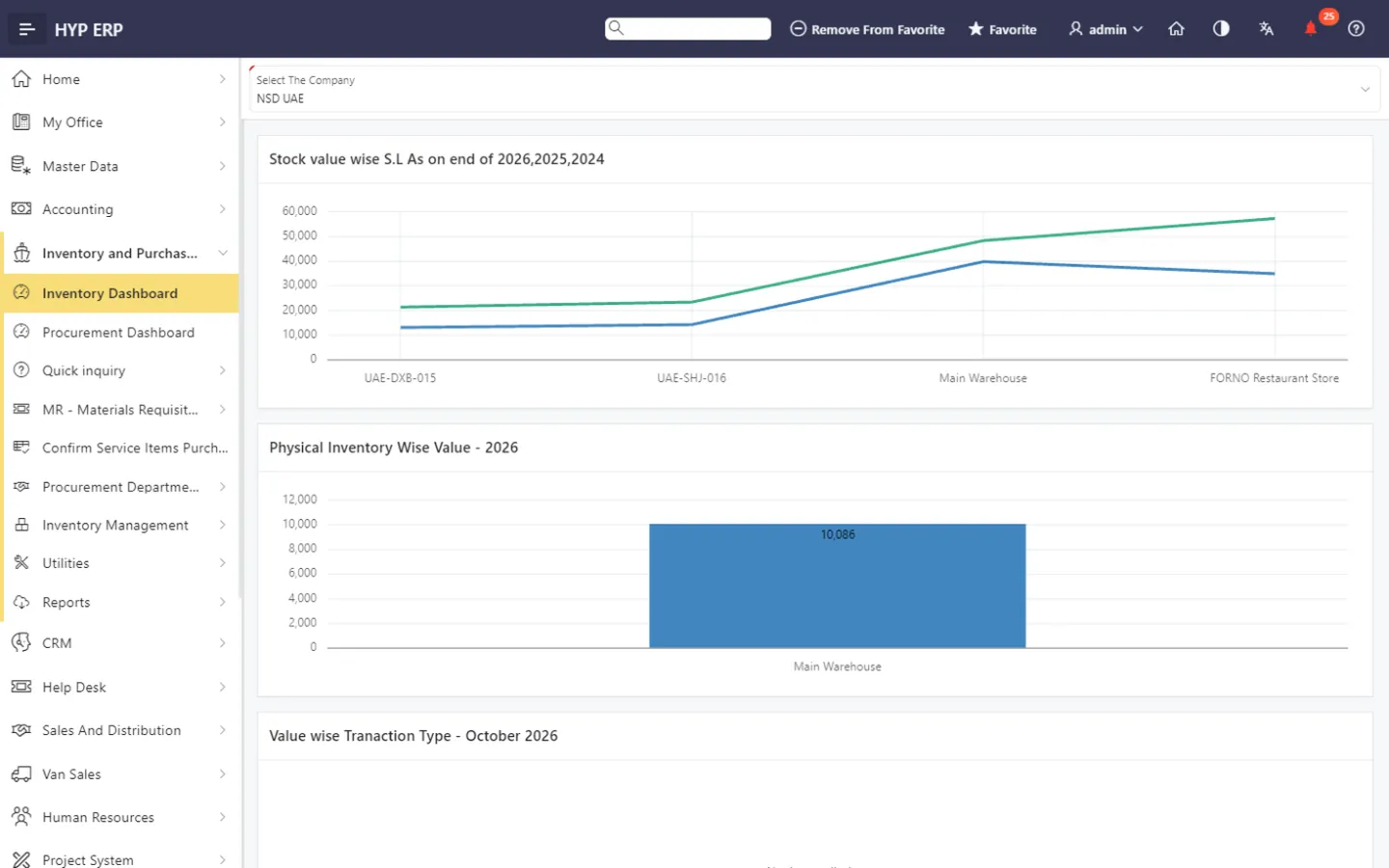
Procurement & Inventory screen in HYP ERP

Procurement and inventory capabilities in one HYP ERP module

When requisitions sit in email, quotations are compared in spreadsheets and receipts are booked without the order behind them, nobody can say what was ordered, what arrived or what the stock is worth. One module keeps each issue linked to its purpose and each balance tied to its storage location.

Requisitions and approvals

Raise material requisitions and purchase requisitions, route them through approval and release, and follow each request in an approval queue until it becomes an RFQ or a purchase order.

HYP ERP
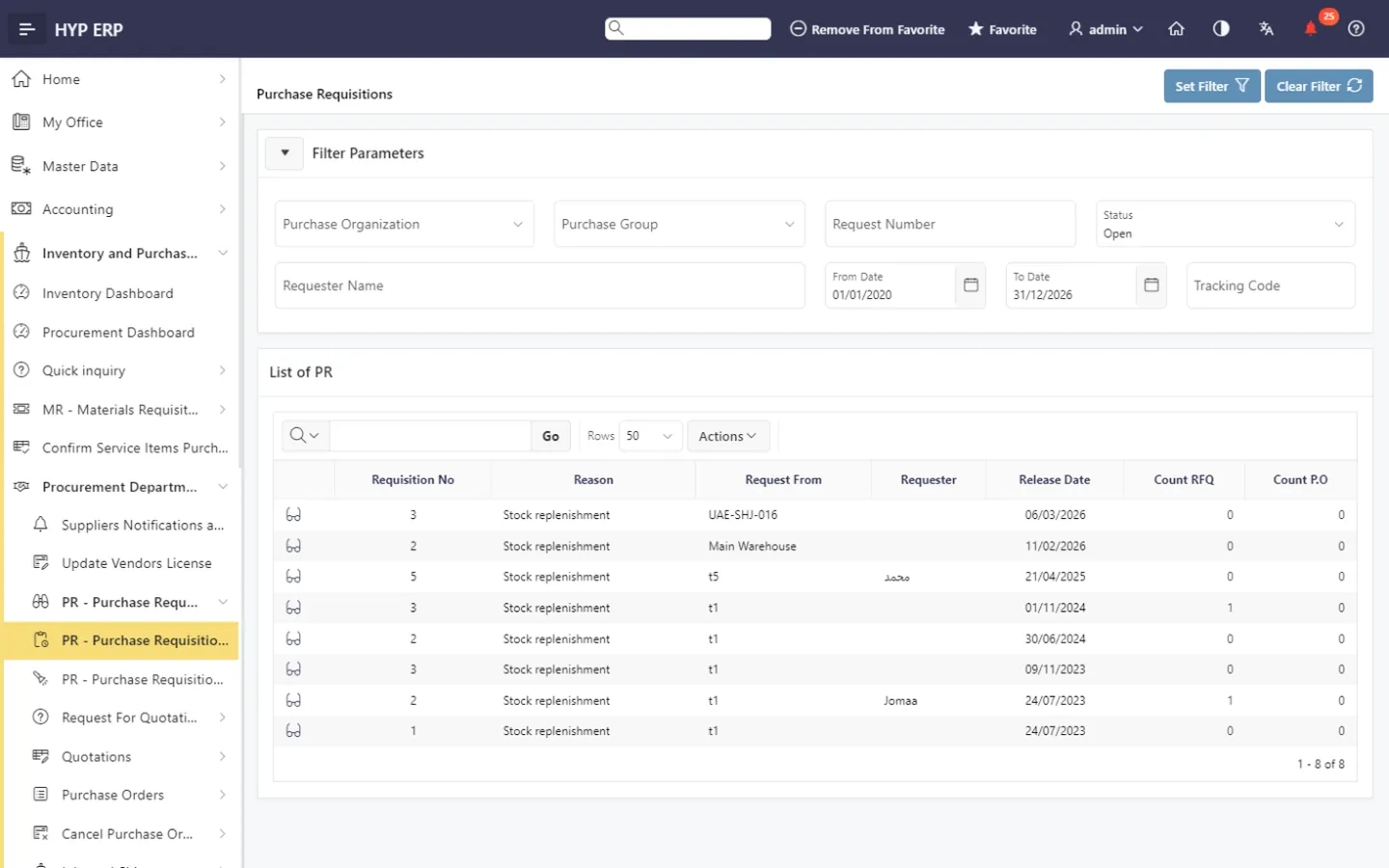
Requisitions and approvals screen in HYP ERP

RFQs, vendor quotations and vendor selection

Send requests for quotation, record vendor quotations, compare them and select the vendor, so each purchase order starts from a documented choice.

Explore requisitions, RFQs and purchase orders

HYP ERP
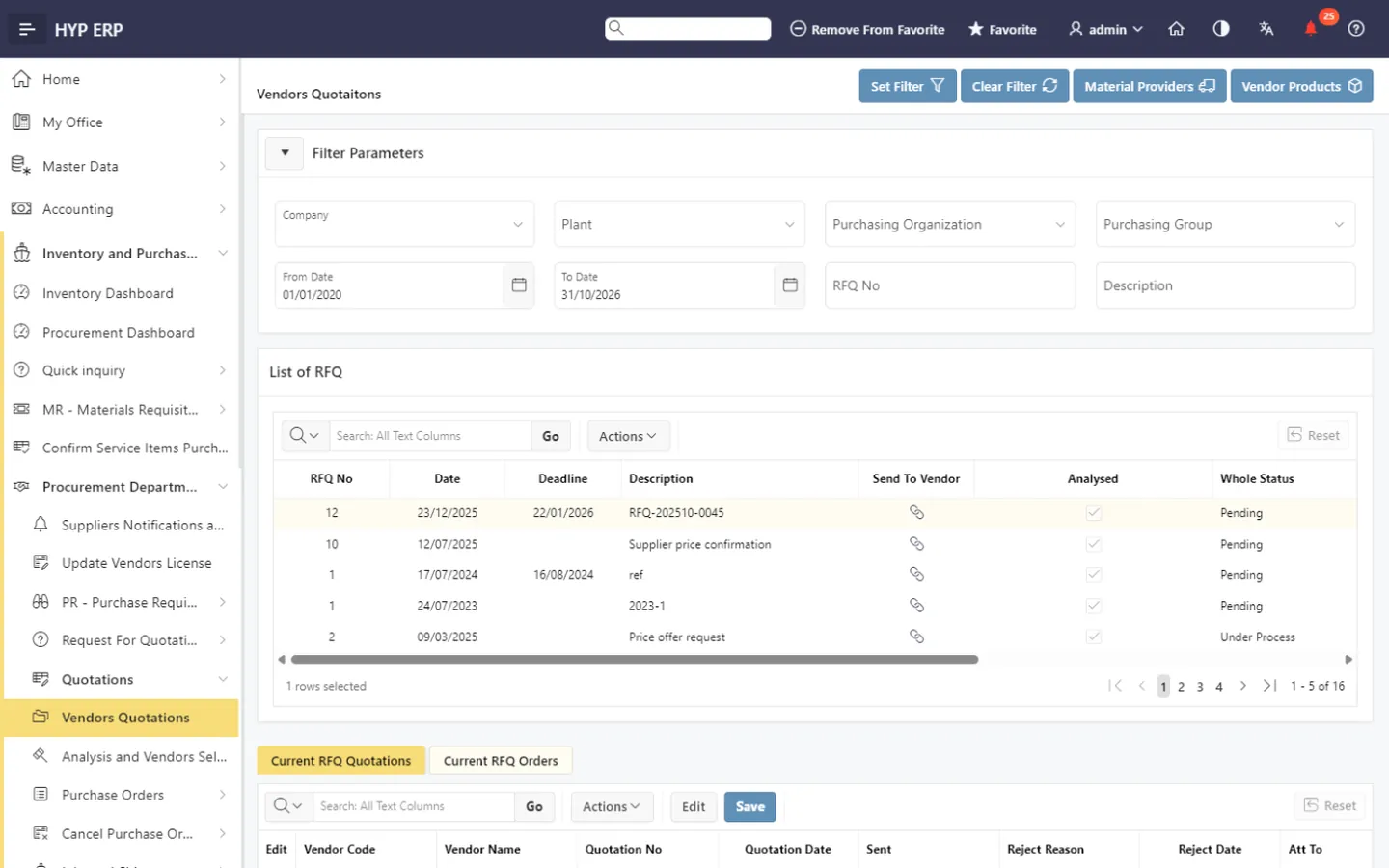
RFQs, vendor quotations and vendor selection screen in HYP ERP

Purchase orders and inbound shipments

Issue purchase orders with release and handle cancellation requests, then follow inbound shipments until the goods arrive. Suppliers receive notifications and requests for information, and vendor license updates are kept with the vendor.

Explore supplier collaboration and inbound shipments

HYP ERP
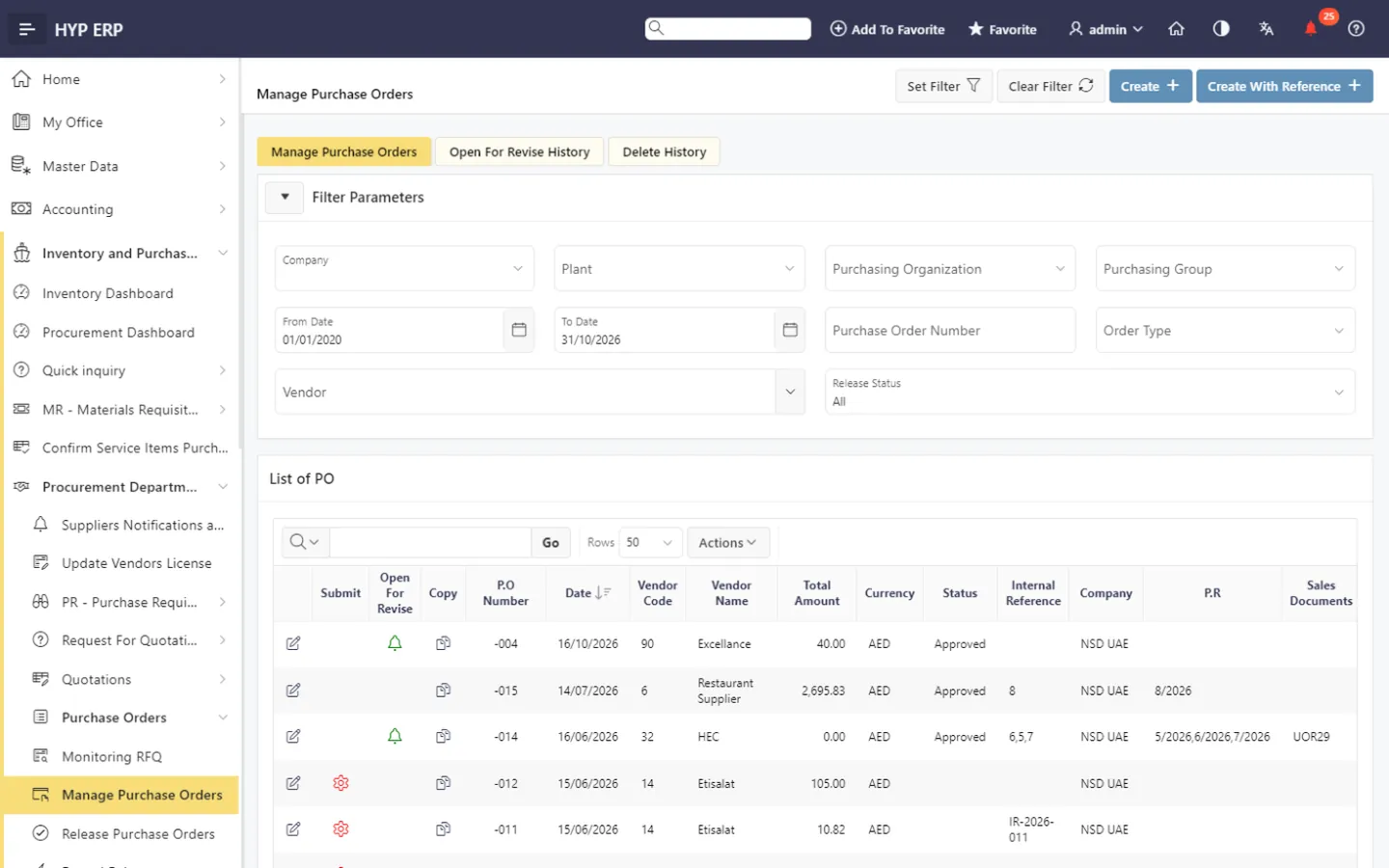
Purchase orders and inbound shipments screen in HYP ERP

Goods receipts and goods issues

Receive goods from purchase orders, without reference, and from customer and department returns. Issue goods to customers, for consumption, as returns to vendors, or to capitalize an item as an asset.

Explore stock control and inventory movements

HYP ERP
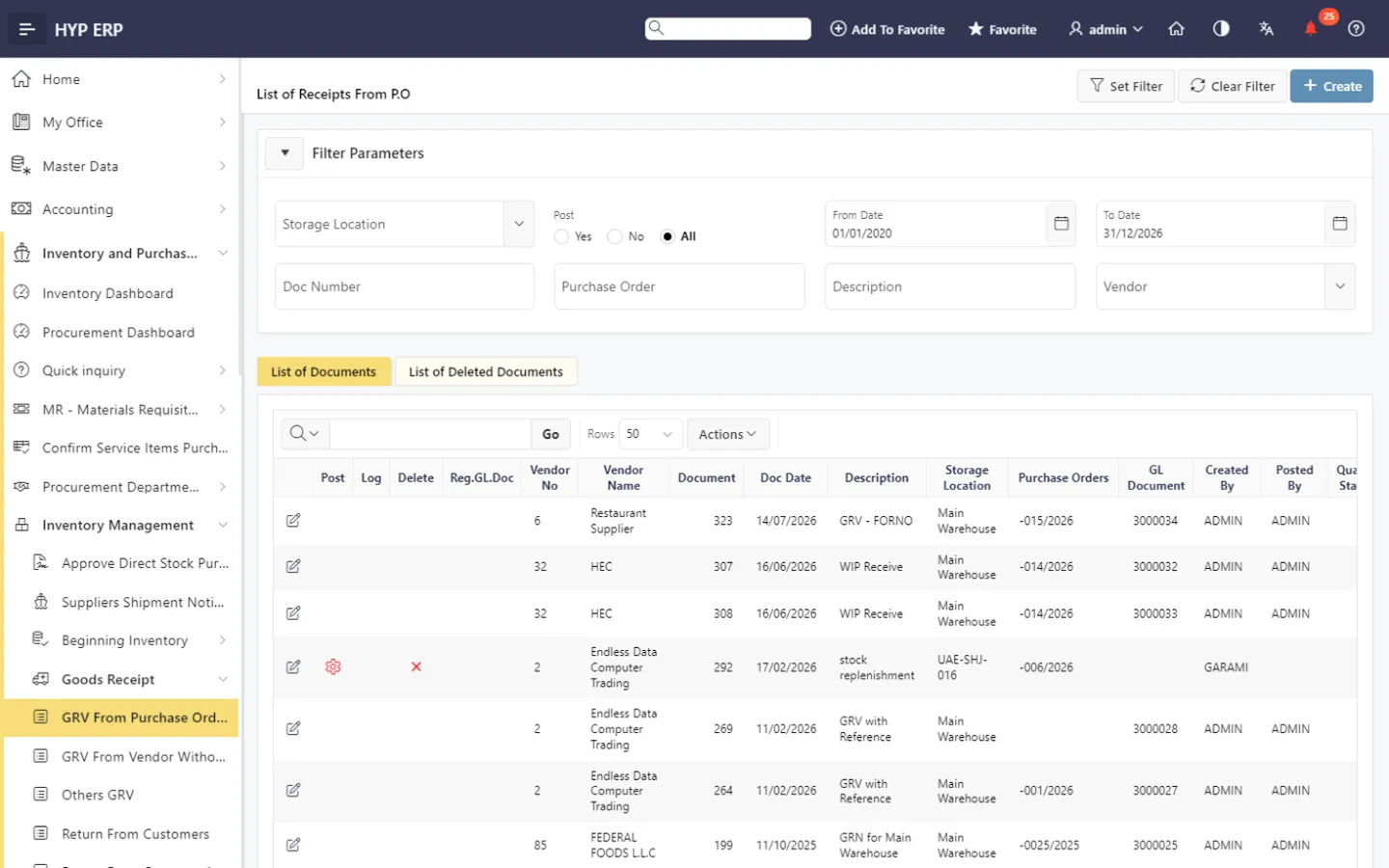
Goods receipts and goods issues screen in HYP ERP

Transfers, consignment and adjustments

Transfer stock between stock types, or request a stock transfer and follow it through outbound and inbound transfers. Hold customer consignment stock with its own aging, post write-offs and average-cost updates, and run assembly and disassembly.

HYP ERP
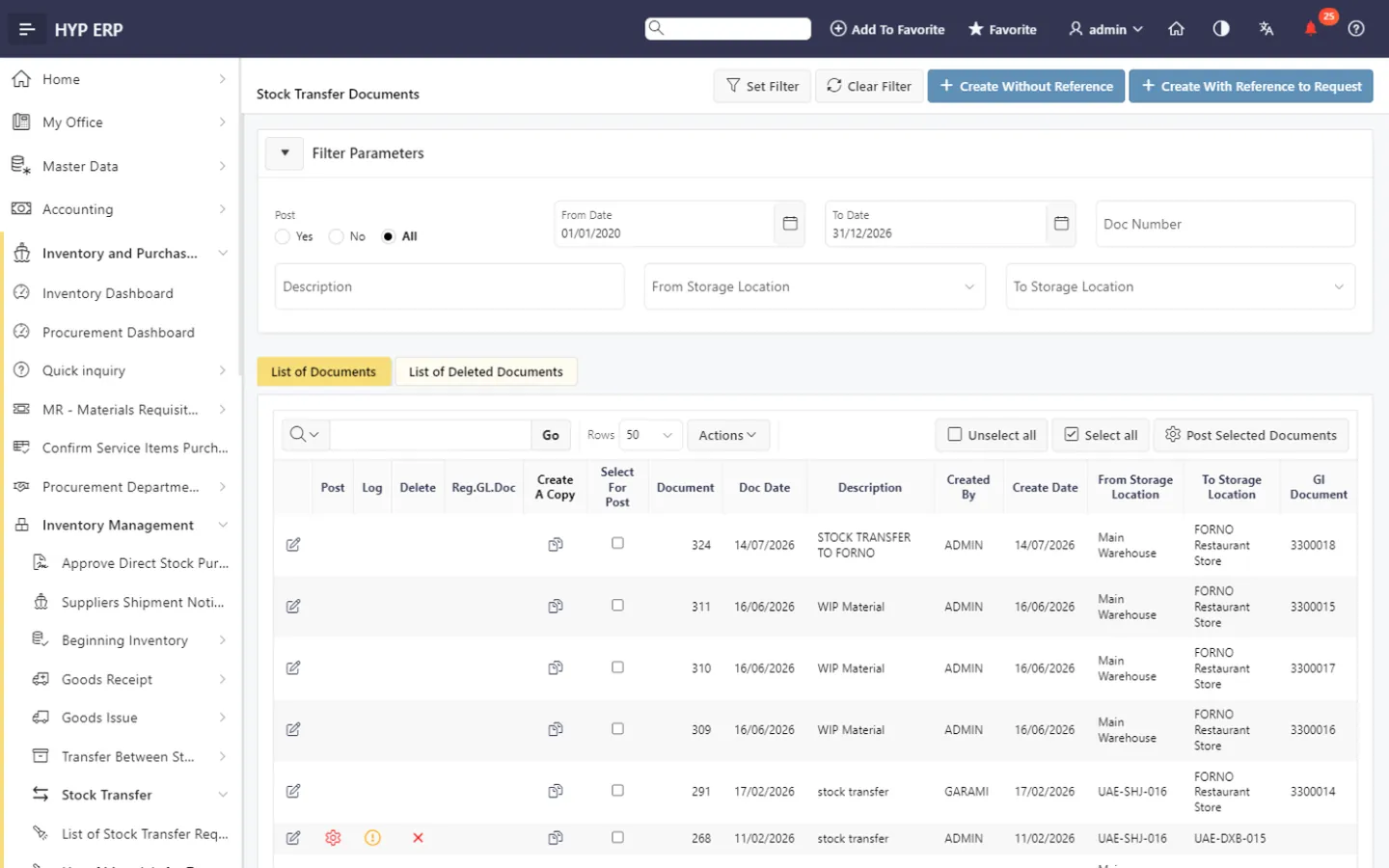
Transfers, consignment and adjustments screen in HYP ERP

Warehouse locations, storage areas and bins

Organize each warehouse location into storage areas, storage types, sections and bins, see stock by storage location, and get an alert when an item falls below its minimum quantity.

HYP ERP
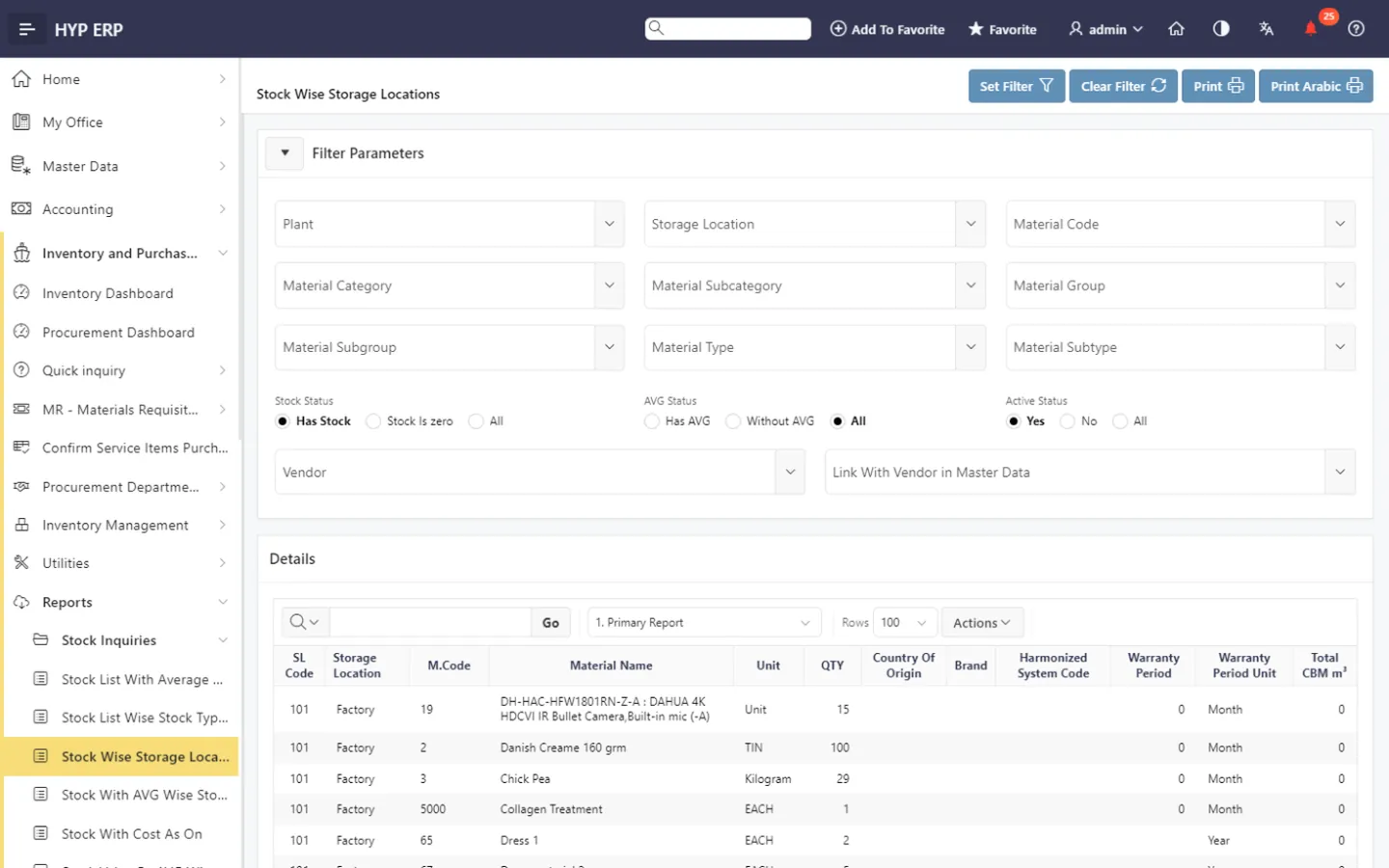
Warehouse locations, storage areas and bins screen in HYP ERP

Opening stock, counts and the Inventory Mobile App

Record opening stock, run stock counts and upload counted quantities from the Inventory Mobile App, then review the differences before they are posted.

Explore the Inventory Mobile App

HYP ERP
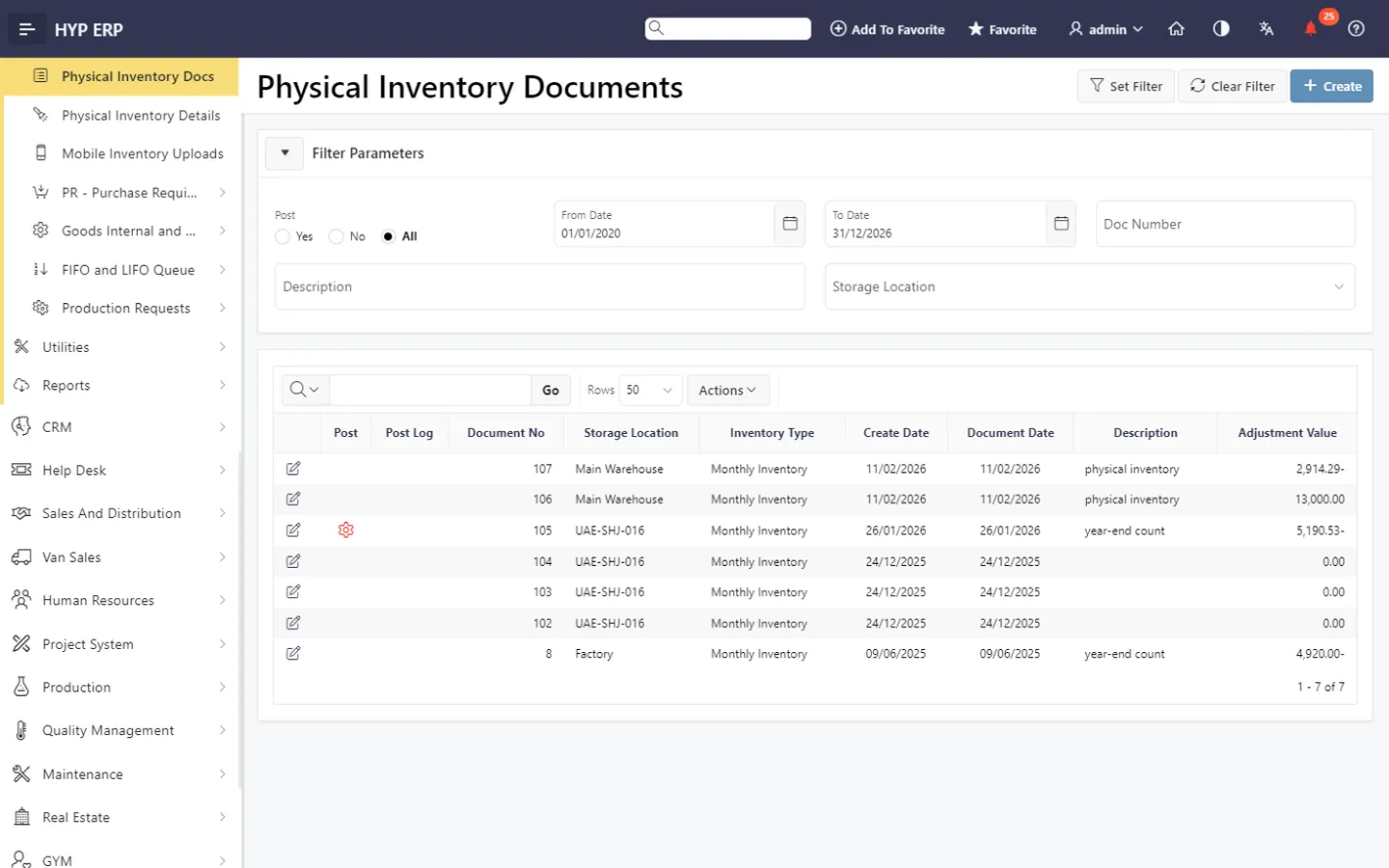
Opening stock, counts and the Inventory Mobile App screen in HYP ERP

Costing, ledger and valuation

Keep FIFO and LIFO queues and average cost up to date, and follow stock through the stock ledger, aging and valuation reports.

Explore inventory accuracy, valuation and cost control

HYP ERP
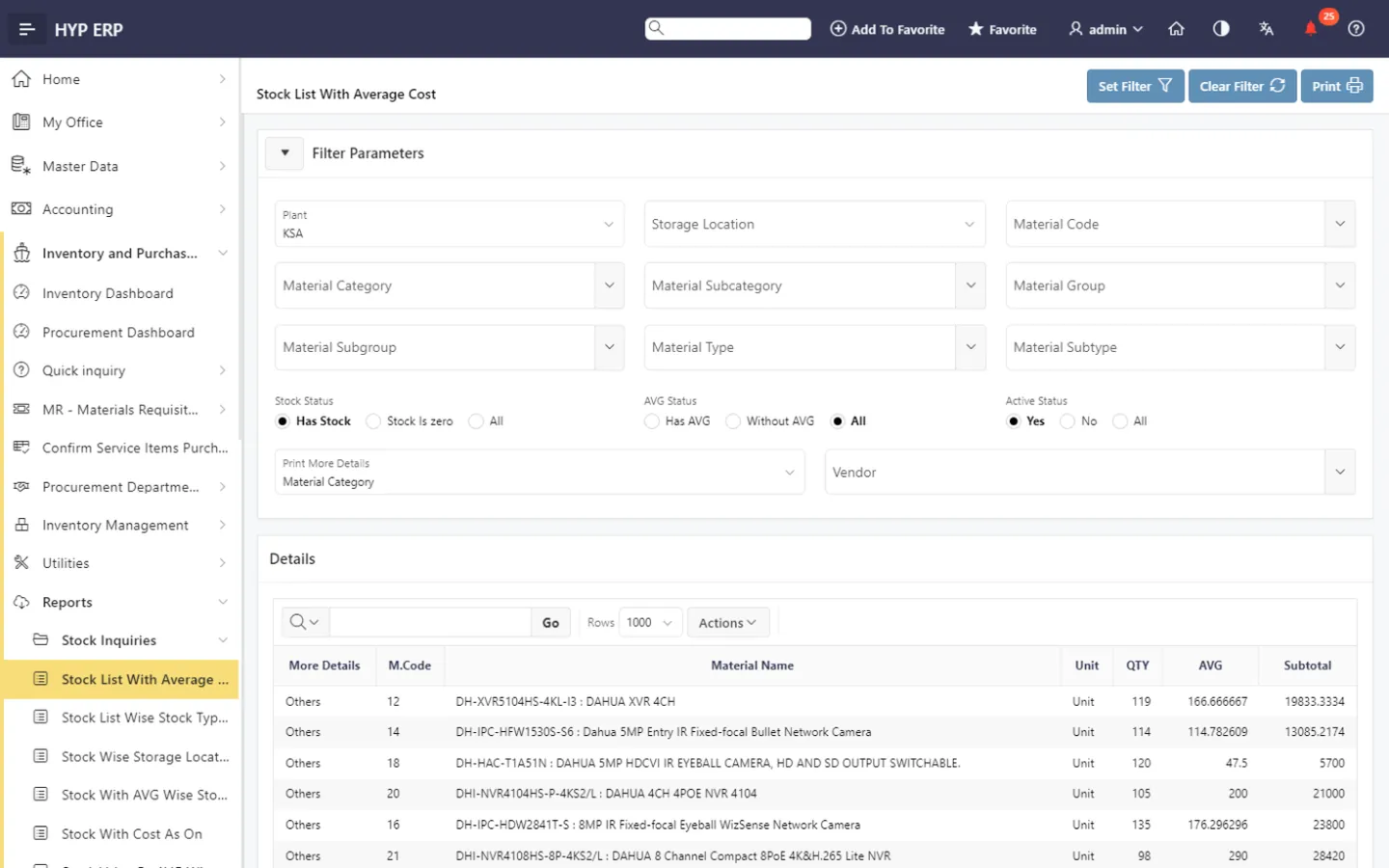
Costing, ledger and valuation screen in HYP ERP

Product tour

See Procurement & Inventory in HYP ERP

A short walkthrough of Procurement & Inventory in the live system.

How a purchase becomes stock in HYP ERP

  1. Request

    A material or purchase requisition is raised, approved and released.

  2. Source

    An RFQ goes out, vendor quotations are compared and a vendor is selected.

  3. Order

    The purchase order is released and the inbound shipment followed.

  4. Receive and store

    Goods are received against the order into a storage area and bin.

  5. Count and value

    Stock counts, the stock ledger, aging and valuation show the position.

Benefits

What procurement, stores and finance teams gain

For procurement teams

Requisitions, quotations and purchase orders follow one approval path, and each vendor choice is backed by a quotation comparison instead of an email thread.

For warehouse and stores teams

Receipts, issues, transfers and counts are recorded against the order or request behind them, in the storage area and bin where the stock sits.

For finance and management

Stock value, average cost, FIFO and LIFO queues, aging and the stock ledger come from the same transactions that procurement and the stores team post.

From the blog

Guides for purchasing and stock teams

Procurement and inventory FAQs

Are procurement and inventory one module in HYP ERP?

Yes. In HYP ERP, procurement and inventory run in one module, Inventory and Purchasing, so requisitions, purchase orders, goods receipts and stock balances share the same records. Procurement & Supplier Management and Inventory Management describe each side in more detail.

Does HYP ERP compare vendor quotations?

Yes. After a request for quotation, vendor quotations are recorded and compared in HYP ERP, and the vendor you select becomes the basis for the purchase order.

Can goods be received without a purchase order?

Yes. HYP ERP records goods receipts against purchase orders and without reference, as well as receipts from customer returns and department returns.

How are warehouses organized in HYP ERP?

Each warehouse location is organized into storage areas, storage types, sections and bins. Stock is reported by storage location, and minimum-quantity alerts show when an item falls below its minimum.

Which costing methods does HYP ERP inventory support?

HYP ERP keeps FIFO and LIFO queues and updates average cost, and the stock ledger, aging and valuation reports show stock value for finance.

Can stock counts be captured on a mobile device?

Yes. Counters use the Inventory Mobile App to scan products and upload counted quantities, which are reviewed in HYP ERP before the differences are posted.

Is HYP ERP used by businesses across MENA?

Yes. HYP ERP, built by NSD in Dubai, has served businesses since 2006 and supports more than 30,000 subscriptions across MENA.

Run purchasing and stock from one module

See a requisition become a purchase order, a goods receipt and a stock value in HYP ERP.

Chat now
Chat now Request a demo