
Broker Portal
A portal for your real estate brokers
Broker Portal gives external brokers controlled access to their assigned units, availability, bookings and commissions. It reads from the developer's real estate records, and the developer decides what each broker sees.

Broker Portal capabilities for brokers and broker companies
Shared through calls, spreadsheets and messages, availability and commission information goes out of date. Bookings arrive informally, follow-up is duplicated and commission questions turn into disputes.
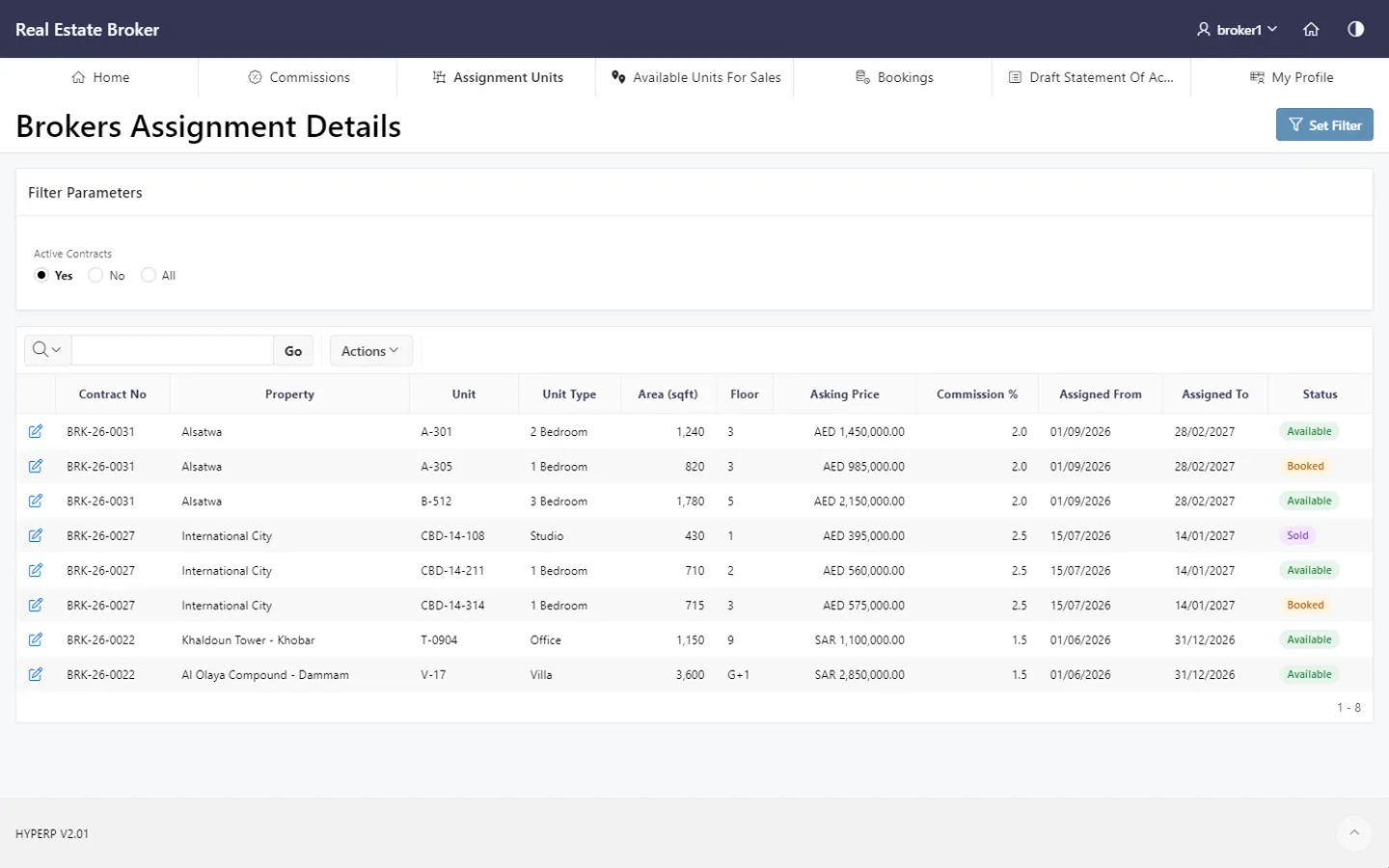
Assigned units visibility
Brokers see the units the developer has assigned to them, so each broker company knows which inventory it is responsible for.
HYP ERP
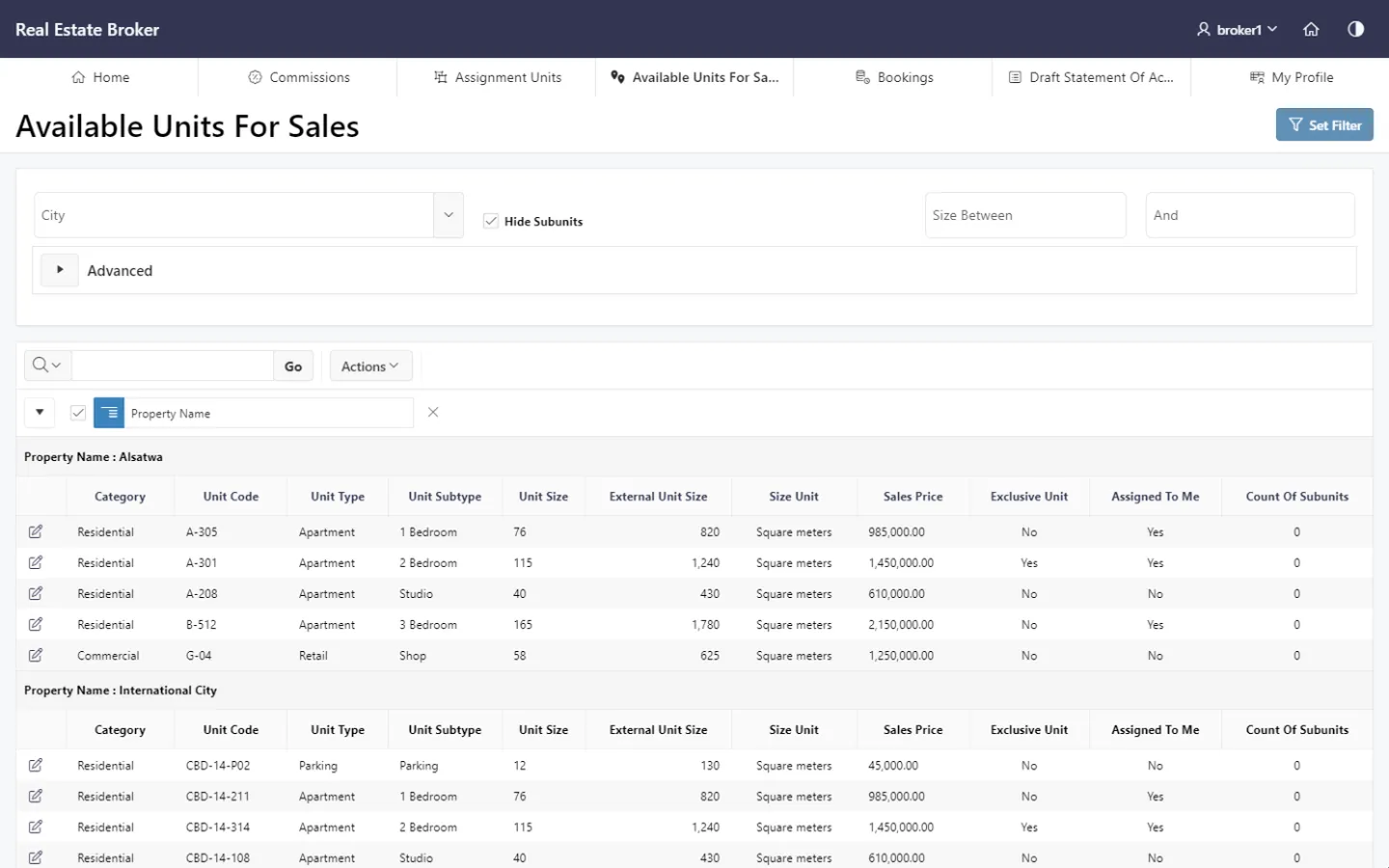
Units available for sale to brokers
Brokers check units available for sale within the visibility rules the developer defines, and answer buyer enquiries from current ERP data.
HYP ERP
Booking management
Brokers create and follow bookings in the portal, so the developer receives booking requests in a structured form and less coordination is needed between brokers, sales teams and back-office users.
HYP ERP
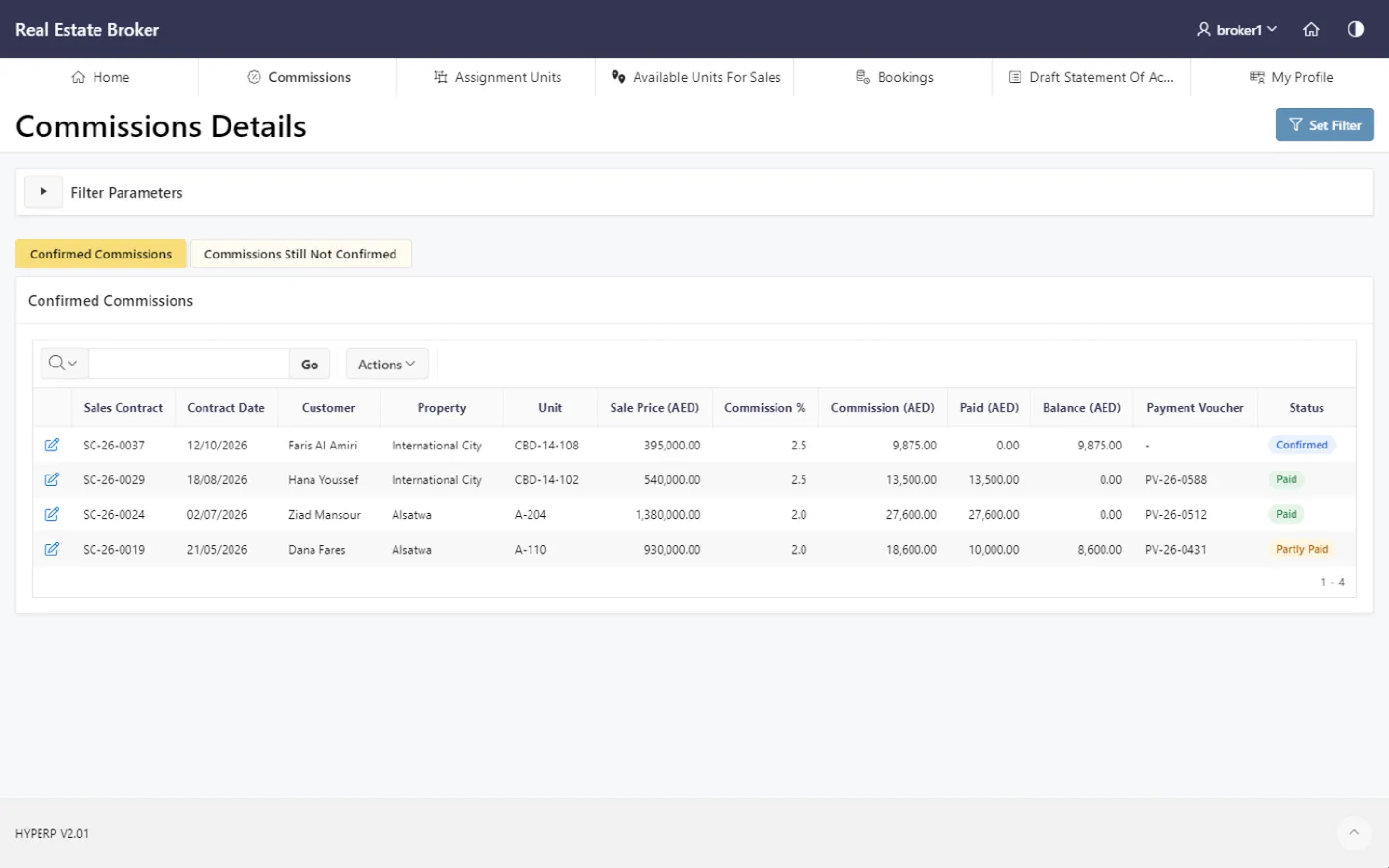
Commission visibility
Brokers review commission-related information and status, which cuts repeated follow-up with the developer's sales and finance teams.
HYP ERP
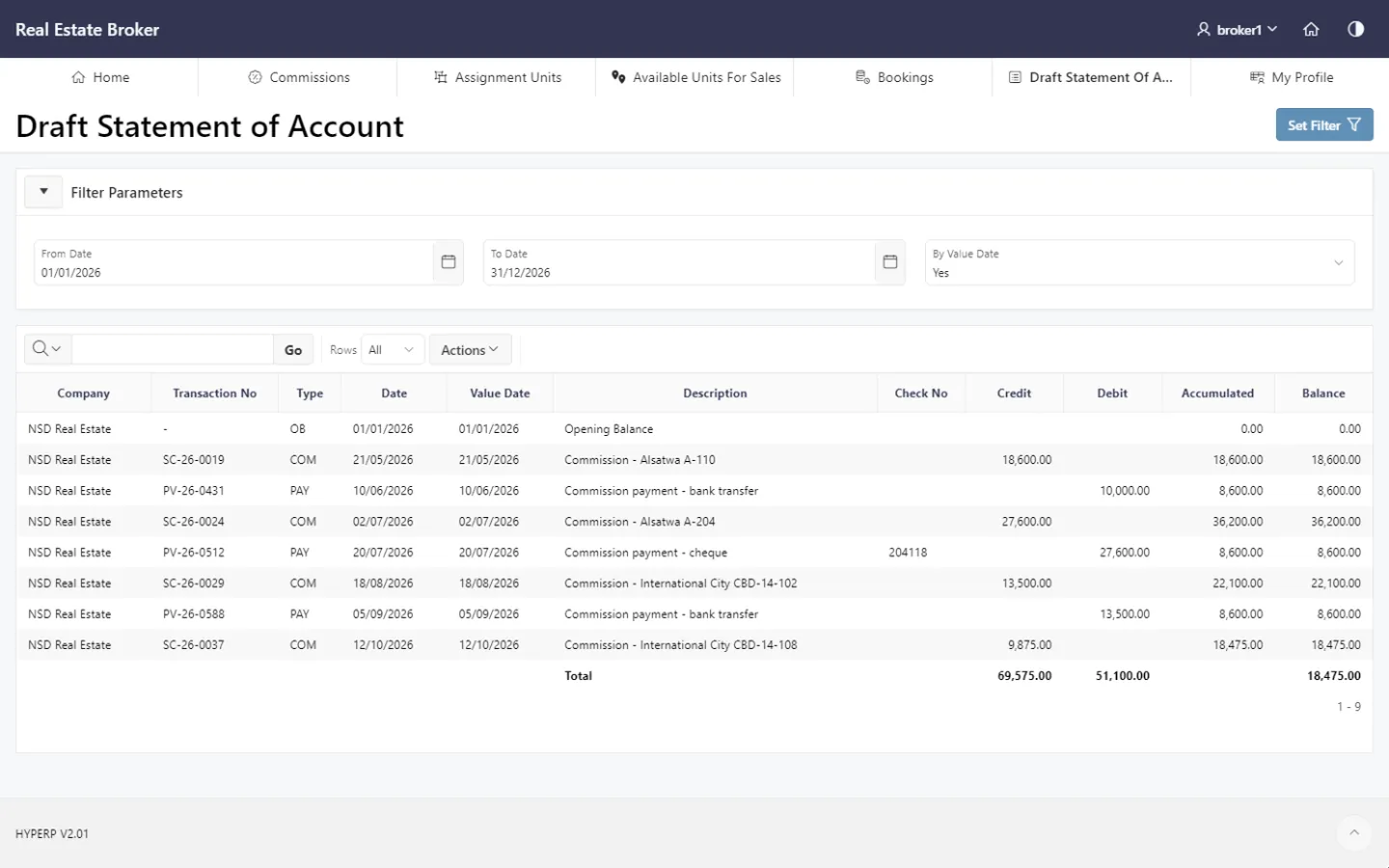
Draft statement of account
Where applicable, brokers open a draft statement of account to review financial activity before final settlement or confirmation.
HYP ERP
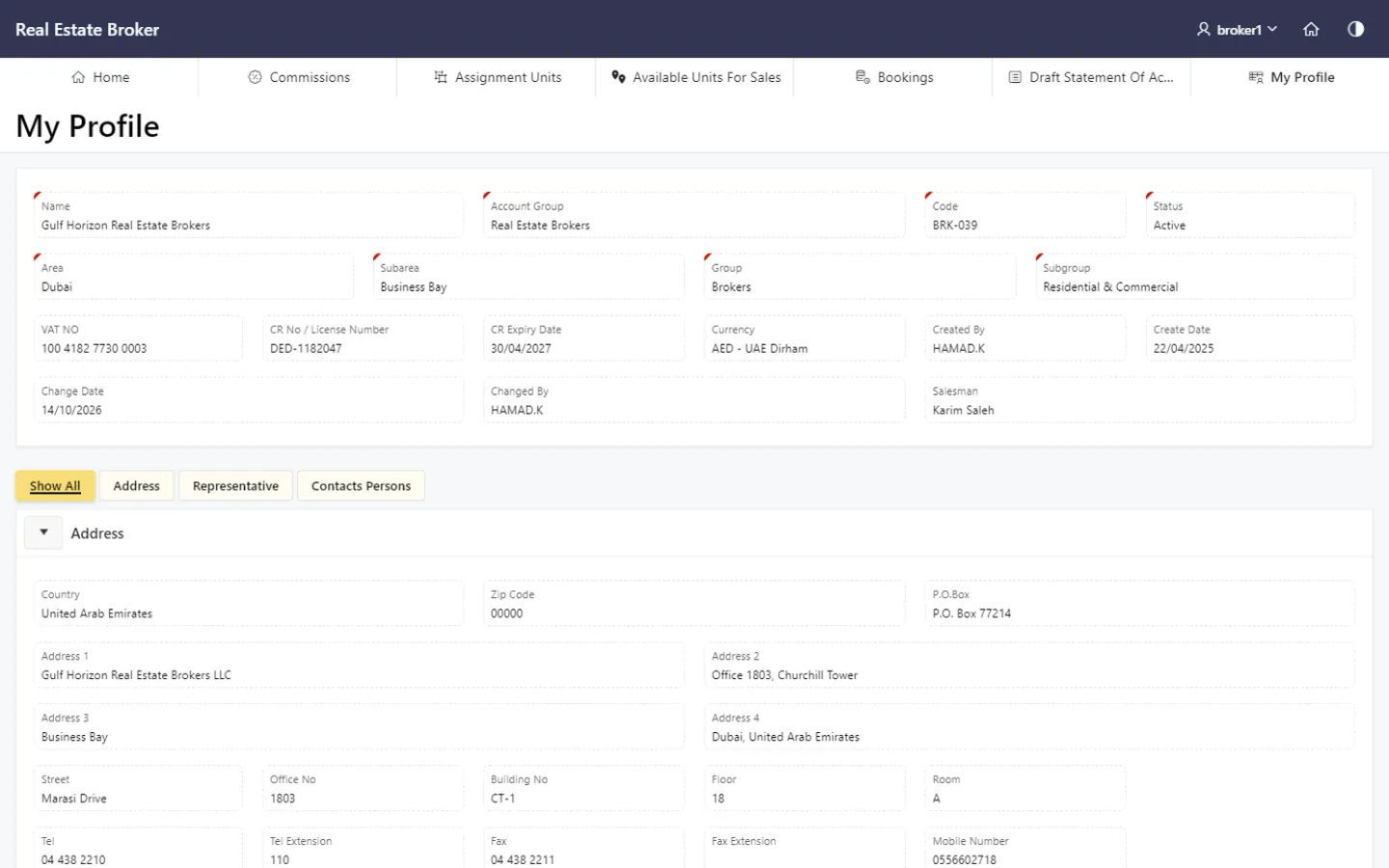
Broker profile management
Broker users view and update their own profile information, keeping broker records accurate and communication with the developer straightforward.
Explore Broker profile management
HYP ERP
What's included
What's included in Broker Portal
What brokers can see and do in the portal.
Units and bookings
- Assigned units
- Units available for sale
- Booking creation and follow-up
Commissions and account
- Commission status
- Draft statement of account
- Broker profile
How a broker works in the HYP ERP Broker Portal
Get access
The developer grants the broker controlled portal access.
Find units
The broker reviews assigned and available units.
Book
The broker creates a booking and follows its status.
Follow commission
The broker checks commission information and the draft statement of account.
Industries that run on Broker Portal
Broker Portal FAQs
Can brokers see every unit in HYP ERP?
No. In HYP ERP Broker Portal, brokers see only the units allowed by the access and assignment rules the developer defines, so each broker company works from a controlled view of the inventory.
Can brokers view their assigned units in the portal?
Yes. HYP ERP Broker Portal shows each broker the units the developer has assigned to them, taken from the broker assignment records in Real Estate & Property Management.
Can brokers create bookings through the Broker Portal?
Yes. Brokers create and follow booking activity in HYP ERP Broker Portal, depending on the developer's sales process, and the bookings reach the developer's team as structured requests.
Can brokers check their commissions online?
Yes. HYP ERP Broker Portal gives brokers commission visibility and, where applicable, a draft statement of account, so they can follow commission-related information without repeated calls to the developer.
Is the Broker Portal connected to HYP ERP real estate records?
Yes. HYP ERP Broker Portal is connected with Real Estate & Property Management, including unit availability, broker assignments, bookings and commissions, so portal activity and ERP records match.
Open a controlled channel to your brokers
See brokers check units, create bookings and follow commissions in the HYP ERP Broker Portal while your team keeps control.