
Supplier Portal

A self-service portal for your suppliers

Supplier Portal is a secure portal where vendors submit quotations, view purchase orders, follow shipment notices and check receipts, invoices, payments and statements, without access to the rest of your ERP.

Warehouse worker preparing cardboard box for shipping

Supplier Portal capabilities for vendors and buyers

Quotations arrive in scattered emails, vendors call for purchase order updates and finance answers the same questions about invoices and balances. The portal gives suppliers their own transactions while your teams keep control of approvals, receiving and payments.

Supplier profile management

Suppliers maintain their address details, contact persons, bank information and the item categories they can supply, giving procurement and finance cleaner vendor records without repeated update requests.

Explore Supplier profile management

HYP ERP
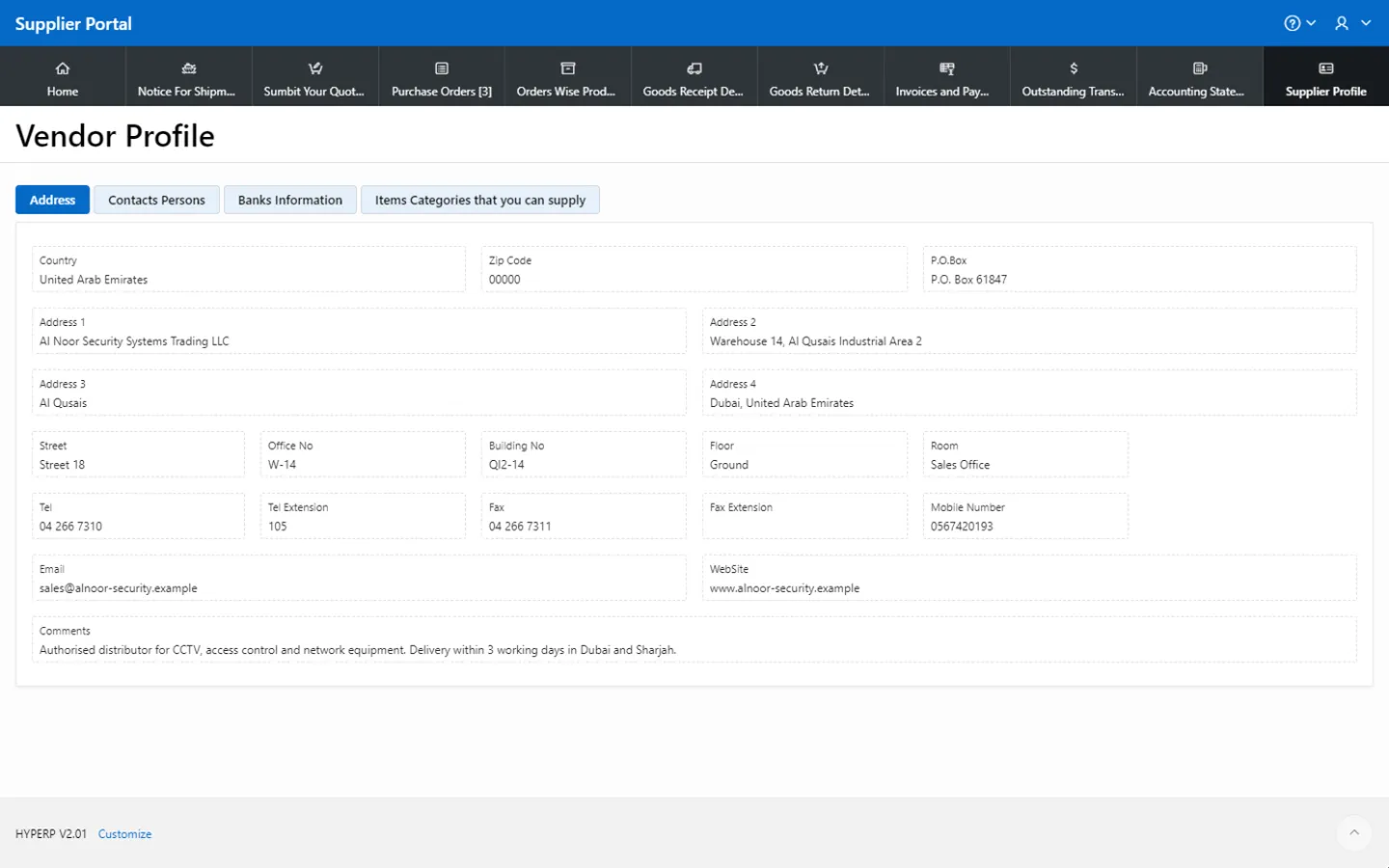
Supplier profile management screen in HYP ERP

Quotation submission

Suppliers submit quotations through the portal against procurement requirements, so buyers collect and review responses in a structured way instead of searching email.

HYP ERP
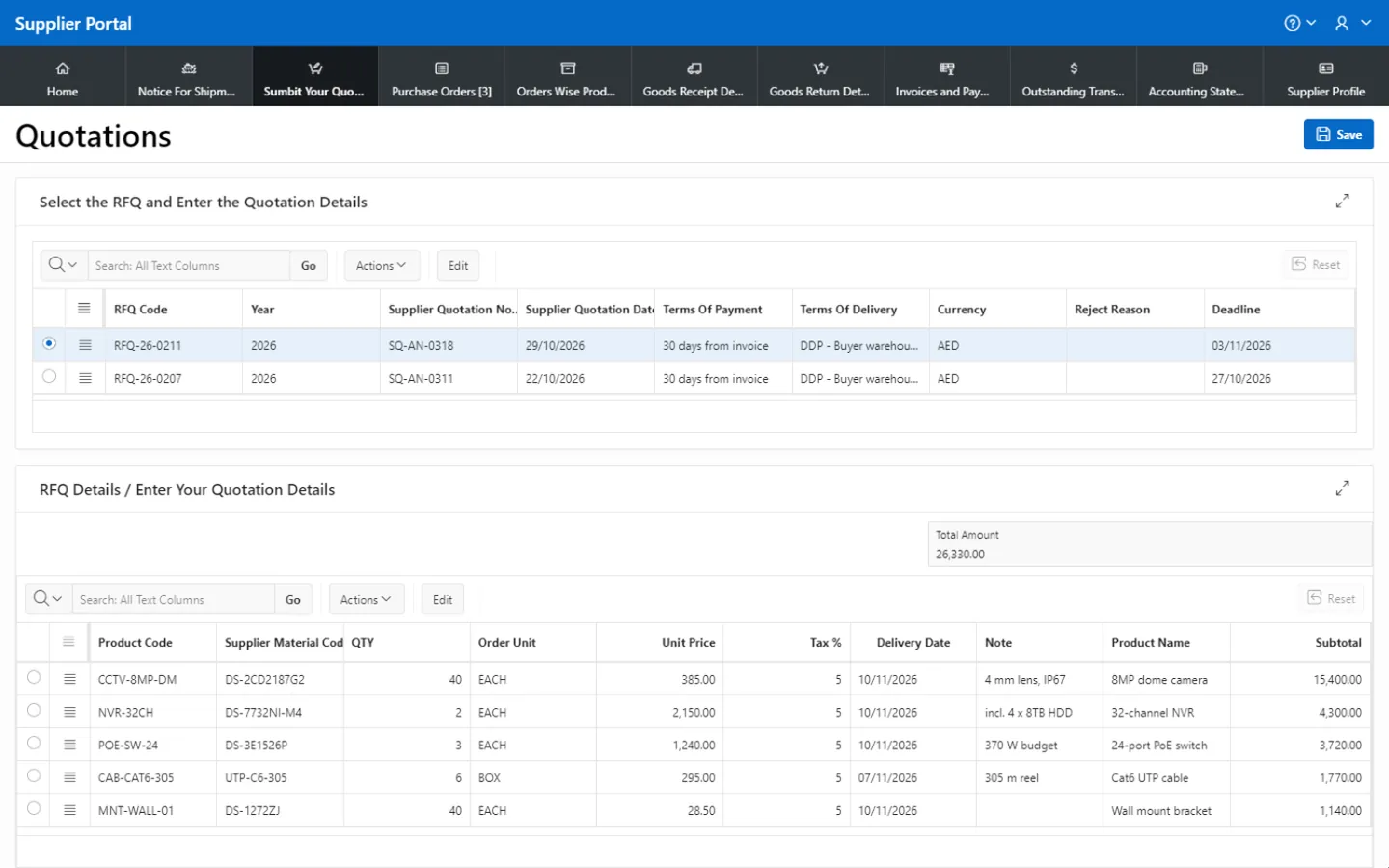
Quotation submission screen in HYP ERP

Purchase orders and order-wise products

Suppliers view the purchase orders assigned to them, with order-wise product details, and prepare deliveries from approved order information.

HYP ERP
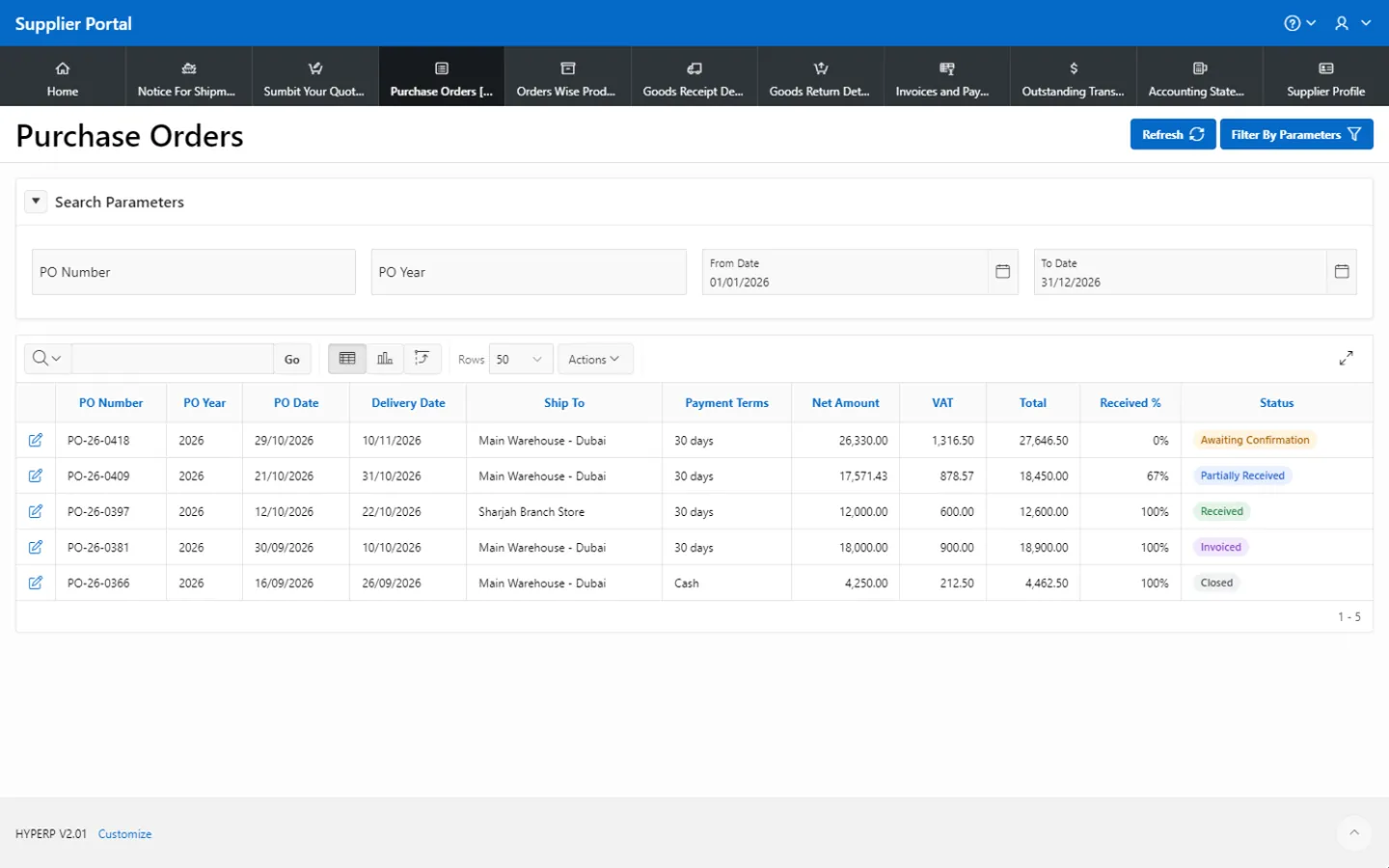
Purchase orders and order-wise products screen in HYP ERP

Shipment notices and delivery coordination

Shipment notice visibility lets suppliers and internal teams coordinate expected deliveries, so procurement and receiving teams prepare before goods arrive.

HYP ERP
Shipment notices and delivery coordination screen in HYP ERP

Goods receipt and return details

Suppliers review the goods receipt and goods return details on their transactions, covering received quantities, accepted goods, rejected items and return activity.

HYP ERP
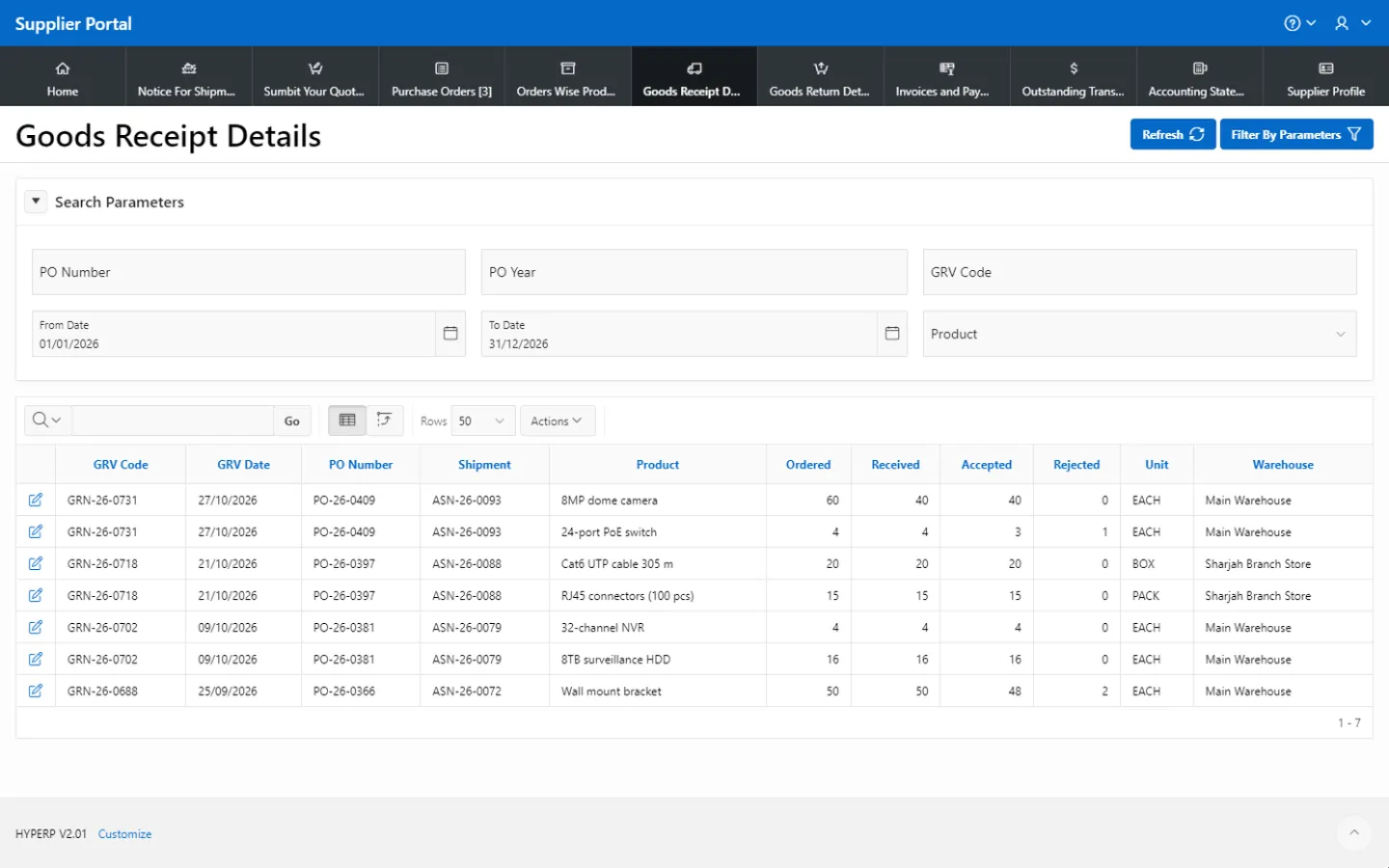
Goods receipt and return details screen in HYP ERP

Invoices, payments and accounting statements

Suppliers see purchase invoices, payment vouchers and outstanding transactions, and review accounting statements in local currency and foreign currency where applicable, showing balances, debit and credit movements and transaction history.

HYP ERP
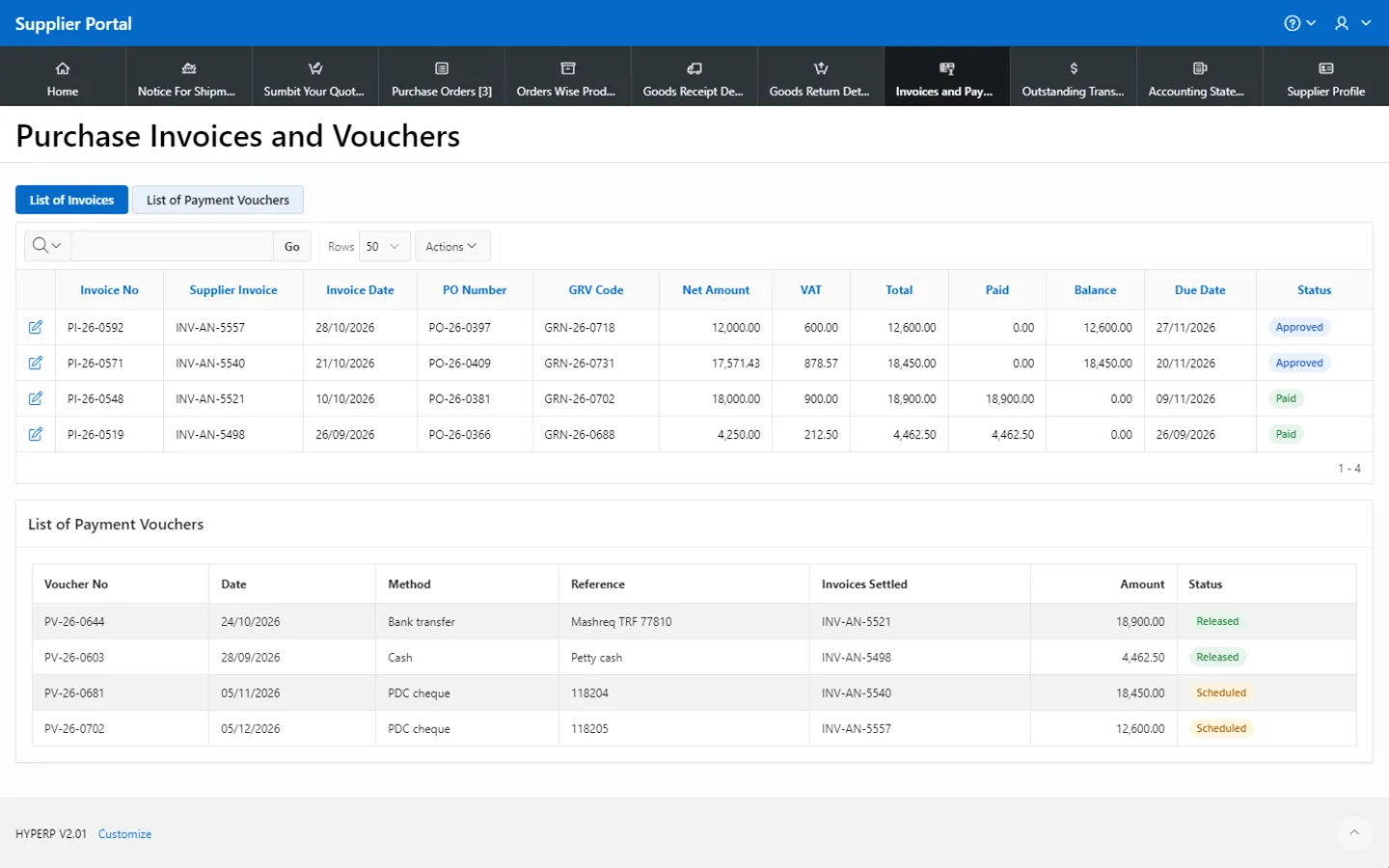
Invoices, payments and accounting statements screen in HYP ERP

What's included

What's included in Supplier Portal

What suppliers can see and do in the portal.

Orders and receiving

  • Quotation submission
  • Assigned purchase orders
  • Order-wise product details
  • Shipment notices
  • Goods receipt and return details

Finance

  • Purchase invoices
  • Payment vouchers
  • Outstanding transactions
  • Accounting statements in local and foreign currency

Supplier profile

  • Address and contact persons
  • Bank information
  • Item categories supplied

How a supplier works through the portal

  1. Profile

    The supplier keeps contacts, bank details and supply categories current.

  2. Quote

    The supplier responds to a requirement with a quotation.

  3. Deliver

    The supplier views the assigned purchase order and follows the shipment notice.

  4. Reconcile

    The supplier checks the goods receipt, any returns, the invoice, payment and statement.

Supplier Portal FAQs

Can suppliers submit quotations through the HYP ERP Supplier Portal?

Yes. Suppliers submit quotations through the HYP ERP Supplier Portal, so procurement teams receive vendor responses in a structured format linked to the original requirement rather than in separate emails.

Can suppliers view their purchase orders in the portal?

Yes. The HYP ERP Supplier Portal shows each supplier the purchase orders assigned to them, with order-wise product details, according to their portal access.

Can suppliers check goods receipt and return details?

Yes. In the HYP ERP Supplier Portal, suppliers review goods receipt and goods return details for their orders and deliveries, including received quantities, accepted goods and rejected items.

Can suppliers see invoices, payments and statements?

Yes. The HYP ERP Supplier Portal shows purchase invoices, payment vouchers, outstanding transactions and accounting statements in local and foreign currency where applicable, so vendors follow their account without calling finance.

Do suppliers get access to the full ERP system?

No. The HYP ERP Supplier Portal gives vendors controlled access to their own transactions and profile only. Approvals, receiving, invoices, payments and other ERP records stay under the control of your internal teams.

Give suppliers their own view of every order

See a supplier submit a quotation, follow a purchase order and check a payment in the HYP ERP Supplier Portal.

Chat now
Chat now Request a demo