CRM

From first lead to after-sales follow-up

Every customer conversation has the sales, contracts and transactions behind it, because CRM runs inside the ERP.

Colleagues working together in modern open office

What is CRM software?

CRM (customer relationship management) software keeps track of prospects and customers: leads, opportunities, campaigns, service cases and every conversation with them.

In HYP ERP, CRM manages prospects, leads and opportunities, marketing campaigns and customer email, cases and complaints, RMA return requests, a CRM workspace for daily follow-up, and KPI and target dashboards. It runs inside the ERP that holds your sales, contracts and transactions.

HYP ERP
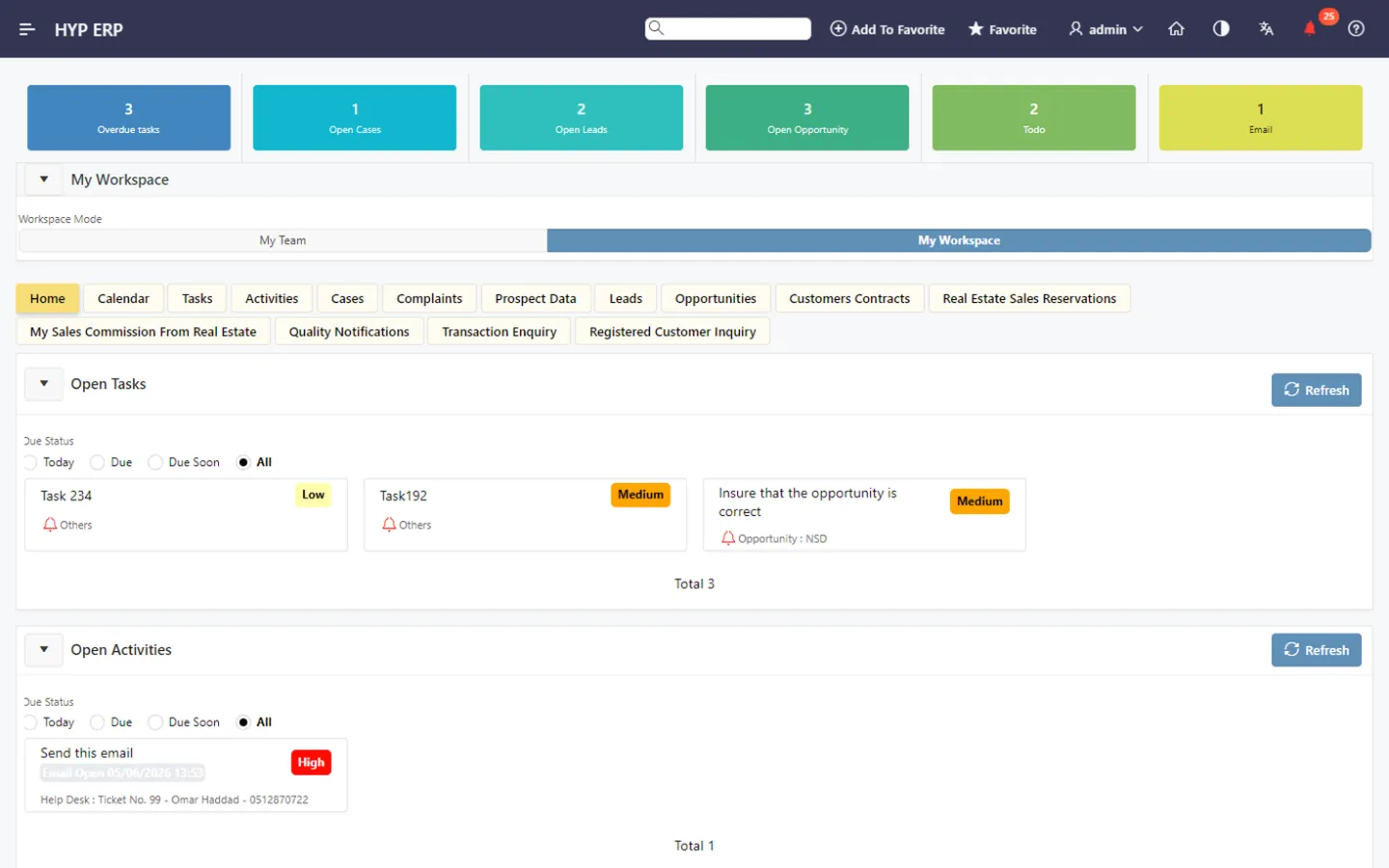
CRM screen in HYP ERP

CRM software capabilities from lead to after-sales

A customer relationship does not belong to one department. Sales, service, marketing and back-office users touch the same customer, yet their information often sits in emails, spreadsheets and separate systems. Follow-ups slip, campaigns cannot be traced to sales, and a salesperson cannot see the contract behind a question.

Leads, prospects and the sales pipeline

Capture prospect information, organize lead activity and qualify leads through a structured process, then move qualified leads into active opportunities. Sales stages, customer activity and follow-up actions show managers how the pipeline is progressing, so fewer opportunities are missed.

HYP ERP
Leads, prospects and the sales pipeline screen in HYP ERP

CRM Workspace for daily follow-up

One working area gives sales and customer-facing users their tasks, calendar items, activities, cases, complaints, leads, opportunities, customer contracts, real estate sales reservations, commissions, quality notifications and customer enquiries. See CRM Workspace.

Explore CRM Workspace for daily follow-up

HYP ERP
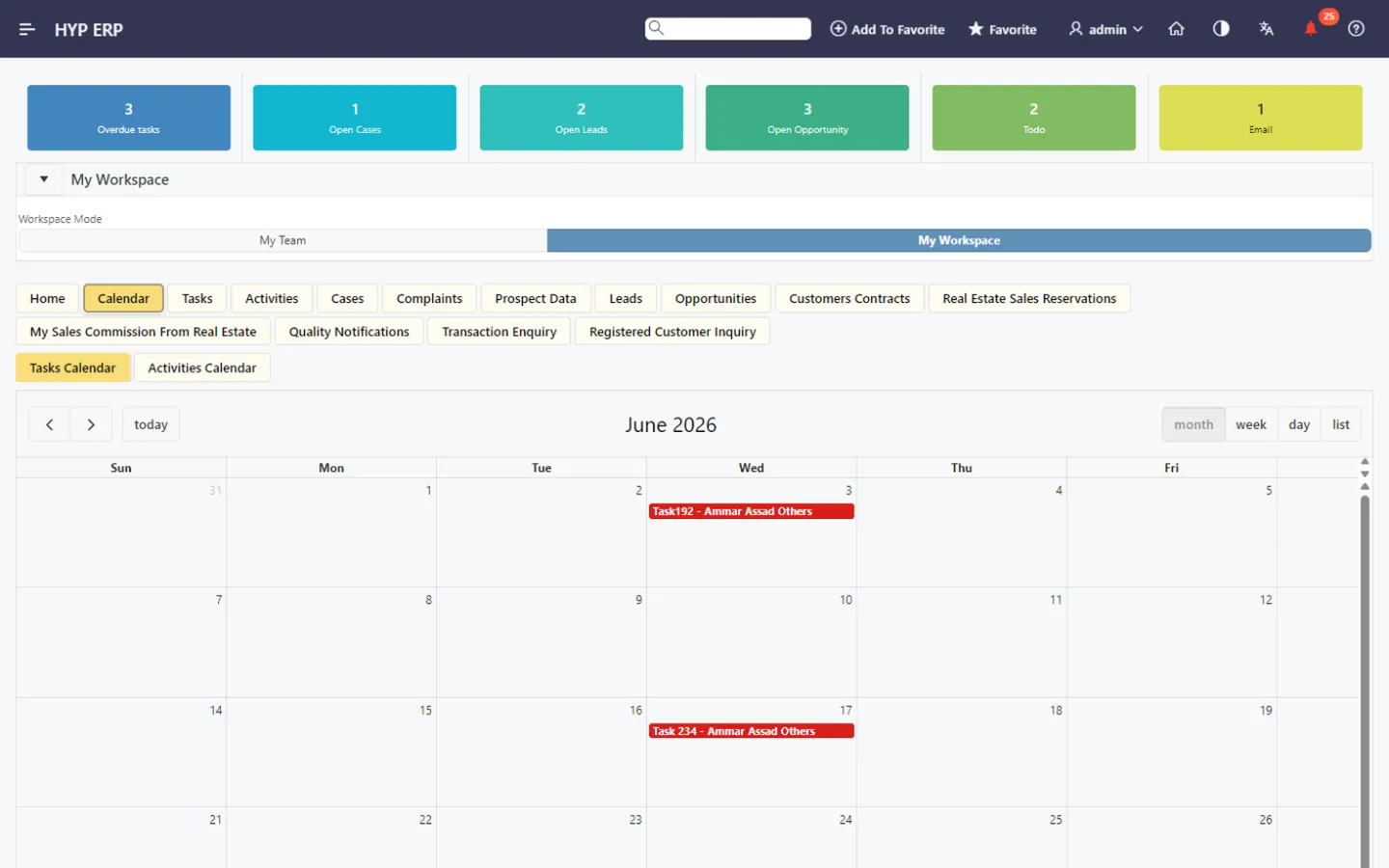
CRM Workspace for daily follow-up screen in HYP ERP

Campaigns and customer email

Marketing and sales teams manage campaigns, prepare email templates, send customer emails and monitor email queues from inside the CRM, so campaign communication stays organized, traceable and linked to sales activity.

HYP ERP
Campaigns and customer email screen in HYP ERP

Cases, complaints and service follow-up

Record each customer issue as a case or complaint, assign the follow-up, monitor progress and keep ownership clear across customer support.

HYP ERP
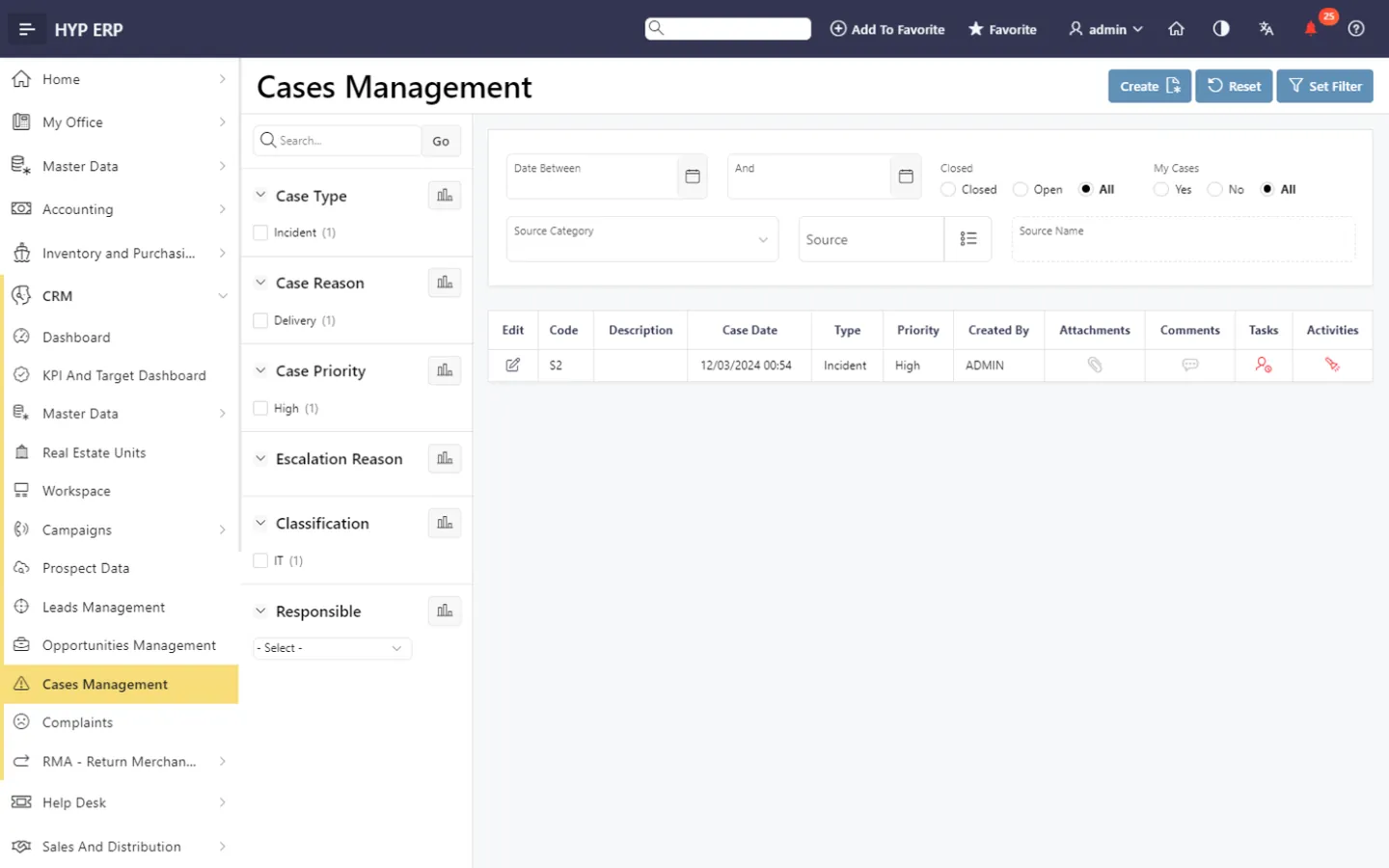
Cases, complaints and service follow-up screen in HYP ERP

RMA and return requests

Manage RMA (return merchandise authorization) requests for product returns and product-related service issues. Release approved requests, and let authorized users carry out a forced release when a controlled exception has to be completed.

HYP ERP
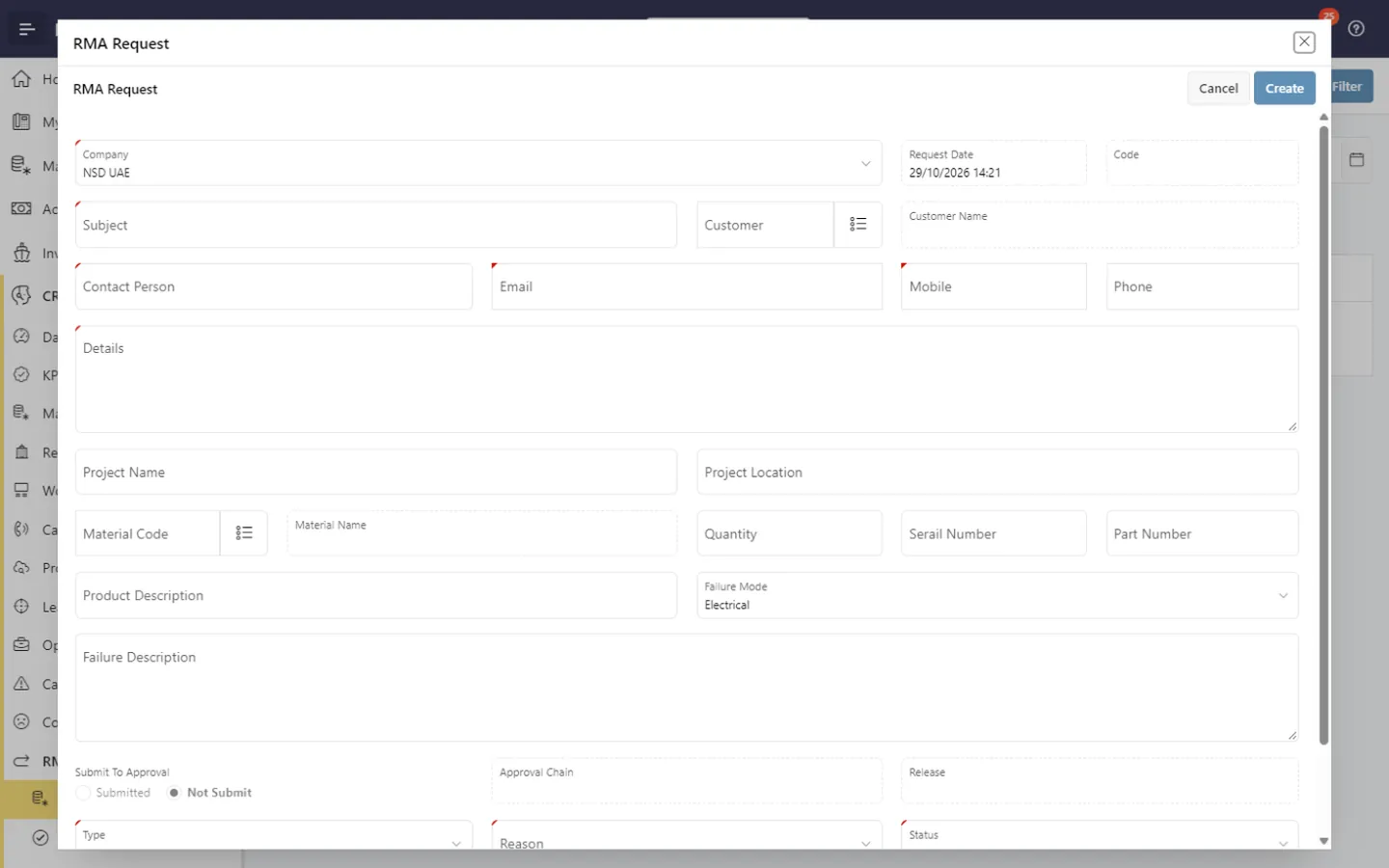
RMA and return requests screen in HYP ERP

Dashboards, KPIs and targets

CRM dashboards, KPI dashboards and target tracking show sales activity, team performance, customer follow-up and pipeline progress for decision-makers. See CRM KPI and Target Management.

HYP ERP
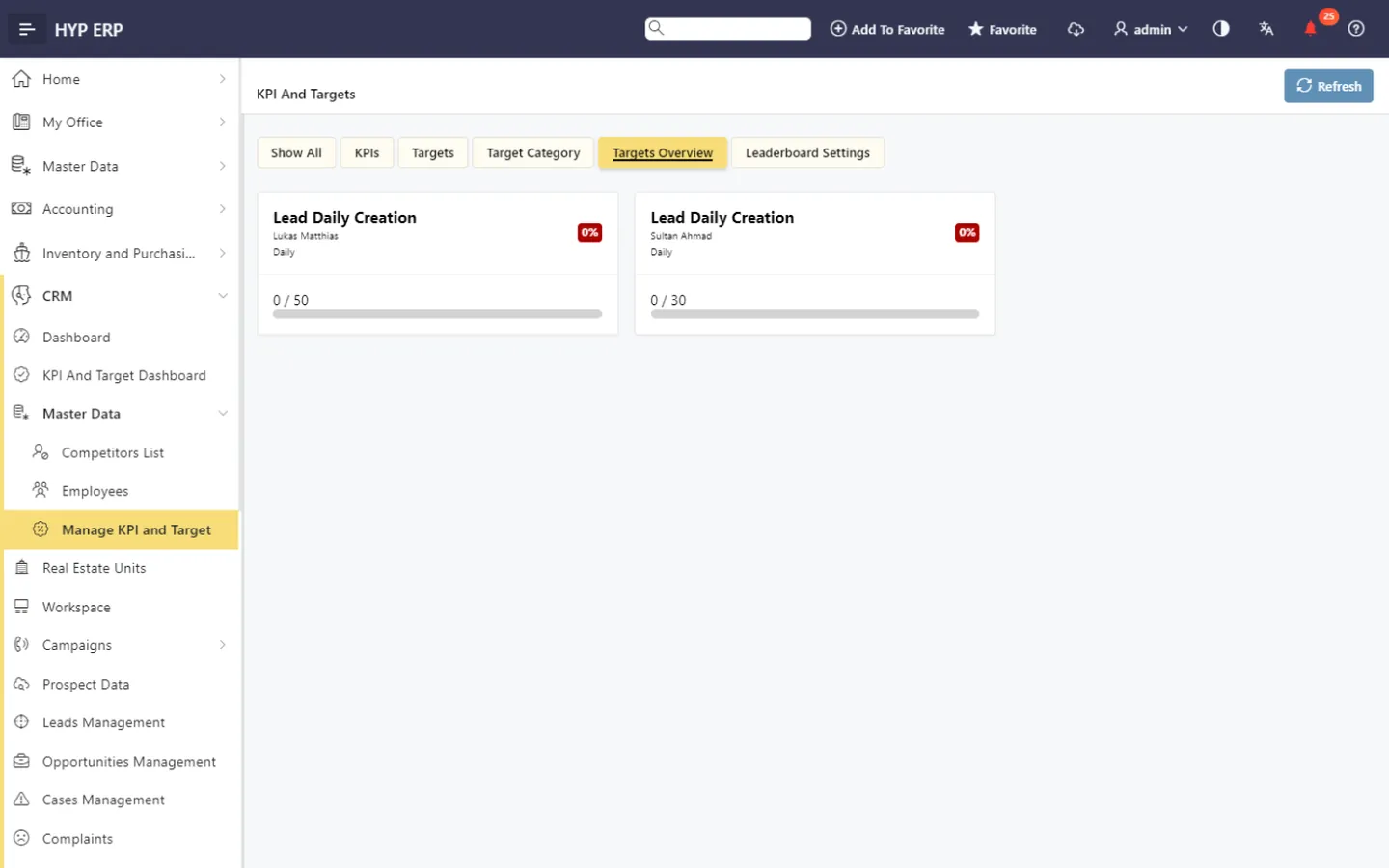
Dashboards, KPIs and targets screen in HYP ERP

Product tour

See CRM in HYP ERP

A short walkthrough of CRM in the live system.

How a customer relationship runs in HYP ERP CRM

  1. Capture

    Record the prospect and qualify the lead.

  2. Win

    Move the opportunity through its sales stages to a contract or reservation.

  3. Communicate

    Reach customers through campaigns and tracked emails.

  4. Serve

    Resolve cases, complaints and RMA requests with a named owner.

  5. Measure

    Review dashboards, KPIs and targets by team.

Benefits

What sales, service and management teams gain from CRM

  • For sales teams. Leads, opportunities, tasks, activities and customer emails handled in one structured flow, with customer transactions and contract information close at hand instead of in another system.
  • For customer service teams. Cases, complaints and RMA requests followed through defined processes, so every issue has an owner, response quality improves and return requests no longer run outside a controlled process.
  • For sales and service managers. Dashboards, KPIs and target tracking that show where performance or follow-up needs attention, without collecting status updates from each team.
Business people discussing ideas at office whiteboard

From the blog

Guides for sales and customer teams

CRM FAQs

Is HYP ERP CRM a standalone CRM system?

No. HYP ERP CRM is part of the HYP ERP platform, so leads, cases and campaigns connect with sales, contracts, transactions and other ERP processes where needed, rather than being synchronized from a separate CRM product.

Can sales teams manage leads and opportunities in HYP ERP CRM?

Yes. Sales teams use HYP ERP CRM to manage prospects, leads, opportunities, tasks, activities and follow-up actions, with pipeline progress visible to their managers in the same environment.

Does HYP ERP CRM handle customer service and product returns?

Yes. HYP ERP CRM manages customer cases, complaints, customer enquiries and RMA requests, including the release of approved return requests and forced release by authorized users for controlled exceptions.

Does HYP ERP CRM support real estate sales?

Yes. HYP ERP CRM includes real estate units, sales reservations, customer contracts and sales commission visibility, so real estate sales teams follow buyers and reservations alongside other customer activity.

Can managers track CRM performance in HYP ERP?

Yes. HYP ERP CRM includes CRM dashboards, KPI tracking and target management, so managers can monitor sales activity, team achievement, customer follow-up and pipeline progress from one place.

Which businesses is HYP ERP CRM suited to?

HYP ERP CRM suits businesses with multi-branch sales teams, real estate sales reservations, customer contracts, service cases, product return requests, sales commissions, campaign-based communication or customer enquiries linked to ERP transactions. HYP ERP serves customers across MENA and around the world.

Manage every customer relationship inside your ERP

See a lead become an opportunity, a contract and a service case in HYP ERP CRM.

Chat now
Chat now Request a demo