
F&B Cloud ERP

Every order from ticket to ledger

Every order runs from the till through kitchen, dispatch, stock and the day's close into accounting, for one café or a multi-branch chain.

Staff meeting in a bright modern restaurant

What is restaurant ERP software?

Restaurant ERP software connects the point of sale with the kitchen and the back office: orders, recipes, stock, purchasing, staff and accounts in one system.

In HYP ERP, F&B Cloud ERP is the restaurant edition, built around the HYPOS Cloud POS. It runs dine-in, takeaway, delivery, call center, QR and app orders through the kitchen, central kitchen, dispatch and delivery, then into recipes, stock, purchasing, payment reconciliation, tax and accounting.

Restaurant formats HYPOS Cloud is built for

  • Small cafés and single-branch restaurants: daily sales, payments, stock requests, business day closing, customer orders and reporting from one POS.
  • Quick-service restaurants: fast order entry and payment, kitchen routing, token display, delivery coordination and order readiness for high-volume service.
  • Full-service restaurants: dine-in service, table reservations, mobile and tablet ordering, kitchen preparation, split billing, payments, delivery notes and reporting.
  • Cloud kitchens and delivery-focused brands: call center, online and delivery aggregator orders, dispatch visibility, delivery zones, driver assignment and delivery team coordination.
  • Enterprise multi-branch F&B chains: central control of locations, menus, pricing, discounts, loyalty, opening hours, staff activity, inventory, purchasing, payment reconciliation and branch performance.

F&B ERP software capabilities in HYPOS Cloud

A POS that only takes orders and payments leaves the rest to tablets, paper and spreadsheets: delivery orders retyped, phone orders on notepads, stock counted at month end and takings reconciled by hand.

POS sales, tablet ordering and offline mode

Cashiers handle dine-in, takeaway, delivery, call center, QR, online and app orders with customer and member details, returns, bill splitting, pending transactions and business day controls. Waiters order from a mobile or tablet at the table, and when the internet drops, branches sell offline and synchronize once the connection is back.

HYP ERP
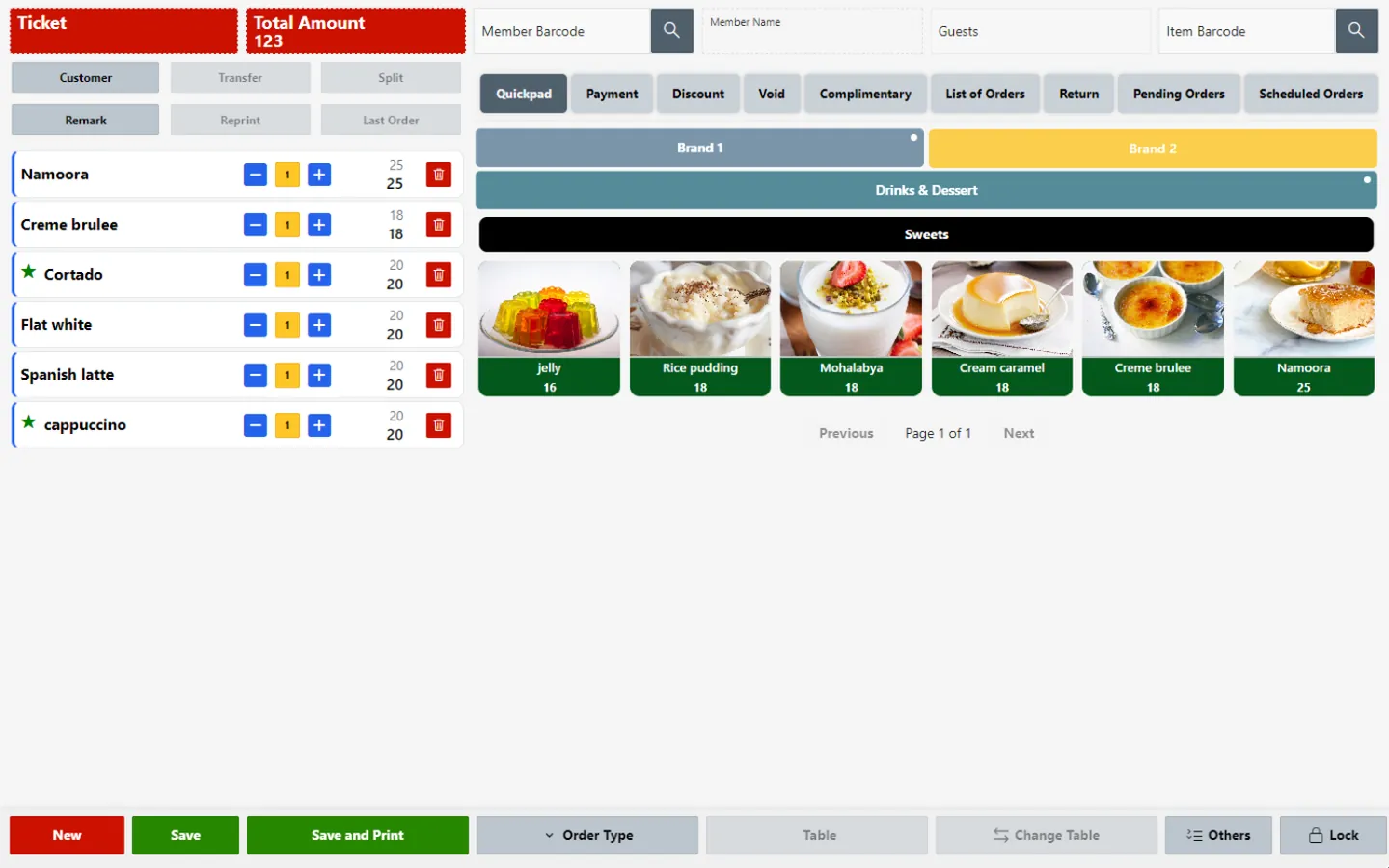
POS sales, tablet ordering and offline mode screen in HYP ERP

Kitchen routing, dispatch and delivery

Item setup, kitchen groups or printer groups send each order to the right station, such as grill, dessert or drinks. The Kitchen Display System organizes preparation, dispatch screens manage hand-off, token screens show customers their order is ready, and the Delivery Coordinator assigns delivery staff and follows progress.

Explore Kitchen routing, dispatch and delivery

HYP ERP
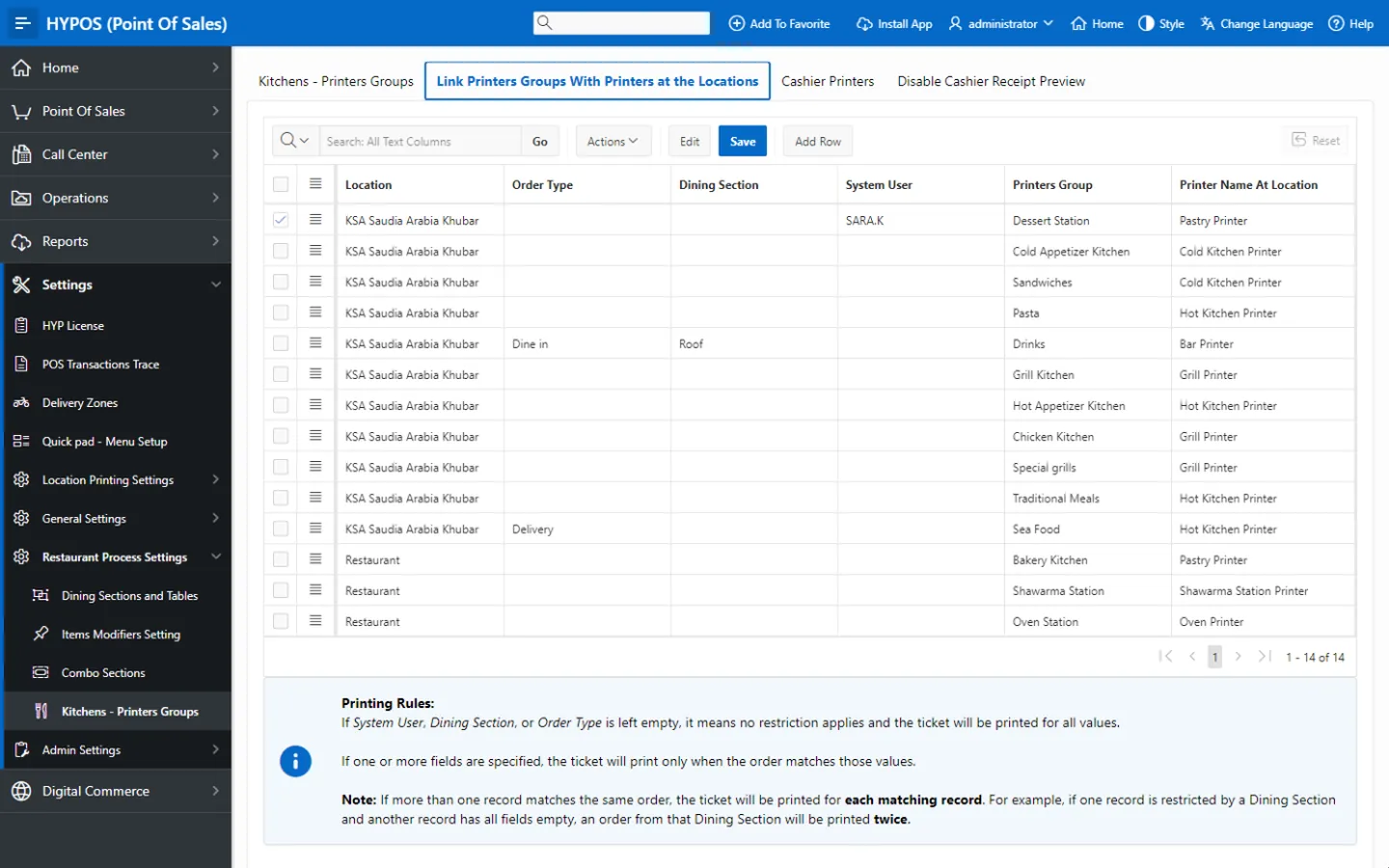
Kitchen routing, dispatch and delivery screen in HYP ERP

Call center ordering

Central ordering teams take phone orders, record complaints and check location operating hours and delivery zones, so cloud kitchens and chains send each order to a branch that is open and covers the address.

HYP ERP
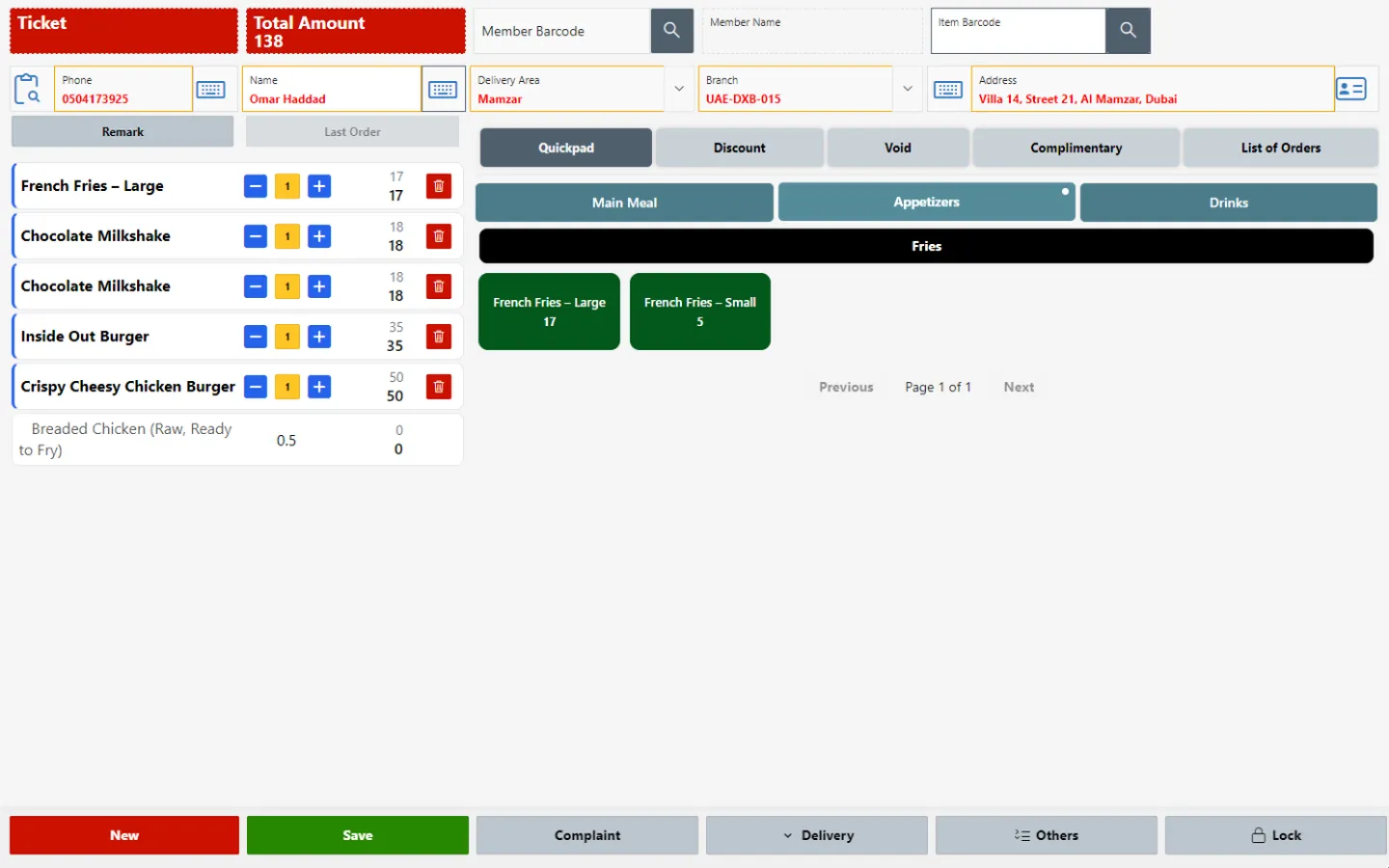
Call center ordering screen in HYP ERP

Delivery aggregator and ordering channel integration

Orders from Talabat, Careem, HungerStation, Jahez and other connected platforms join the same kitchen, dispatch, reporting and finance flow as counter orders, with no duplicate entry.

HYP ERP
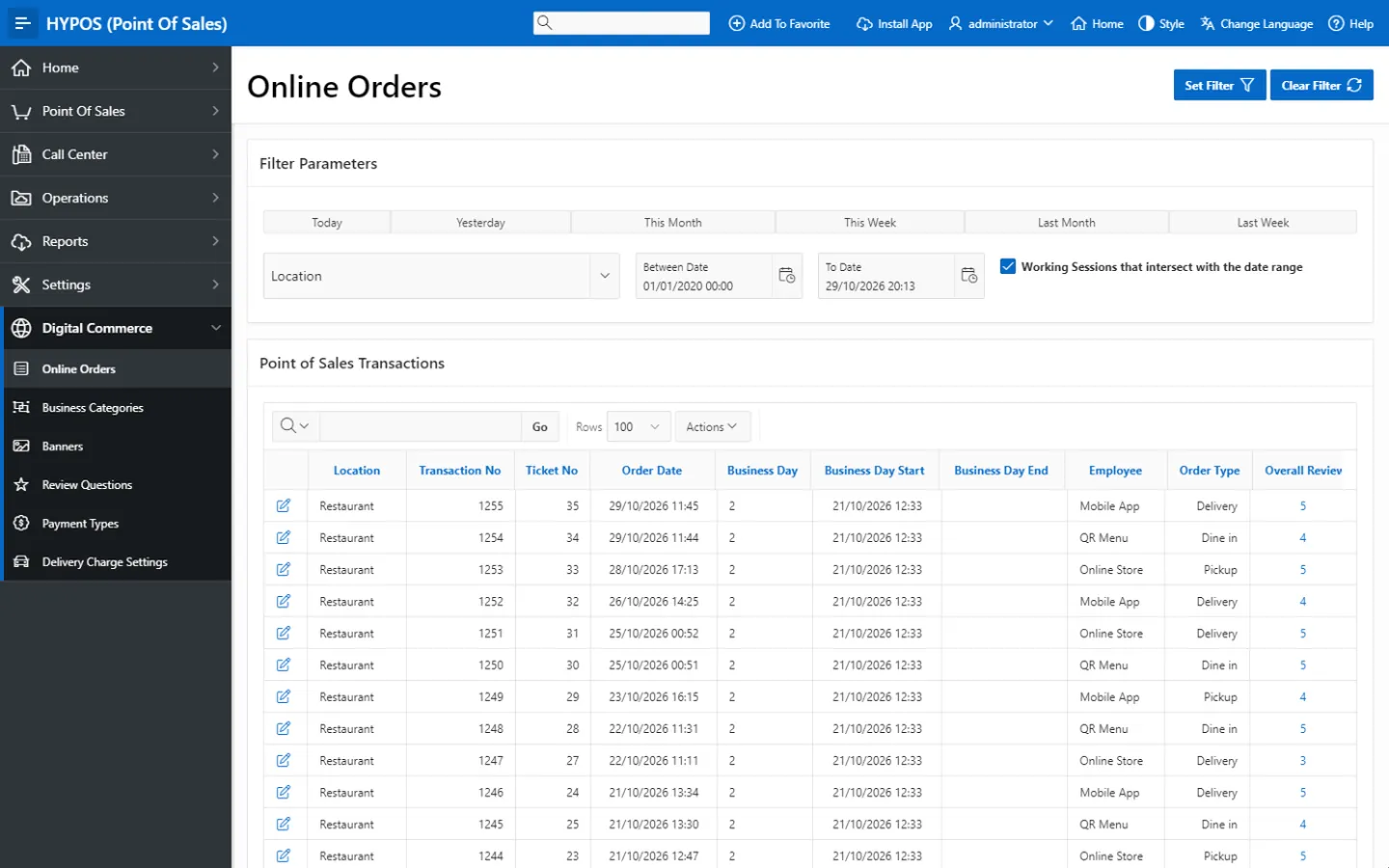
Delivery aggregator and ordering channel integration screen in HYP ERP

Digital menus, QR ordering and the branded app

Customers browse, search, choose variants, add modifiers or combos, order and pay where configured, through Digital Menus & QR Ordering System in the browser with no download, or the Branded E-Commerce Mobile App with branch-based ordering, notifications and order tracking. Both feed the POS and reduce reliance on printed menus.

Explore Digital menus, QR ordering and the branded app

HYP ERP
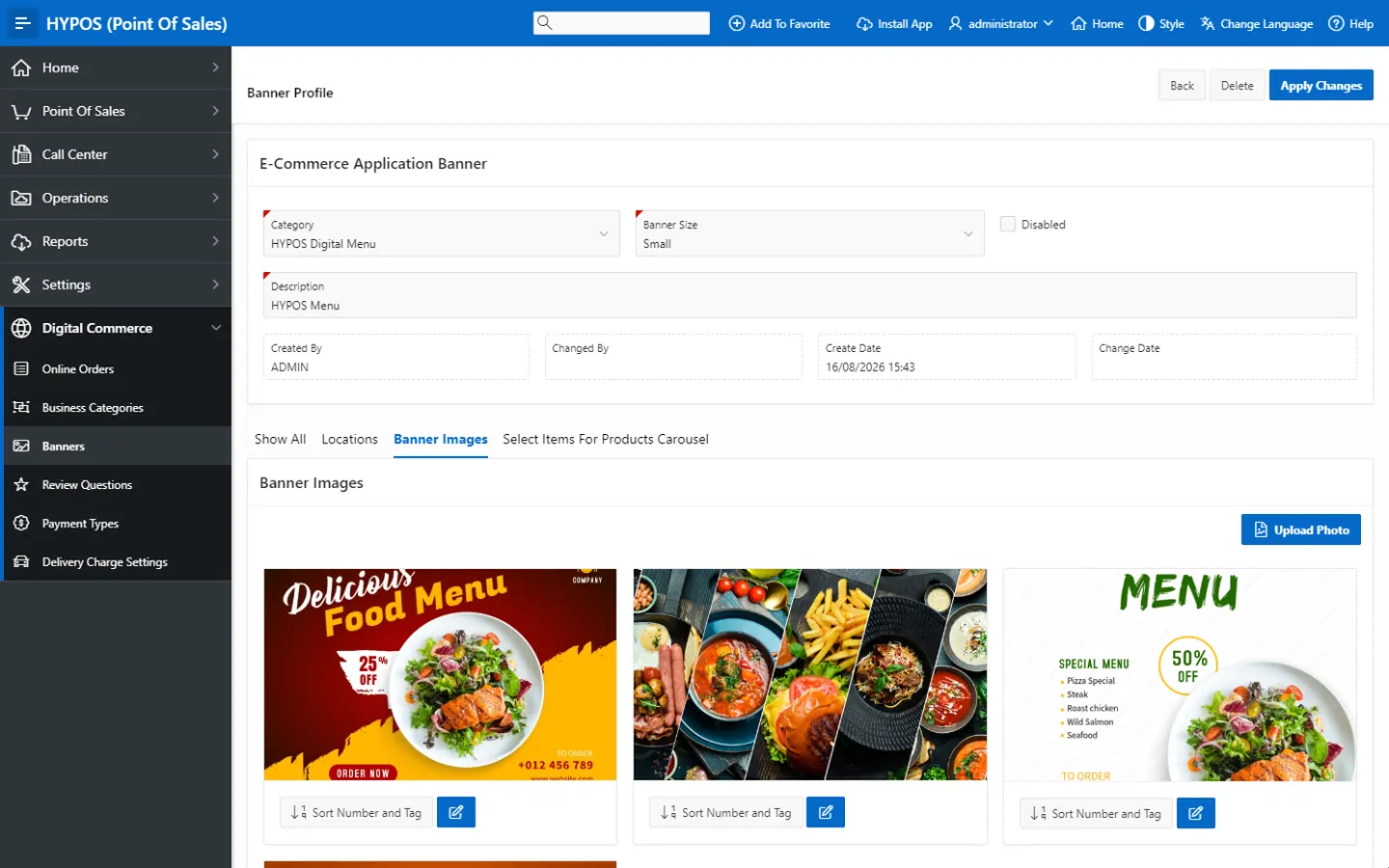
Digital menus, QR ordering and the branded app screen in HYP ERP

Inventory, recipes and purchasing

Sales connect with recipe master data and materials, vendors, purchase orders, purchase invoices, purchase returns, goods receipt, goods issue, stock transfers, stock count, consumption documents, stock on hand and material movement, for replenishment, recipe costing and branch stock accuracy.

Explore Inventory, recipes and purchasing

HYP ERP
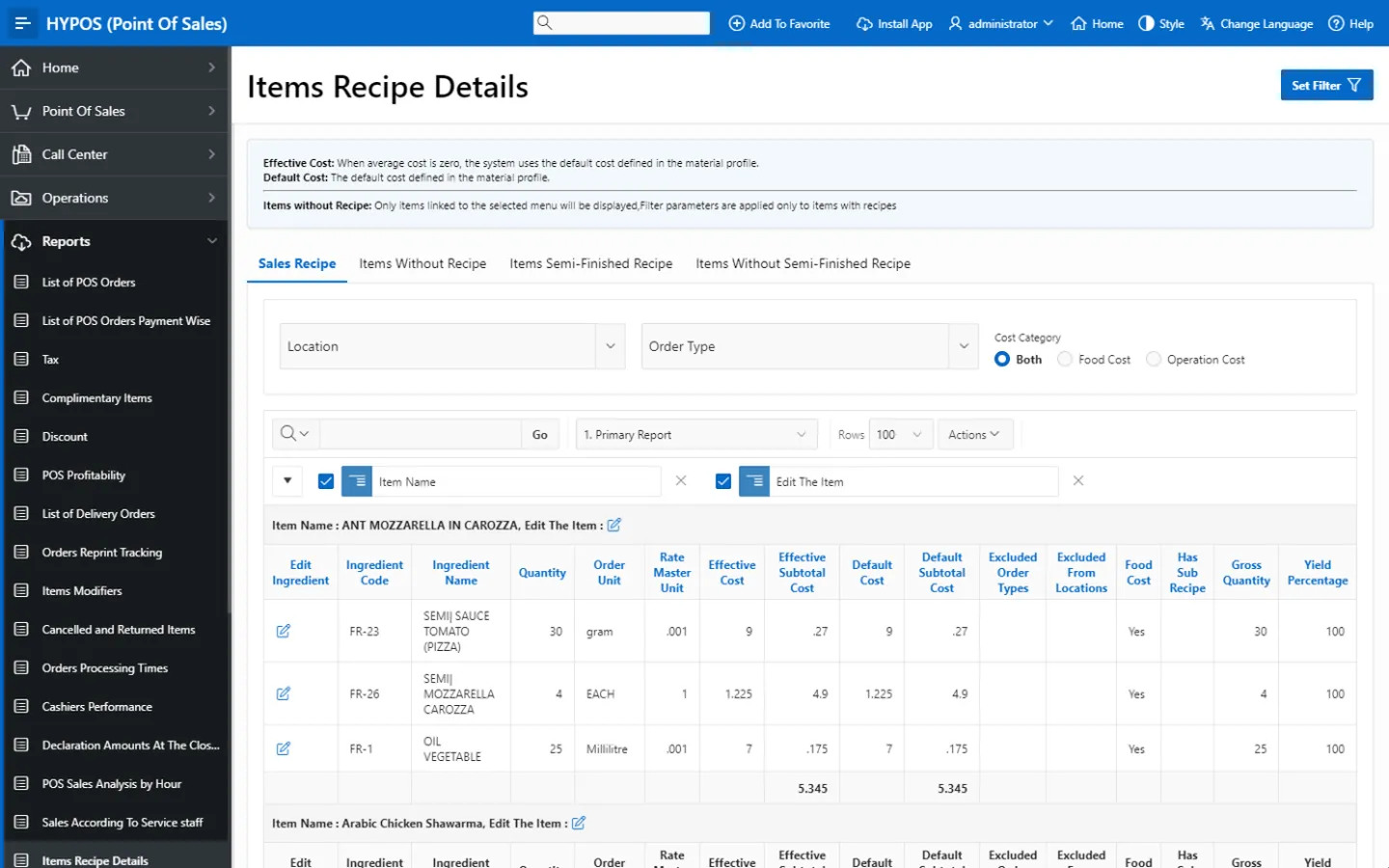
Inventory, recipes and purchasing screen in HYP ERP

Business day closing, payments, tax and finance

Closing the business day checks sales, payment totals, tax values and cashier declarations before figures move on. Configured payment methods, Qlub and Stripe, tax reporting, ZATCA e-invoice status, sales invoices, returns, receipt vouchers and accounting integration cut manual reconciliation, and mall outlets can share sales with Emaar for Dubai Mall or Aldar E-Goal for Yas Mall.

HYP ERP
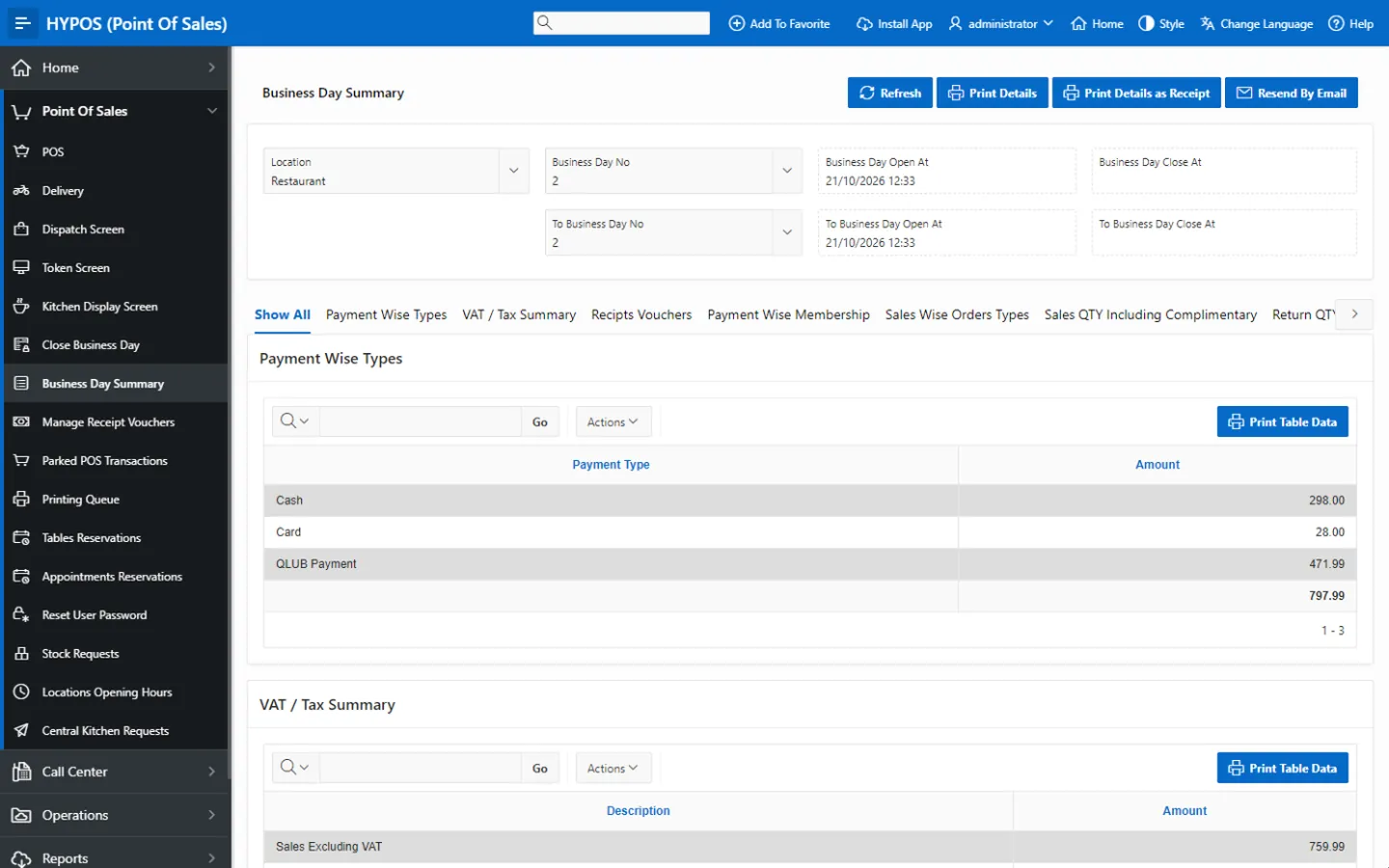
Business day closing, payments, tax and finance screen in HYP ERP

Reporting, profitability and AI-assisted analytics

Managers review sales, collections, cashier activity, branch results, delivery performance, discounts, returns, business day summaries and POS profitability beside inventory impact, recipe consumption, cost and reconciliation readiness. AI-assisted report building turns questions about branches, payment behavior, cashiers, delivery trends, profitability, inventory or reconciliation into customized reports and dashboards.

HYP ERP
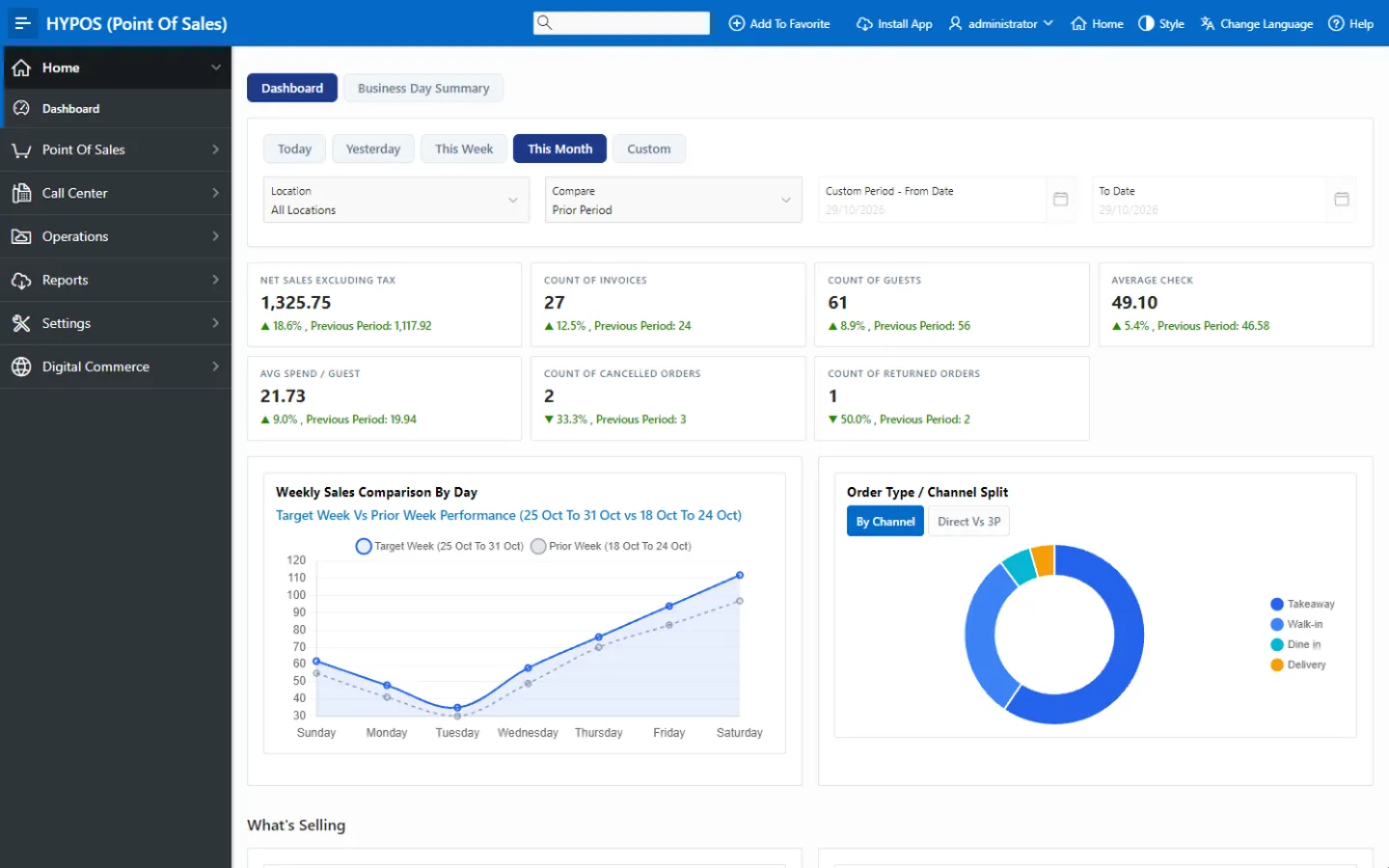

Reporting, profitability and AI-assisted analytics screen in HYP ERP

Product tour

See F&B Cloud ERP in HYP ERP

A short walkthrough of F&B Cloud ERP in the live system.

How an order runs through HYPOS Cloud

  1. Order

    Placed at the POS, on a tablet, by phone, by QR, in the app, online or through a delivery platform.

  2. Prepare and deliver

    Routed to the kitchen, then dispatch and delivery.

  3. Pay

    Settled by the customer's chosen payment method.

  4. Close the day

    Sales, payments, tax and cashier declarations are checked.

  5. Post

    Inventory consumption and finance entries follow from the closed day.

What restaurant owners, branch teams and F&B finance gain

Woman writing in a notebook in a cafe

For restaurant owners and group operators

A single café gets reliable daily POS control, and a chain gets centralized branch visibility, consistent menus and processes, delivery integration and finance alignment, instead of separate tools for sales, kitchen, delivery, stock and accounts.

For branch, kitchen and delivery staff

Orders from the counter, call center, QR codes, the app and delivery platforms arrive in one kitchen and dispatch flow, with readiness screens for waiting customers, so staff spend less time chasing orders and more time serving.

For F&B finance and cost control

Recipe, purchasing, stock and consumption data show the cost behind daily sales, and a closed business day with reconciled payments, tax and ZATCA e-invoice status reaches accounting as reliable POS data.

Industries that run on F&B Cloud ERP

Customer results

Proven in the region

All customer stories

Il Forno · United Arab Emirates

Il Forno connects 26 restaurant branches on one ERP with HYP

26restaurant branches on HYPOS
~600employees supported by HR and payroll
6connected modules, from POS to call center
Read the story

HYP ERP has improved our accounting operations by effectively integrating POS sales, purchasing, inventory, central kitchen, and payroll into one platform. This has reduced manual work, improved financial accuracy, and provided better visibility and control across all our branches.

Mohammad Abouelnil, Director of Finance, Il Forno

From the blog

Guides for restaurants and cafés

F&B Cloud ERP and HYPOS FAQs

Does HYPOS Cloud suit both small cafés and restaurant chains?

Yes. HYPOS Cloud supports small cafés, single-location restaurants, cloud kitchens, delivery-focused brands and multi-branch enterprise F&B chains, from daily POS control at one counter to centralized menus, pricing and reporting across many branches.

Is HYPOS Cloud connected to HYP ERP finance and inventory?

Yes. HYPOS Cloud is not a standalone cashier system. Sales connect with finance through business day closing, payment reconciliation, tax reporting, receipt vouchers, sales invoices, returns and accounting integration, and with inventory through materials, recipes, purchasing, stock movement and consumption.

Can HYPOS keep selling when the internet goes down?

Yes. HYPOS Cloud supports offline POS operation, so a branch keeps taking orders and recording sales during a temporary connectivity interruption, then synchronizes its data with the central system once the connection is restored.

Which delivery platforms and payment services work with HYPOS Cloud?

HYPOS Cloud connects with Talabat, Careem, Deliveroo, noon Food, HungerStation, Jahez, Mrsool, Ninja, Lugmety, The Chefz, ToYou and foodpanda. For payments it supports configured payment methods plus Qlub at the table and Stripe for online cards.

Is HYPOS ready for e-invoicing in Saudi Arabia and the UAE?

Yes. HYP ERP is ZATCA Phase 2 certified for e-invoicing in Saudi Arabia, and HYPOS shows the ZATCA e-invoice status of POS sales. For the UAE, HYP ERP is ready for e-invoicing through an Accredited Service Provider.

Run every order from ticket to ledger on HYPOS Cloud

Show us your branches and ordering channels, and we will follow one order from the counter to the closed business day.

Chat now
Chat now Request a demo