
F&B Inventory, Recipes & Purchasing

Restaurant stock, recipes and purchasing

F&B Inventory, Recipes & Purchasing is the back office of HYPOS Cloud. It links each sale to its recipe and ingredients, and runs supplier purchasing, receiving, transfers and stock counts across branches and kitchens.

Chef reviews recipes in a restaurant kitchen

How a menu item connects to stock

  1. Set up

    The item is defined with its recipe, components, units, prices, taxes, modifiers, combo structure and kitchen routing.

  2. Buy and receive

    Ingredients are ordered from suppliers and booked in at goods receipt.

  3. Sell

    POS sales show the materials and stock behind each item sold.

  4. Move and count

    Stock is transferred between locations and counted.

  5. Review

    Consumption, purchasing and sales are compared in cost and profitability reports.

Restaurant inventory, recipe and purchasing capabilities

A busy outlet can sell hundreds of items a day and still not know what was consumed, what to reorder, which dishes make money or where stock differences arise. Linking the sale to back-office inventory answers those questions.

One master catalog for POS, purchasing and inventory

Manage materials, products, services, menu items and ingredients in one place, with codes, names, categories, units, barcodes, images, price lists, tax settings, printer groups, POS visibility and online store availability, so item data stays clean across POS, purchasing, inventory, reporting and digital ordering.

HYP ERP
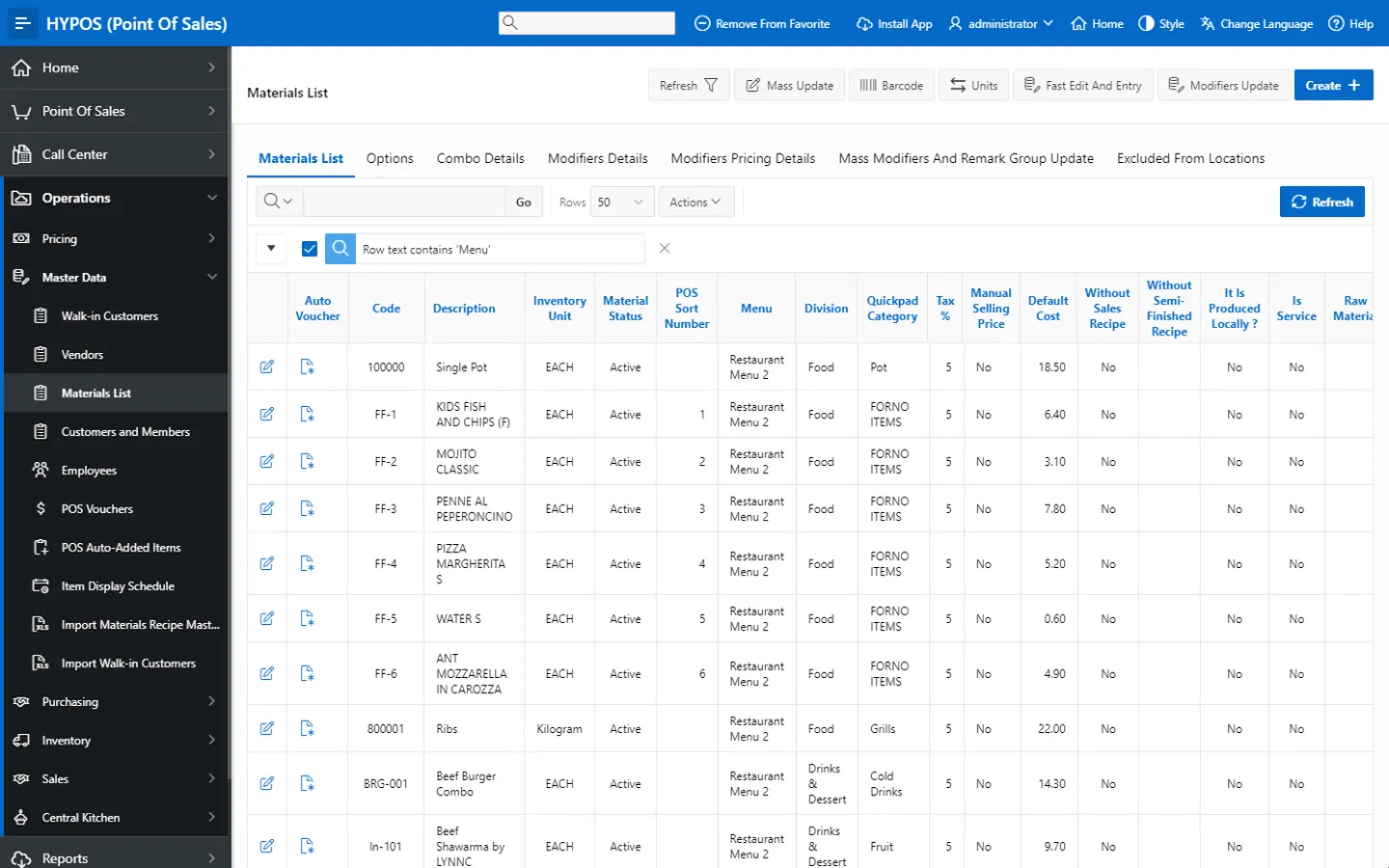
One master catalog for POS, purchasing and inventory screen in HYP ERP

Flexible item setup for F&B menus

Sell regular items, grouped items, combo meals, options, add-ons and customized products, and control menu behavior, modifiers, combos, optional selections, kitchen routing, selling prices, loyalty rules, discounts and location-based availability without losing back-office visibility.

HYP ERP
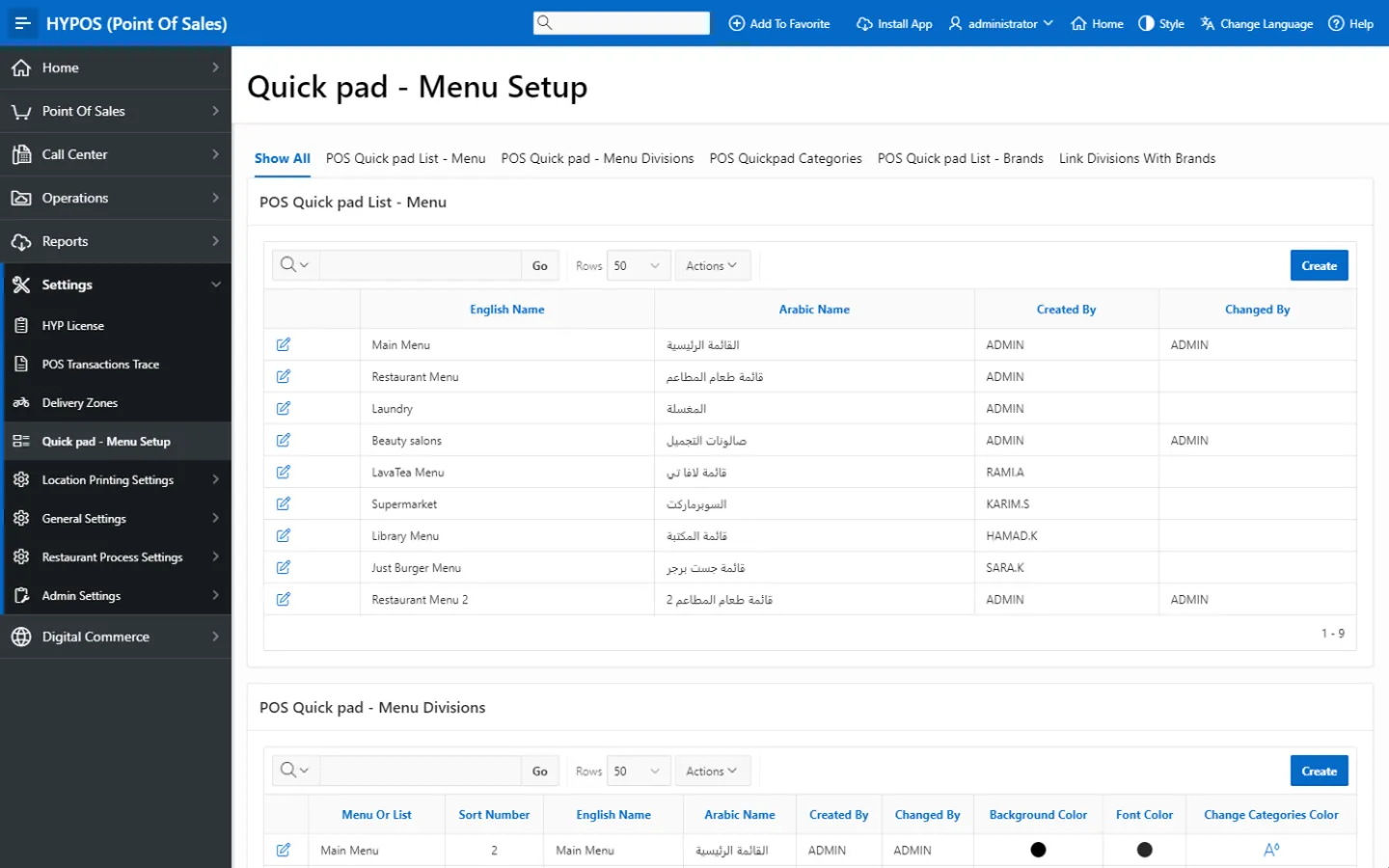
Flexible item setup for F&B menus screen in HYP ERP

Sales recipes

Define the ingredients, packaging, add-ons and supporting materials that make up each sold item, so POS activity shows the operational cost behind every dish and drink.

HYP ERP
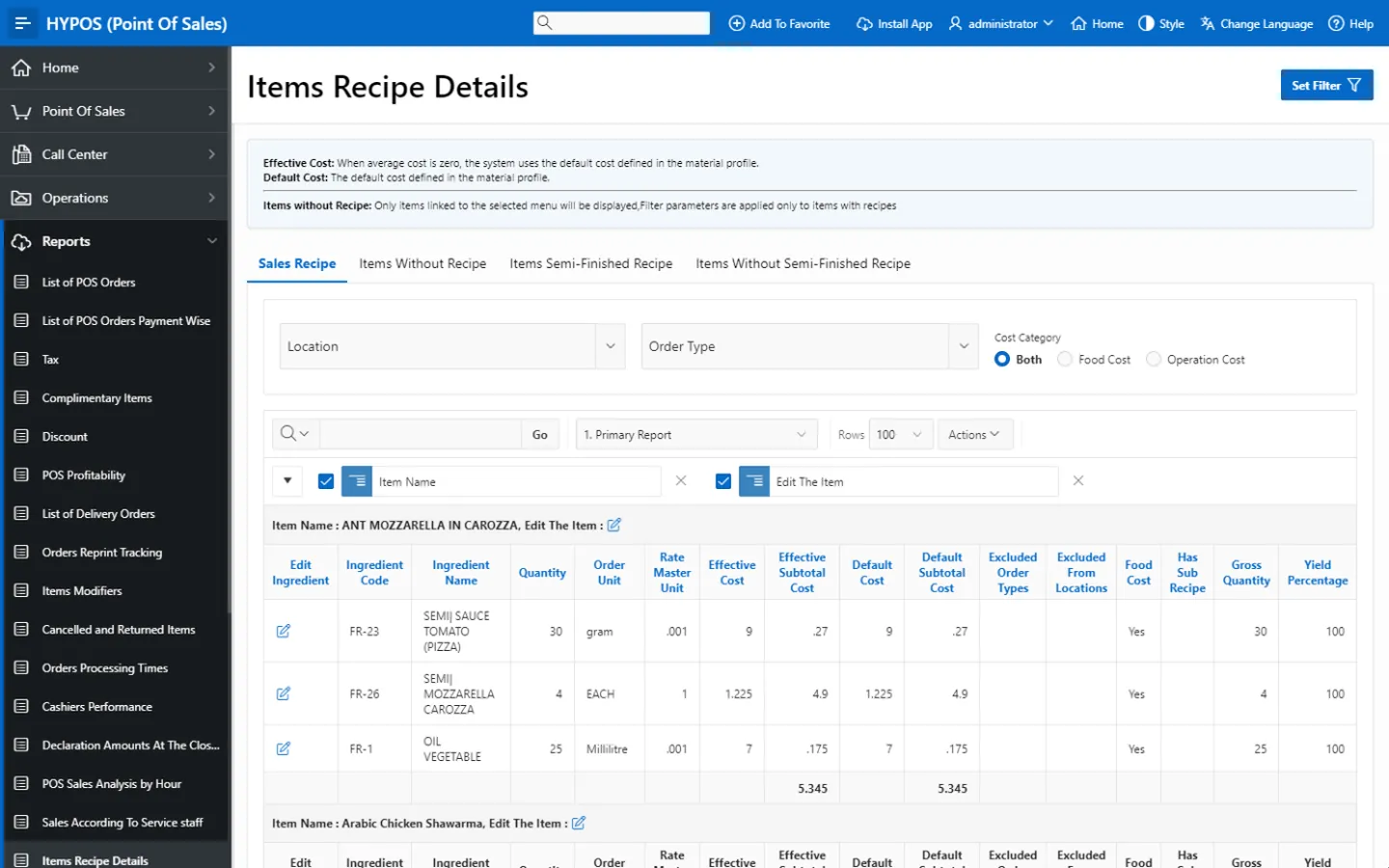
Sales recipes screen in HYP ERP

Semi-finished production recipes

Set the ingredients, quantities, units and expected yield for items prepared before sale, such as sauces, dough, mixes, fillings and prepared batches, giving kitchens control over material usage, production efficiency and consumption tracking.

HYP ERP
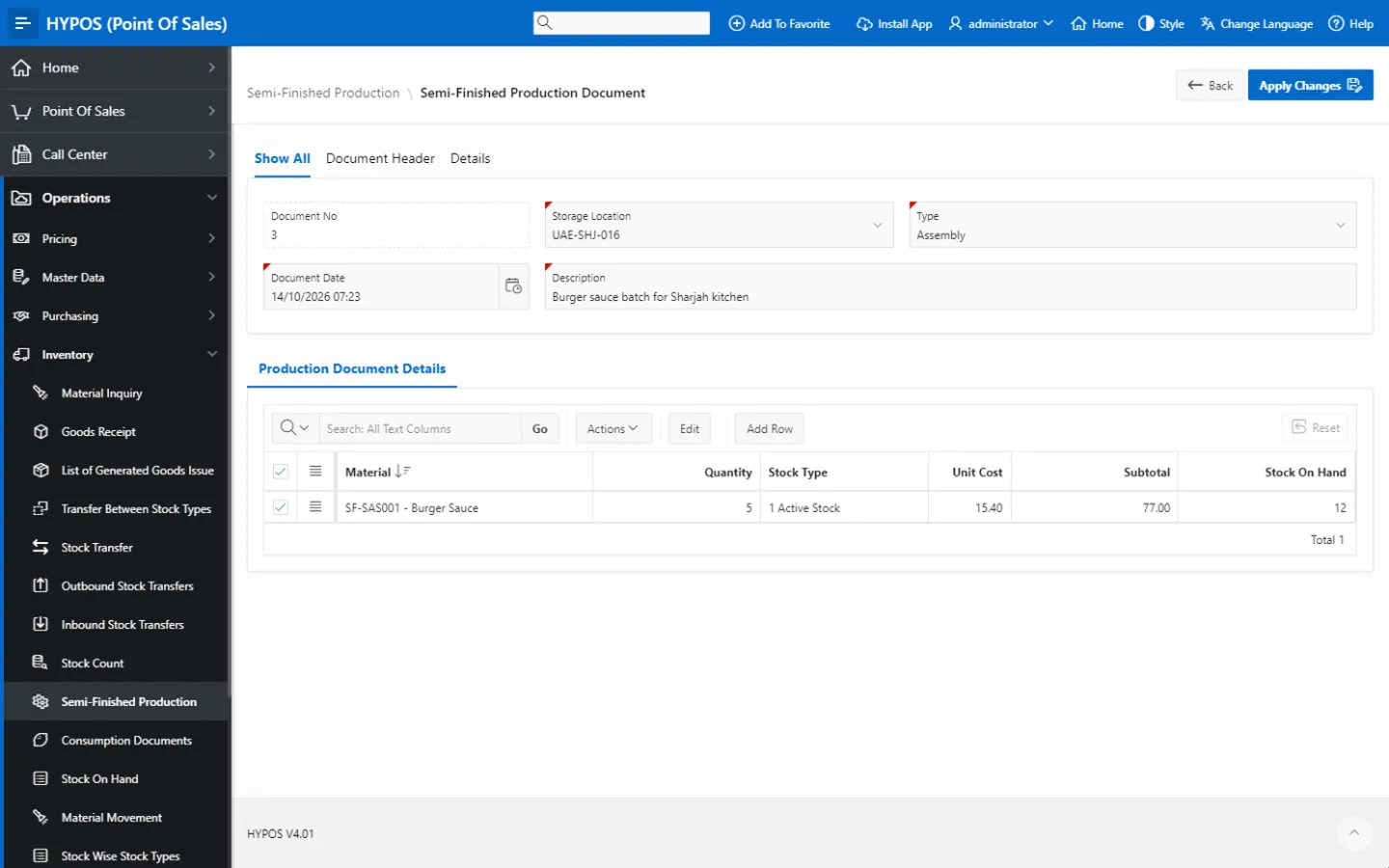
Semi-finished production recipes screen in HYP ERP

Modifiers, combos and options

Structure POS modifiers, combo sections, combo elements, grouped items and option-based selections for extra toppings, sauces, side items, drinks, flavors, sizes and custom instructions, keeping pricing, stock and preparation rules consistent while front-line teams serve flexibly.

HYP ERP
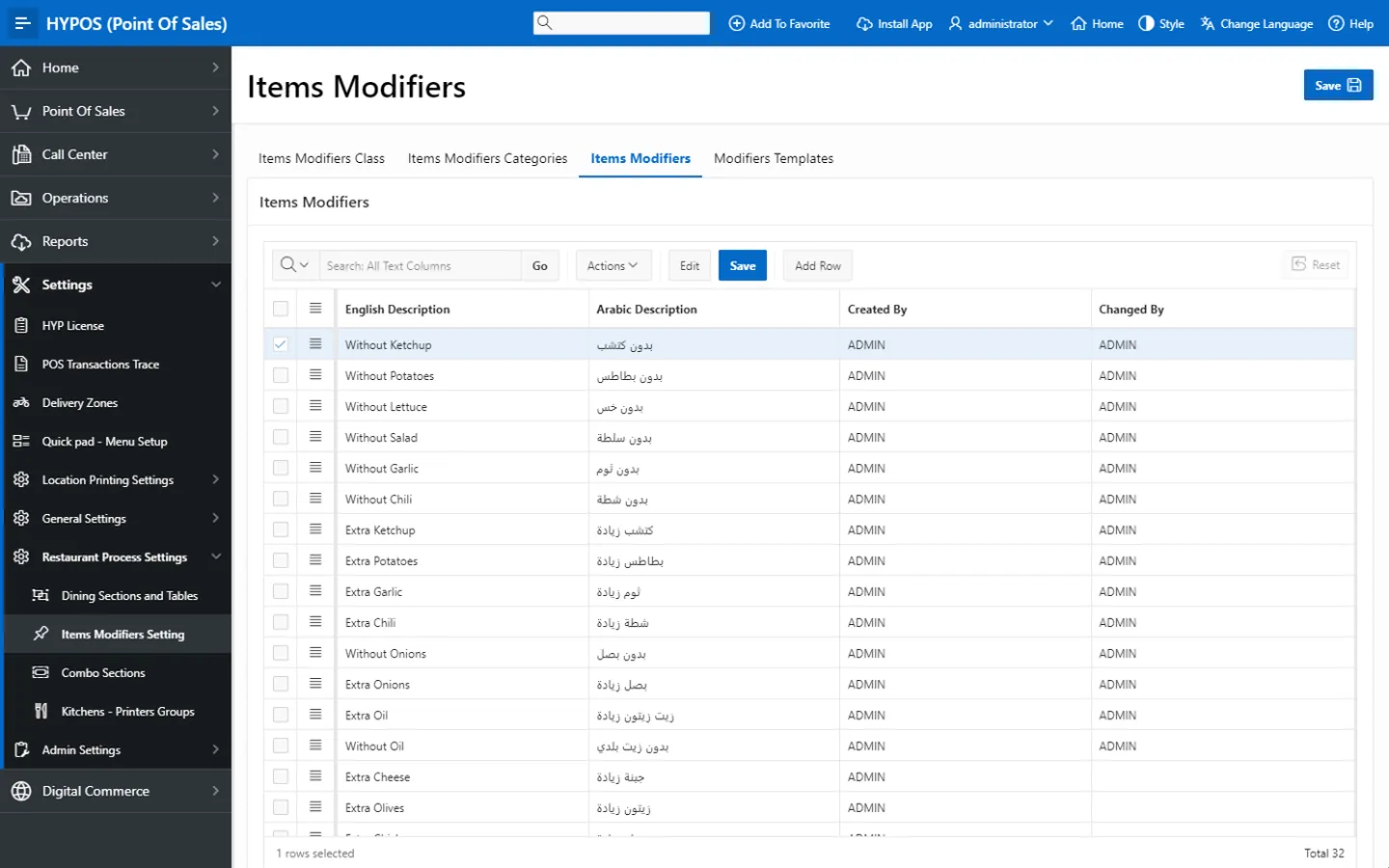
Modifiers, combos and options screen in HYP ERP

Purchase orders, receiving and supplier records

Run restaurant replenishment through supplier orders, purchase invoices, purchase returns and goods receipt, and link materials with supplier information, cost details and purchase units, so purchasing decisions and material records are standardized across branches.

HYP ERP
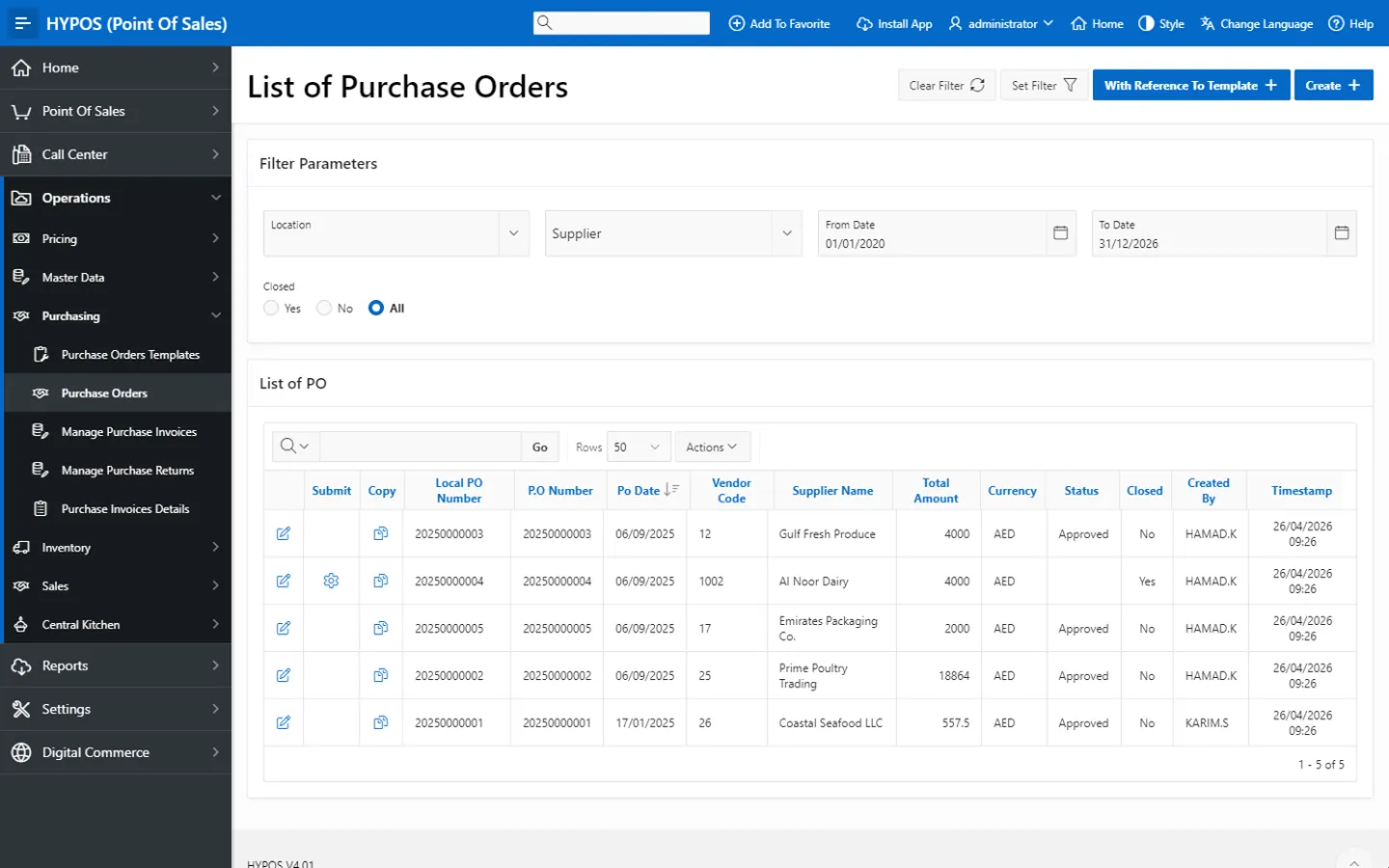
Purchase orders, receiving and supplier records screen in HYP ERP

Stock transfers, counts and stock enquiry

Record stock transfers, outbound and inbound stock movement, stock counts, goods receipt, goods issue, consumption documents and stock on hand between warehouses, branches, kitchens and operating locations. Branch teams use stock enquiry to check what is available, what is pending and what needs replenishing before confirming a request.

HYP ERP
Stock transfers, counts and stock enquiry screen in HYP ERP

What's included

What's included in F&B Inventory, Recipes & Purchasing

The catalog, recipe, purchasing and stock records in the HYPOS back office.

Catalog and recipes

  • Master catalog for menu items and ingredients
  • Sales recipes
  • Semi-finished production recipes with expected yield
  • Modifiers, combos and grouped items
  • Price lists, tax settings and printer groups

Purchasing

  • Purchase orders
  • Goods receipt
  • Purchase invoices
  • Purchase returns
  • Supplier records with purchase units

Stock

  • Outbound and inbound stock transfers
  • Stock counts
  • Goods issue and consumption documents
  • Stock enquiry by branch

Industries that run on F&B Inventory, Recipes & Purchasing

From the blog

Guides on this topic

Restaurant inventory and recipe FAQs

Can HYP ERP link restaurant POS sales to inventory?

Yes. HYP ERP connects HYPOS POS sales with inventory and stock management, so restaurants can see the stock impact and ingredient consumption behind each item sold, by branch and location.

Does HYP ERP support restaurant recipes and semi-finished production?

Yes. HYP ERP supports sales recipes for sold items and semi-finished production recipes for prepared items, each with ingredients, quantities, units and, for production recipes, expected yield.

Can restaurants manage modifiers and combos with stock rules in HYP ERP?

Yes. HYP ERP supports POS modifiers, combo sections, combo elements, grouped items and option-based item structures, each with its own pricing, stock and preparation rules where configured.

Can restaurants run supplier purchasing in HYP ERP?

Yes. HYP ERP F&B Inventory, Recipes & Purchasing supports purchase orders, purchase invoices, purchase returns, supplier records and goods receipt, so restaurant replenishment follows a controlled process across branches.

Is restaurant inventory connected with accounting in HYP ERP?

Yes. HYP ERP connects F&B inventory, purchasing and POS activity with finance, supporting cost visibility, accounting integration and profitability reporting from the same records the kitchen and stockroom use.

See the food cost behind every sale

Walk through a menu item from recipe and purchase order to POS sale and stock count in HYP ERP.

Chat now
Chat now Request a demo