
Broker Assignment & Commission Management
Broker contracts, units and commissions
Broker Assignment & Commission Management records which units each broker holds under contract and which commissions are pending, confirmed or paid. Sales and finance stop reconciling broker lists by hand.

Broker assignment and commission capabilities
Developers often sell or lease through several brokers and broker companies. Without a structured process, nobody is sure which units sit with which broker, which deals earn commission or what is still owed, and figures end up in side spreadsheets.
Broker and related party records
Manage brokers, owners, vendors, tenants and customers in the real estate module, so broker activity traces back to the people and organizations involved in each sale, lease, contract and commission.
HYP ERP
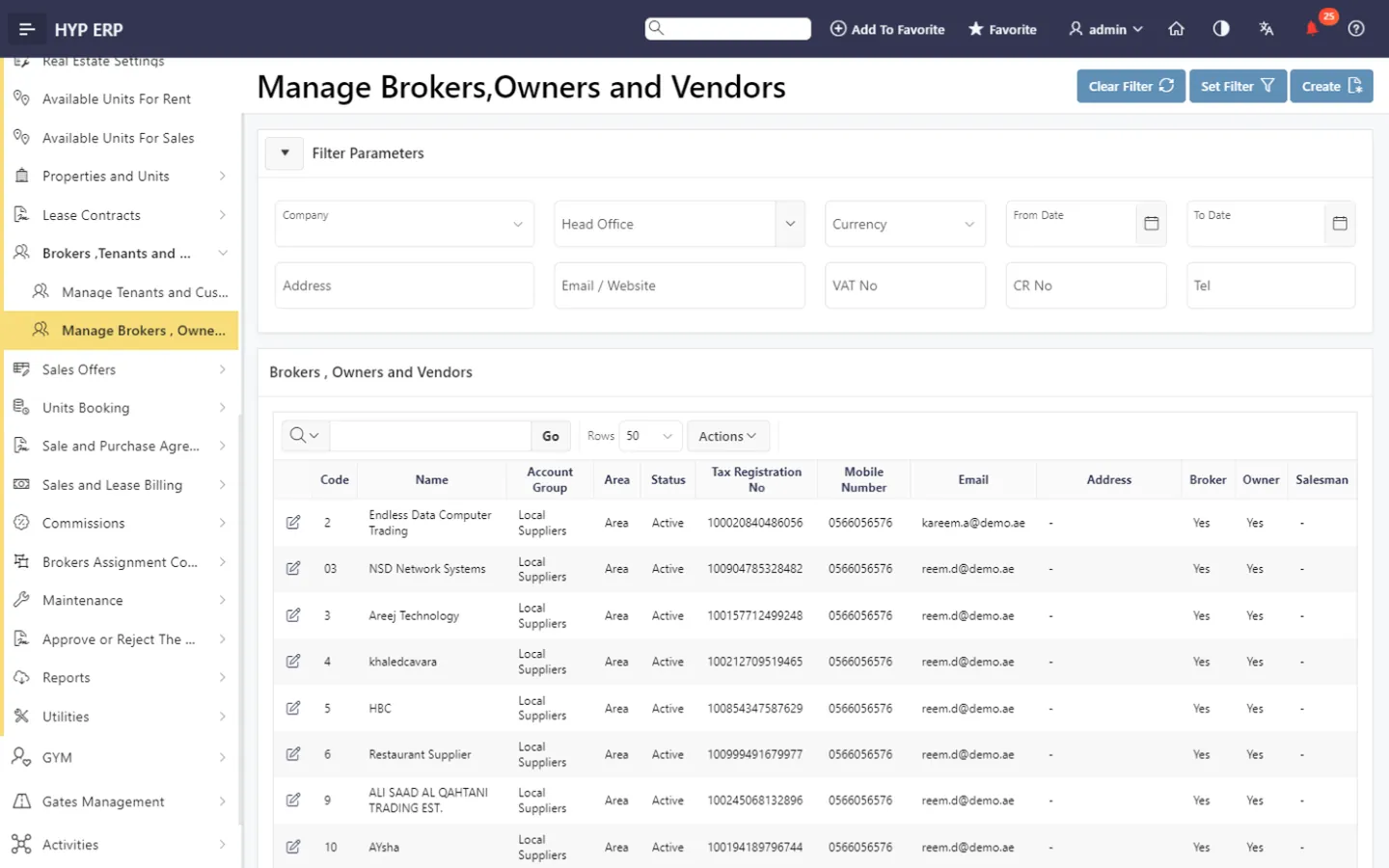
Broker assignment contracts
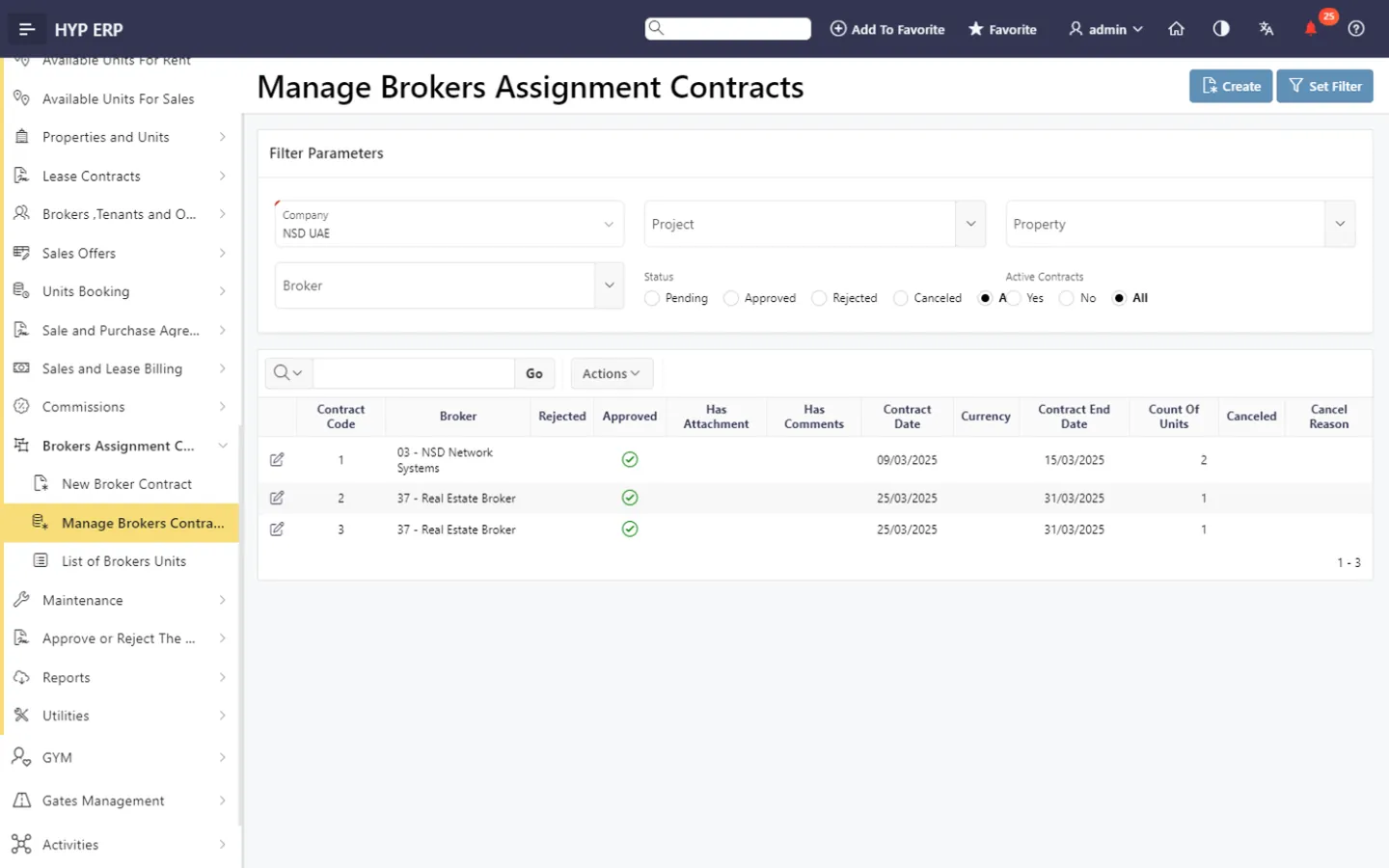
Create and manage broker assignment contracts that formalize each broker relationship, record responsibilities and control which units are assigned.
HYP ERP
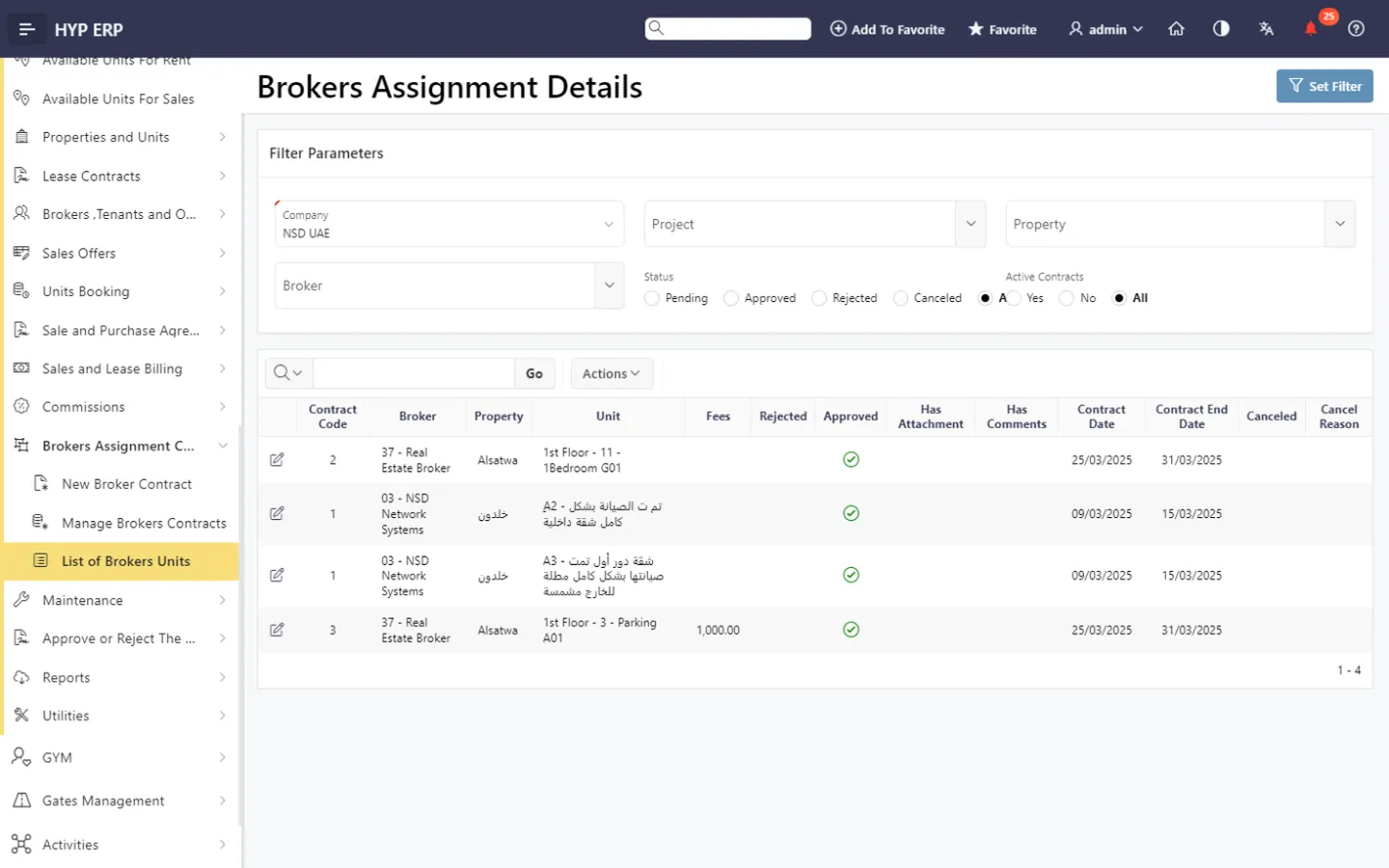
Broker-assigned unit lists
See the units assigned to each broker, so sales and management know who holds which unit and avoid confusion over availability and responsibility.
HYP ERP
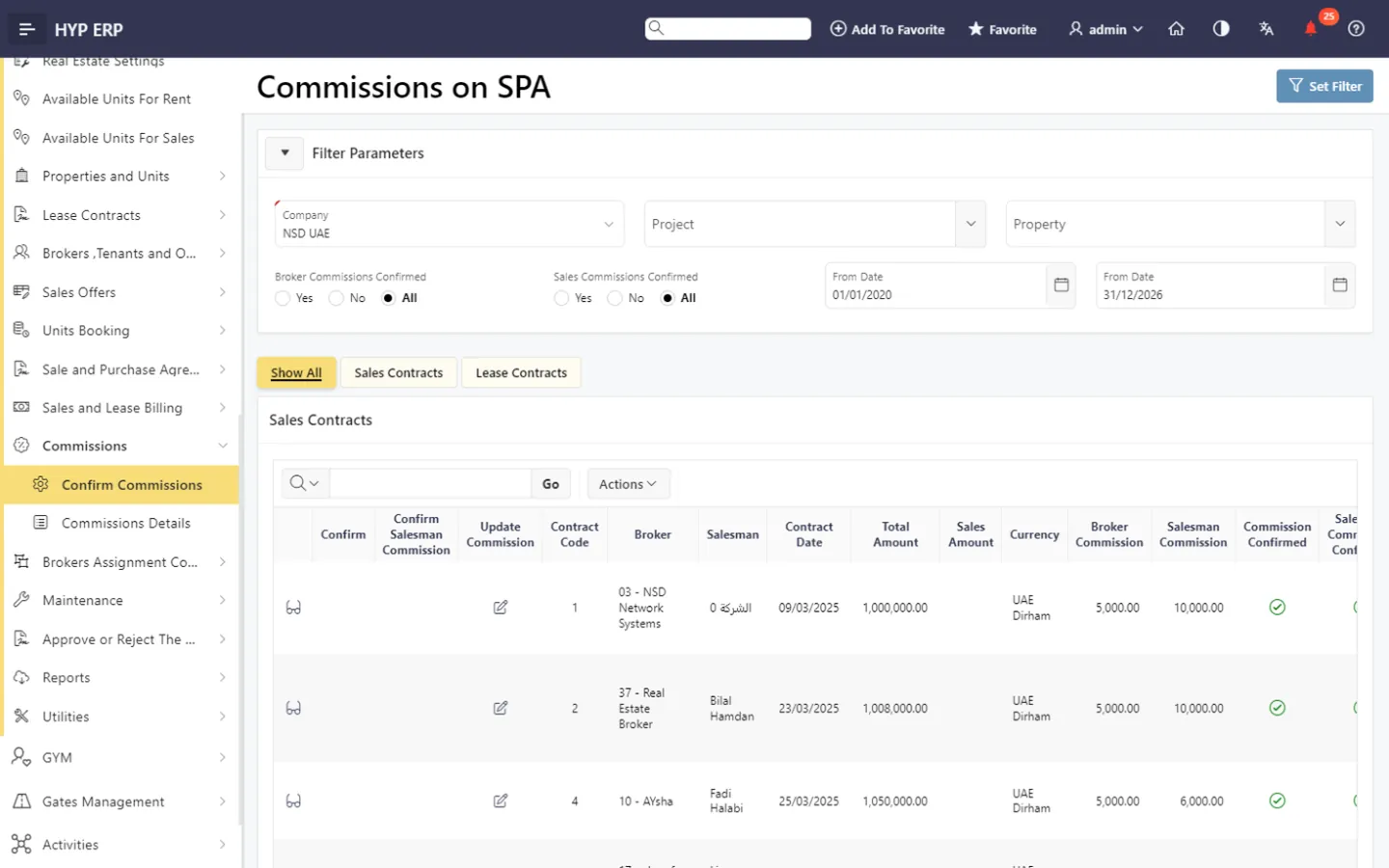
Commission confirmation
Review and confirm commissions against contract activity and company rules before amounts move on to payment or financial processing.
HYP ERP
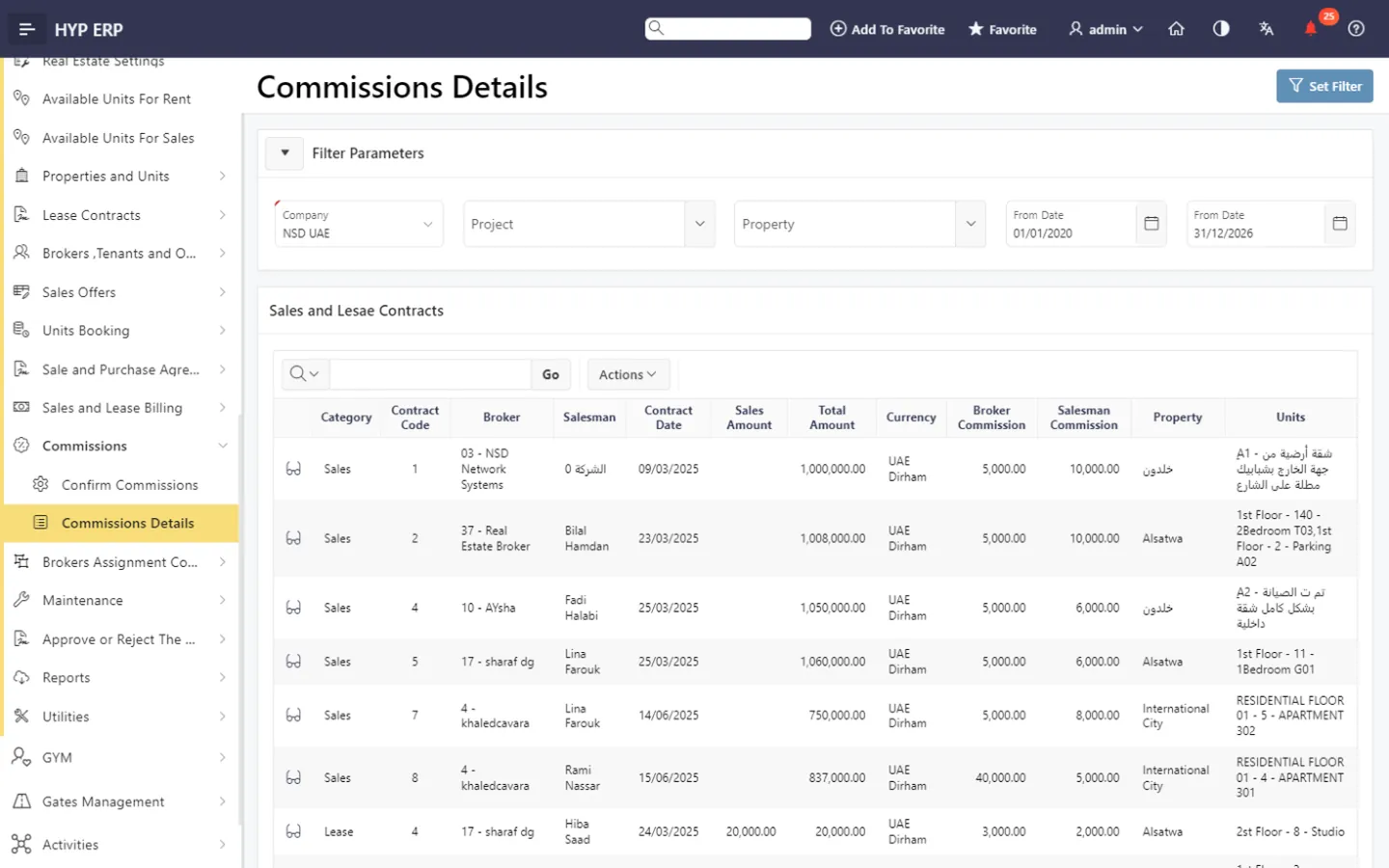
Commission details
Finance and management review commission details to understand broker-related obligations and follow payout status, with the same figures visible to sales and broker management.
HYP ERP
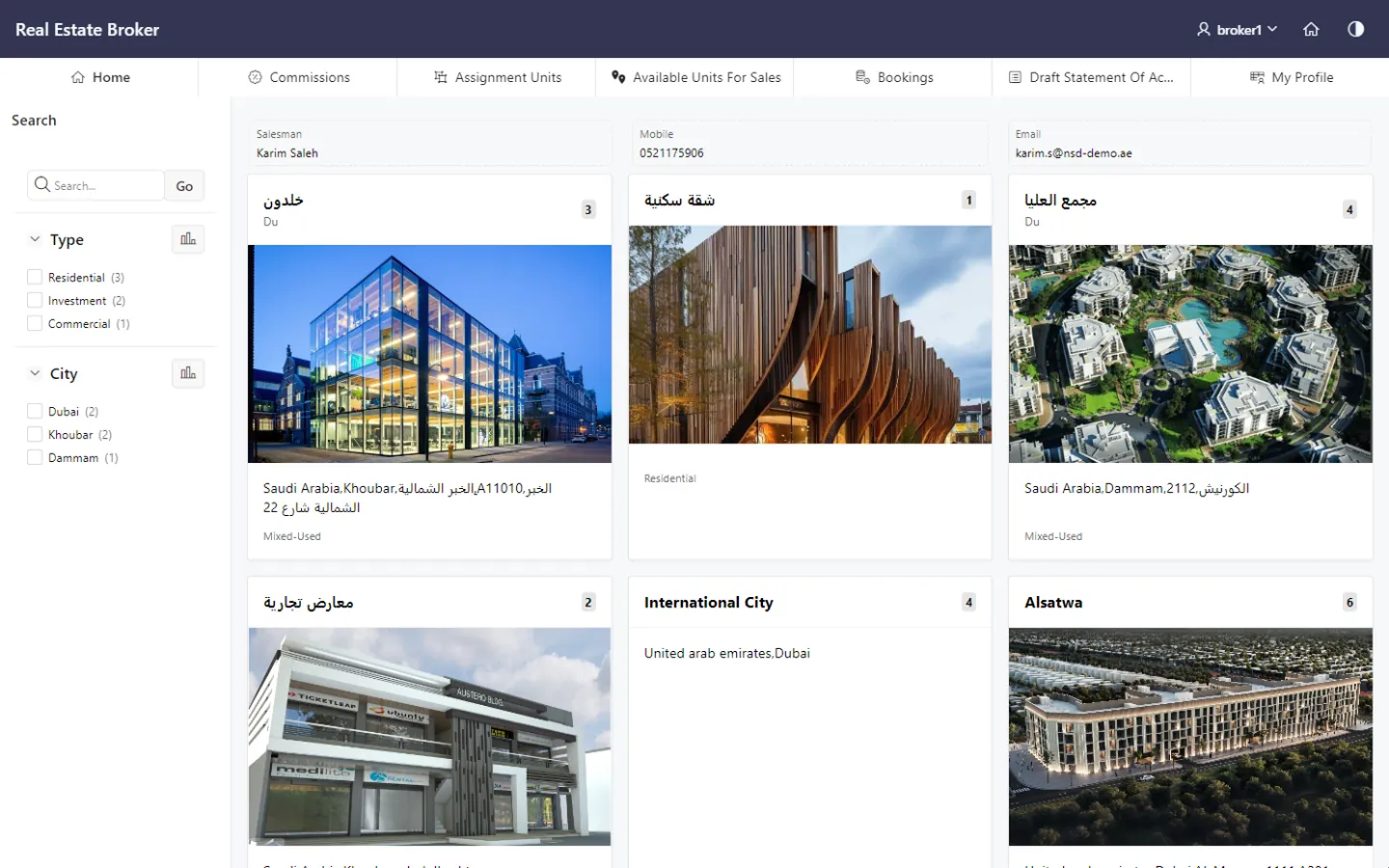
Connected Broker Portal
Assignment and commission data feed the Broker Portal, where brokers see their assigned units, bookings, commissions and account information within controlled access.
Explore Connected Broker Portal
HYP ERP
What's included
What's included in Broker Assignment & Commission Management
The broker and commission screens in the Real Estate module.
Brokers
- Brokers, tenants and owners
- Broker contracts
- Brokers' units
Commissions
- Confirm commissions
- Commission details
- Approve or reject contracts
Linked sales
- Available units for sale
- Units booking
- Sale and Purchase Agreement (SPA)
How a broker commission is controlled in HYP ERP
Register
Record the broker or broker company and related parties.
Assign
Sign the broker assignment contract and list the assigned units.
Sell
Keep the broker linked to the unit's booking and SPA contract.
Confirm and follow
Confirm the commission, then track its details to payout.
Broker assignment and commission FAQs
Can HYP ERP assign units to real estate brokers?
Yes. HYP ERP Broker Assignment & Commission Management uses broker assignment contracts and broker-assigned unit lists to record which units each broker or broker company is responsible for.
Can broker contracts be managed in HYP ERP?
Yes. Teams create and manage broker contracts inside the HYP ERP real estate module, keeping each agreement with the broker's record, assigned units and related sales activity.
How are broker commissions confirmed in HYP ERP?
HYP ERP confirms broker commissions based on contract activity and your company's rules. Confirmation takes place before the amount moves to payment or financial processing, which gives finance a clear control point.
Can finance review commission details and payout status?
Yes. HYP ERP Broker Assignment & Commission Management gives finance and management the commission details they need to see broker-related obligations and follow the payout status of each commission.
Is broker commission data shown in the Broker Portal?
Yes. Broker assignment and commission information in HYP ERP supports Broker Portal visibility, so brokers see their assigned units and commissions within the access rules the developer controls.
Know which broker holds each unit and what is owed
See broker contracts, assigned units and commission confirmation working together in HYP ERP.